
henoemehcgdmheahabihhikaoeldpmlc
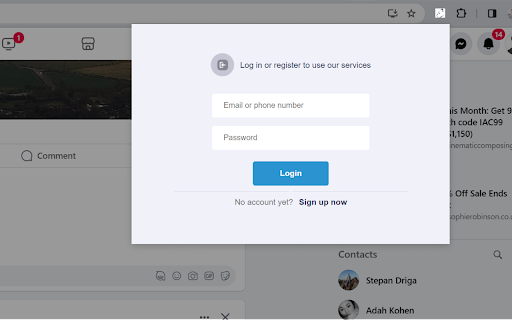
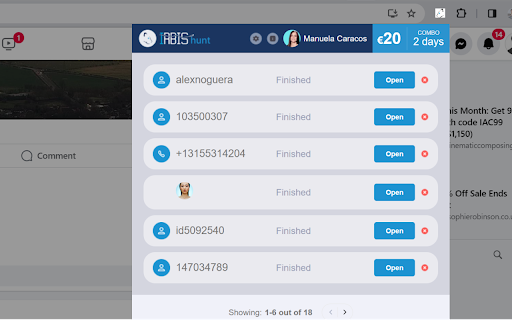
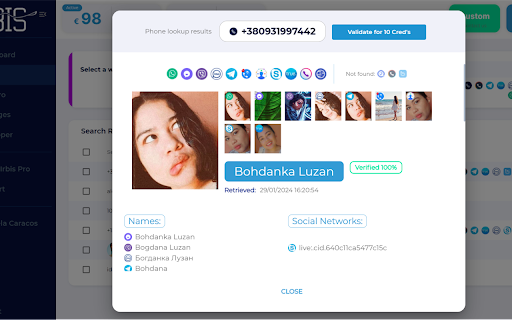
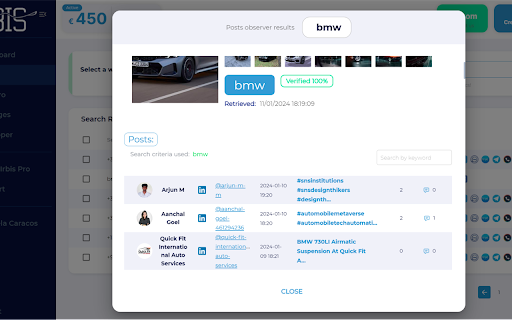
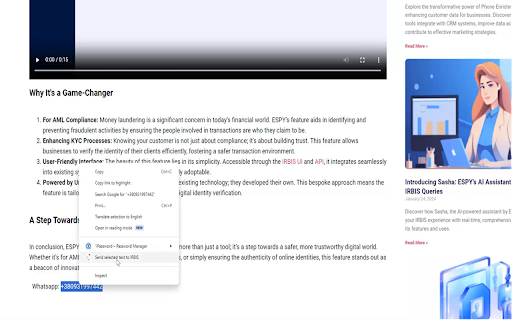
Enhance your online research capabilities with just a click using IRBIS. IRBIS for Chrome is your go-to tool for uncovering detailed information from a simple phone number, email address, or name. Whether you're a marketer, or just curious, IRBIS Hunt streamlines the process of gathering valuable insights. Simply highlight a phone number, email, or name on any web page, right-click, and select 'Send selected text to IRBIS’.' Our extension instantly processes your query, diving into a online search to bring you comprehensive information. IRBIS Hunt integrates effortlessly into your Chrome browsing experience. There's no need for cumbersome navigation or multiple tabs. Perform your research discreetly and efficiently directly within your current browser tab. Our tool doesn't just stop at basic details. Depending on the data provided, you might uncover associated profiles, professional information, social media links, and more. It's an all-in-one solution for information enrichment. The IRBIS extension boasts an intuitive interface. Results are neatly presented, allowing for easy understanding and analysis. You can even save your findings for future reference. IRBIS is trusted by industry professionals across various fields, including journalism, market research, security, and more. Our commitment to accurate and speedy data retrieval makes us a leader in the field. To begin, simply install the IRBIS extension. Upon first use, you'll be prompted to create an account. We offer a generous number of free searches per month, with options to upgrade for more extensive use. By installing the extension, you agree to IRBIS Hunt's Privacy Policy (https://espysys.com/privacy-policy). Experience the power of efficient information gathering with IRBIS today!

OSINT Navigator
Select any IP, URL, domain or hash, right-click, and send it to OSINT Navigator for instant analysis. Select any IP, URL, domain or hash, right-click, and send it to OSINT Dashboard for instant analysis.

Street View Tracker
Unlock the potential of Open Source Intelligence (OSINT) with Street View Tracker, a powerful Chrome extension designed for… Unlock the potential of Open Source Intelligence (OSINT) with Street View Tracker, a powerful Chrome extension designed for investigators, researchers, and enthusiasts alike. Seamlessly integrate Google Street View with your research, allowing you to visualize exactly which streets you have been down before! Key Features: Coordinate Tracking: Effortlessly capture and save geographic coordinates as you explore Google Street View. Perfect for mapping locations during investigations or research projects. KML File Support: Download your collected coordinates in KML format for easy integration with mapping applications or GIS tools. User-Friendly Interface: Intuitive design makes it simple to navigate, whether you’re an experienced investigator or new to OSINT. File Upload Capability: Load existing KML files into the extension to manage and analyze previously collected data efficiently.

OSINT Angel
OSINT Angel is a browser extension that aids in gathering and analyzing OSINT data from various sources. OSINT Angel is a powerful cybersecurity tool designed to bring Open Source Intelligence (OSINT) capabilities directly to your browser. The world of the internet is teeming with potential threats and hazards. Understanding these risks is crucial for cybersecurity analysts, researchers, and enthusiasts alike. This is where OSINT Angel comes into play, serving as your personal guardian in the vast cyber realm. Through integrating multiple threat intelligence APIs, the OSINT Angel extension provides real-time, in-depth data on IPs, URLs, and hashes directly from your browser. The extension will fetch data from reputable sources like VirusTotal, IBM X-Force, AbuseIPDB, IPQualityScore, and ThreatJammer, allowing you to perform comprehensive and efficient cyber threat intelligence operations. Once you've installed the OSINT Angel, you can simply right-click on any IP address, URL, or hash within your browser and select 'Perform OSINT.' The extension will quickly evaluate the selected data point against multiple threat databases. The process includes checking IPs for malicious activity, assessing URLs for potential threats, and verifying hashes against known malware databases. This comprehensive analysis is then neatly formatted and copied to your clipboard. This reduces the time-consuming process of manual threat hunting and analysis, freeing you to focus on more strategic aspects of your cybersecurity work. The extension also provides a notification once the OSINT is complete, ensuring you don't miss any crucial information. Beyond the technical, OSINT Angel also respects your privacy. All analysis is done on-demand and no personal data is stored or shared with any third parties. This ensures that your cybersecurity research doesn't compromise your own personal security. OSINT Angel is not just a tool, it's a companion for anyone interested in cybersecurity. Whether you're a seasoned analyst, a cybersecurity student, or just a curious mind, OSINT Angel provides invaluable insights in a fast and user-friendly manner. Utilizing OSINT Angel can significantly enhance your understanding of the cyber threat landscape, making the internet a safer place for everyone. Upgrade your browser today with OSINT Angel, and let it guide you through the intricate world of cybersecurity and threat intelligence. Requires your own APIKEYS for VirusTotal, IBM X-Force, AbuseIPDB, IPQualityScore, and ThreatJammer all free and available once registered.

WebInvestigator
Capture screenshots, PDFs, and document web pages for digital investigations with encrypted local storage. WebInvestigator is a professional evidence capture and case management tool for investigators, intelligence analysts, legal professionals, and OSINT researchers. Built for anyone who needs to prove something happened online. Courts reject plain screenshots every day — no timestamp, no source verification, no proof of integrity. WebInvestigator captures web evidence with automatic SHA-256 cryptographic hashing, chain of custody metadata, and full URL and device stamping from the moment of capture. Everything stays on your device. Nothing leaves your machine. ───────────────────────────── HOW IT WORKS ───────────────────────────── Enter a case reference to start your investigation Browse normally — WebInvestigator quietly logs every page you visit with precise timestamps Capture evidence with one click: screenshot, full-page PDF, annotations, or flag for review Add notes, redact sensitive content, and review your complete investigation timeline Generate a professional evidence report with chain of custody metadata — ready to submit or share ───────────────────────────── EVIDENCE CAPTURE ───────────────────────────── → One-click screenshots with automatic URL, timestamp, SHA-256 hash, and device metadata → Save complete web pages as full-length PDFs for offline access and legal archives → Full-page scroll capture — captures content below the fold automatically (Pro) → Screenshot annotations — highlight, blur, draw, and add text labels (Pro) → SHA-256 cryptographic hash generated for every captured file at the moment of capture → Automatic page visit logging throughout your investigation session ───────────────────────────── CASE MANAGEMENT ───────────────────────────── → Named cases with unique reference IDs — keep every investigation separate → Pause and resume cases across sessions — evidence is preserved throughout → Flag important pages for priority review → Per-page notes and case-wide investigation notes → Interactive investigation timeline with filtering and search (Pro) → Evidence redaction for sensitive or confidential content → All evidence organised by case from the moment of capture ───────────────────────────── REPORTING & EXPORT ───────────────────────────── → Professional HTML evidence reports generated automatically → Evidence grouped by domain, timeline, and case reference → Chain of custody metadata included in every export → Full JSON data export for integration with other investigation platforms → Print-ready formatting → One-click export directly from the investigation timeline ───────────────────────────── SECURITY & PRIVACY ───────────────────────────── → AES-GCM encryption for all stored investigation data → 100% local storage — no cloud, no servers, no syncing → No analytics on your investigation activity, no data collection → No third-party access to your cases or evidence — ever → Your investigations belong to you ───────────────────────────── PLANS ───────────────────────────── FREE — 5 investigations per month. Includes screenshots, PDFs, page logging, notes, flagging, and full HTML reports. No account required. No credit card. PRO — Unlimited investigations. Adds full-page scroll capture, screenshot annotations, interactive timeline view, enhanced chain of custody metadata, and priority support. $9.99/month or $99/year. ───────────────────────────── WHO USES WEBINVESTIGATOR ───────────────────────────── → Private investigators — background research, fraud cases, family law, insurance investigations → Intelligence analysts — open source intelligence collection, evidence documentation, source tracking → Law enforcement — OSINT research, preliminary web investigation, evidence preservation → OSINT and SOCMINT researchers — systematic evidence collection with full case organisation → Fraud investigators and analysts — documenting scams, collecting web evidence for reporting → Corporate security and compliance teams — vendor due diligence, internal investigations → Legal professionals — litigation research, web-based evidence for court submissions → HR and workplace investigators — employee misconduct documentation, digital evidence collection → Journalists and investigative reporters — source verification, investigation documentation → Digital forensics teams — chain of custody web evidence capture ───────────────────────────── PERMISSIONS ───────────────────────────── WebInvestigator requests only the permissions it needs to function. All data remains on your device. We have no access to your browsing activity or investigation files. Try it free — no account required, installs in seconds.
