
hcmjdmffibhdokpbajaiegfpemmkfpcm
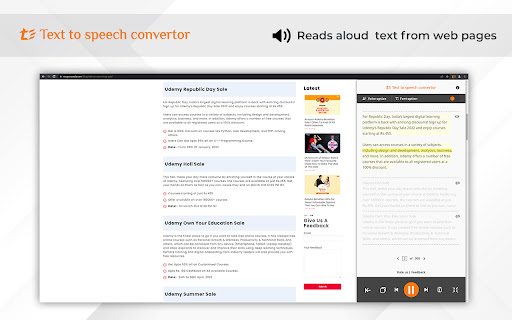
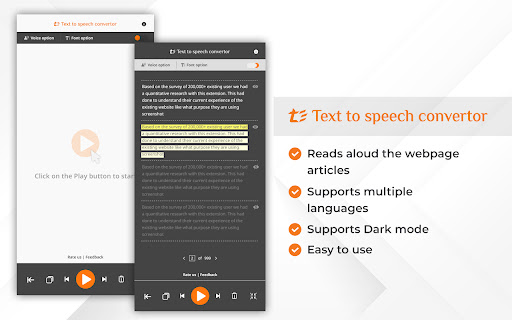
Text to voice converter is a professional Chrome extension that can convert any text into speech. A Text-to-speech voice converter… Text to voice converter is a professional Chrome extension that can convert any text into speech. A Text-to-speech voice converter lets you read documents aloud on your laptop or desktop. Text-to-speech is now one of daily life's most commonly used features, especially if you are a teacher, student, working professional, or content creator. Text to sound extension enables users to do other activities simultaneously, such as noting down content or playing games while listening to stories or doing physical activities which would have been impossible without text to voice converter. Text to Sound Converter includes a plethora of useful features that will make your daily tasks much easier. This Chrome extension works efficiently and you can listen to the webpage content or document in voice form. It is a time-saver for kids, content creators, and working professionals. 2. Text Reading In Multiple Languages with Natural Voice Text to Speech converter is compatible with almost all of the languages of the world. It converts all your text into easily understandable natural speech voice. 3. Skip The Text Paragraph That You Do Not Need to Convert to Audio This extension has one unique feature that enables you to skip any paragraph that you are not interested in converting to speech. 4. Start Again from The Last Point Where You Paused Consider what you would do if you were listening to a voice converted from text and were interrupted by other tasks. Don’t worry, you do not have to start from all over the starting point because this extension allows you to start the text to speech conversion from the same point where you paused. -Click the Add to Chrome button to Install the extension -Visit any webpage -You will see a pop-up on the right corner -Edit the Voice & Font settings according to your requirements -Click the play & start listening text in audio format

Offline Text To Speech
Convert your text to speech! Offline Text To Speech, converts your text to speech!

Reedr — Text-to-speech
The simplest text-to-speech extension. A text-to-speech extension featuring incredible features such as sentence skipping, volume controls, speed controls, and more to come! Multi-task with ease. Too busy to read long-winded articles? Let Reedr read articles, messages, and more while you browse other tabs! How to use: - Go to a web page with selectable text - Open the extension to display the toolbar (located at the bottom right of the screen) - Drag and select (highlight) the text that you'd like to listen to - Press play! Version 2.0.0: (1/22/25) * Upgrades to Manifest 3! * Adds a progress bar to see selection progress! * Bug fixes, UI fixes, and general improvements! Version 1.0.0: (11/26/19) * Select a range of text to play * Skip to the next sentence * Go back to the previous sentence * Set the volume for speech * Set the speed for speech (0.5, 1.0, 1.5, 2.0) * Speech synthesis for English text * Stop speech synthesis

Playtext — Text to Speech
Playtext – Turn any webpage into an audiobook with AI voices. 1. Save any page. 2. Press play. 3. Listen at up to 3x speed. — What can you do with Playtext? 🎧 Read + Listen Together – Follow along as you listen. Dual input helps you retain more of what you read. ✨ Distraction-Free Reader – A clean, focused reading environment. No ads, no clutter. 🚀 Speed Up Your Reading – Adjust playback up to 3x to get through content faster. 💻 Keyboard Shortcuts – Control playback without leaving the keyboard. 🌎 6 Languages – English, Spanish, Portuguese, German, Italian, and French.

Readel: Text to Speech — Read Aloud & TTS Voice Reader
Free Text to Speech (TTS) for any webpage. Hold Alt on any text to read aloud with natural AI voices. No sign-up required. Readel is a free Text to Speech (TTS) extension for Chrome. Hold Alt over any text on any webpage to read aloud with natural AI voices. No sign-up, no account, no limits — the simplest text to speech voice reader on the web. ▸ Hold Alt — hover over any paragraph and hold Alt (Option on Mac). Readel highlights the text and reads it aloud. Release to finish the sentence and stop. ▸ Double-tap Alt — starts reading from that paragraph straight through to the end of the article. Press Alt again to stop. That's it. No buttons. No right-click menus. No floating widgets. One key, and any webpage reads itself out loud. - Gmail — read aloud full email bodies without copy-pasting - AI Chat Apps — listen to AI assistant responses out loud - Substack, Medium — any reader-style layout - Wikipedia, news sites, blogs, documentation - Any article, anywhere on the web Readel uses high-quality AI text to speech voices that sound genuinely human. 7 voices to choose from. No robotic TTS. No awkward pauses. Just natural speech that streams in real time so you can start listening immediately — no waiting for the whole page to load. WHO READEL IS FOR ▸ Readers with dyslexia or ADHD who absorb content better by ear ▸ Accessibility users who need a lightweight screen reader for articles ▸ Students and researchers who want to listen to long papers ▸ Anyone who wants to listen to articles while cooking, walking, or commuting ▸ Writers and editors who proofread by hearing their drafts read aloud ▸ Anyone learning English who wants to hear natural pronunciation - Free Text to Speech (TTS) for any webpage - 7 natural AI voices - Adjustable reading speed and volume - Auto-scroll that follows along as it reads - Read selected text or the whole page aloud - Custom keyboard shortcut support - Subtitle mode for caption-style display - Works inside same-origin iframes (Gmail message bodies) - Streams audio in real time — start listening instantly - Press Alt to stop reading anywhere, anytime FREE AND PRIVATE Click the Readel icon in your toolbar to change voice, speed, and volume. Customize the keyboard shortcut in the same popup.
