
hbollacomedkfhcengpihdoccgilniif
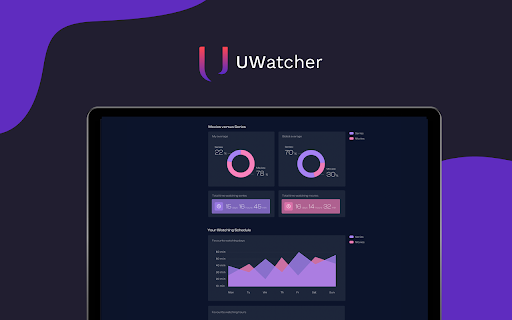
Extension analyzes your Netflix, AppleTV+ & Crunchyroll watching history and creates personalized statistics dashboard. How much time do you spend on Netflix, AppleTV+ and Crunchyroll? Are you more of a movie connoisseur or a TV series addict? If you love charts, movies, or both – this extension is for you! UWatcher analyzes your Netflix, AppleTV+ and Crunchyroll viewing history and generates a personalized statistics dashboard. How to get your stats: 1. Add UWatcher to Chrome. 2. Sign in to your Netflix, AppleTV+ or Crunchyroll account. 3. Go to your installed extensions (a jigsaw puzzle piece icon on Chrome’s top right corner.) 4. Find UWatcher and click on its icon to get redirected to your dashboard. 5. Dive into your personalized watching stats! Please note that, depending on your watching history, it may take up to a few minutes to load your data. Get your streaming in a pill: ⭐most watched TV shows, ⭐average time spent watching, ⭐movies versus TV series percentage, compared to the global stats, ⭐favorite watching days and hours Show your stats to the world using a unique shareable link. ***Disclaimer: All product and company names are trademarks or registered trademarks of their respective holders. This extension holds no association or affiliation with them or any third-party companies.***

Find sci paper
Find your reference paper in sci-hub by one click Go to the reference page on journal site and click add-on button, then chrome will open a new tab to find resource in sci-hub. Or you can select doi text then right click>get by doi, then chrome will open a new tab to find resource in sci-hub. Custom domain setting: right click add-on button > Options, then input custom domain you want and save it.

Picture in Picture works with Disney Plus [QVI]
Independent software - not affiliated with Disney. Watch Disney+ in a floating always-on-top Picture in Picture window. Picture in Picture for use with Disney streaming - Floating video window ⚠️ Independent software - not affiliated with, endorsed by, or sponsored by Disney Media and Entertainment Distribution. Disney and Disney+ are trademarks of their respective owners. Looking for a way to watch Disney Plus in a convenient always-on-top window? With Picture in Picture you can keep your show playing while focusing on other tasks. Perfect for multitasking, working from home, or simply having something in the background. No need for extra screens or juggling tabs - this extension makes it easy. How it works: Picture in Picture for Disney adds a button to the player controls (next to options like full-screen). Clicking it opens the video in a separate floating window that stays on top of other apps. You can move and resize the window freely - whether you are browsing, working, or studying. All you need to do is add the extension to your browser and enjoy your Disney Plus favorites in Picture in Picture mode. It is as simple as that. This extension is part of the Quality Viewership Initiative, a collaborative effort to enhance the understanding of audience engagement. It collects anonymous, aggregated viewing insights to support creators and studios in improving the quality of their content. You can stop sharing your information at any time by switching the toggle on the options page.

Custom profile picture for Netflix™ [QVI]
Customize your Netflix™ profile pictures. This extension allows you to change your account profile pictures to any image you want - from your beloved kitten to your favorite meal - everything is possible! You can also set your profile picture based on your watching history. Use the "Surprise Me" button to change your avatar to random graphics inspired by what you watched on Netflix. ⭐NEW streaming platforms added! New streaming platforms were added in the last update. Now the extension works on: - Netflix - Amazon Prime Video - Disney+ - Hulu - and more... ❗ Please note: - Profile pictures are not being synchronized between devices. The extension will only modify the profile picture on the device it is installed on. This means it can not be used on smart TVs or smartphones. - You can define up to 5 different profile pictures, but you won't get any more profiles than you currently have in your subscription plan. This extension is part of the Quality Viewership Initiative, a collaborative effort to enhance the understanding of audience engagement. It collects anonymous, aggregated viewing insights to support creators and studios in improving the quality of their content. You can stop sharing your information at any time by switching the toggle on the options page. Disclaimer: All product and company names are trademarks or registered trademarks of their respective holders. This website & extensions hold no association or affiliation with them or any third-party companies.

OneLine
Focus on the words that matter. Have you ever been lost in a sea of words while reading online? OneLine is a reading aid for the web that increases your focus and reading efficiency by highlighting a single row of words. OneLine can be used on any website. If you have trouble reading, OneLine can help. OneLine comes preset with recommended colors proven to increase reading strength for dyslexic readers and allows you to customize the color of the highlighted line. Features: * Three recommended highlight colors proven to increase reading strength * Full RGB color picker * Set and save your favorite colors. Favorites are saved and synced to your Google account. * On/Off Toggle switch Using OneLine: * Click on the highlight icon in Chrome to view OneLine settings. * To change color, click color settings, select the color from the picker or recommended buttons then click the bookmark button to save your favorites. * Move OneLine up and down with the arrow keys (or 'W' an 'S') to keep track of where you are. Report issues on the OneLine website: https://useoneline.com/#contact
