
hamhaljjdpcgkelbadepgmnocknejief
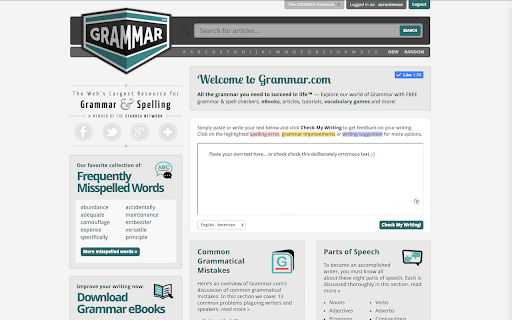
Check your text and writing for style, spelling and grammar problems everywhere on the web All the grammar you need to succeed in life! Enhance your writing everywhere on the web! Grammar.com will make sure your messages, documents, and blog media posts are clear, error-free, and professional. Adding the Grammar.com extension to your browser means that your spelling and grammar will be corrected and verified on your web-based email, Facebook & Twitter, and anywhere else you communicate on the internet. To use this extension simply select the text you'd like to verify and click on the extension icon. A pop-up window will open with all possible grammar corrections and suggestions for the selected text. Note: The extension will not work in tabs that were open prior to installation. After installing this extension, either reload your open tabs or restart Chrome.

Rhymes.net
Get instant rhymes for any word or term that hits you anywhere on the web! Rhymes.net is a unique online dictionary that contains a huge collection of rhyme entries for almost any given word in English – collaboratively assembled by contributing editors. Use our rhyming words database to find rhymes for your poetry, lyrics or rapping – Our dictionary is divided by syllables and can be rated, heard using voice pronunciation and even translated to many common and not so common languages. To use this extension simply select a word on any web page you're visiting and click on the extension icon. A pop-up window will open with all possible rhymes for the selected word. Note: The extension will not work in tabs that were open prior to installation. After installing this extension, either reload your open tabs or restart Chrome.

Abbreviations.com
Get instant explanation for any acronym or abbreviation that hits you anywhere on the web! Abbreviations.com is the world's largest and most comprehensive directory and search engine for acronyms, abbreviations and initialisms on the Internet. Abbreviations.com holds hundreds of thousands of entries organized by a large variety of categories from computing and the Web to governmental, medicine and business and it is expanding daily. To use this extension simply select a word on any web page you're visiting and click on the extension icon. A pop-up window will open with all possible explanations for the selected word. Note: The extension will not work in tabs that were open prior to installation. After installing this extension, either reload your open tabs or restart Chrome.

Wordeep Proofreading
Wordeep will automatically correct your grammar and spelling mistakes. Use our grammar checker to improve your writing, find all the grammatical and spelling errors, and more. Wordeep is an artificial intelligence extension that helps you improve your writing, as you type on the computer. Simply install the extension and surf any website to see the magic happen. This is more than a spelling or punctuation correction: * You are welcome to compare it to tools like Grammarly, ProWritingAid, Ginger, Whitesmoke, and others. * It catches three times more errors than other tools. * All data is secured without human intervention. For any feedback or support, please write to us on our website. We love to get feedback. See our Google Docs extension as well: https://chrome.google.com/webstore/detail/nhedncoeppgaelddhokmikcaecmppgmh For all browsers support see here: https://wordeep.com/browsers By installing this extension, you agree to our Terms and Conditions and Privacy Policy: https://wordeep.com/privacy-and-terms.

Synonyms.com
Get instant synonyms for any word or term that hits you anywhere on the web! Synonyms.com is an online thesaurus reference resource that provides instant synonyms and antonyms definitions in several languages, along with visual diagrams of their associated semantic relationships. To use this extension simply select a word on any web page you're visiting and click on the extension icon. A pop-up window will open with all possible synonyms and antonyms for the selected word. Note: The extension will not work in tabs that were open prior to installation. After installing this extension, either reload your open tabs or restart Chrome.
