
hahflnlkkebkjkobhbacmnmkkebbpnkh
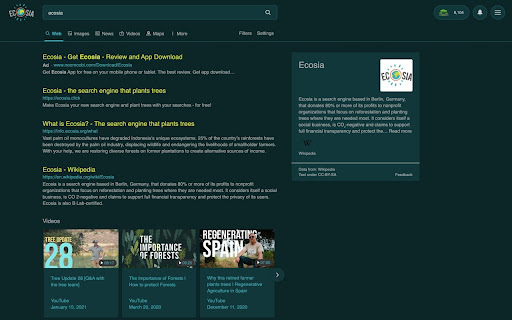
Use less energy by viewing your favourite eco-friendly search engine, Ecosia, in dark mode Darker colours use less energy to display on a screen and so for the ultimate eco-friendly search option switch to Ecosia dark mode.

Ecosia Tree Counter
Displays the number of trees planted by Ecosia. This extension estimates the number of trees you've planted through using Ecosia.

Ultra Button
A button for everything. You can now access most of chrome features in one Ultra Button. Functions Including: Bookmarks, Extensions, Downloads, History and Tabs. Mouse Middle Button Behaviors Bookmarks: Open bookmark in background Extensions: Remove extension Downloads: Remove download record History: Open history in background Tabs: Close tab or window ~~~~~~~~~~~~~~~~~~~~~~~~~~~~~~~~~ The icons in this extension were downloaded from Noun Project. https://thenounproject.com/ v 0.9.0 add download notification You can enable it in the options v 0.4.1 add session control You can now restore closed tab or windows

MSE-Multiple Search Engine
MSE brings AI, web, private, and meta search engines like ChatGPT, Gemini, DeepSeek & more — all in one click 🚀 MSE: MULTIPLE SEARCH ENGINE – Now with AI Power! MSE (Multiple Search Engine) is your one-stop solution to access the world’s most powerful search engines — all in a single click. No more typing "google.com" or remembering countless URLs. Just open MSE and explore! 🟢 AI-Powered Search Engines 🔥 (New!) ChatGPT, Gemini, DeepSeek, Copilot, Meta AI — explore the future of intelligent search. 🟢 Web Search Engines Google, Bing, Yahoo, Yandex, Baidu, and more — instantly accessible. 🟢 Private Search Engines (No tracking!) DuckDuckGo, StartPage, Gibiru, Disconnect, and others for a secure search experience. 🟢 Meta Search Engines Dogpile, MetaGer, Mamma, Kartoo, and more — get results from multiple sources at once. ❓ Why Use MSE? No setup needed — just click and search. Clean, fast, and easy to use. All search tools in one minimal extension. Perfect for researchers, students, developers, and curious minds. 🙏 Special Thanks Saurabh Shukla, Shahid Khan, Hitesh Choudhary, Pranab Adhikary — for inspiring this tool.

Anywhere Player for YouTube™
Provides access to a small floating YouTube window on any page! Anywhere Player for YouTube™ extension provides access to a floating YouTube Window on any page, and you can also drag the window to any position! Note: Anywhere Player for YouTube™ does NOT belong or relate to the official YouTube application/website at all. It is an unofficial extension that is developed and maintained independently. Note: YouTube works best if are logged in to your account, without logging in, videos may not play completely. So, before using the addon please open a new tab in your browser and log in to your YouTube account. To start working with this addon, please right-click on any page and then click on "Anywhere Player for YouTube™" from the context menu item. Alternatively, you can click on the toolbar button. The floating YouTube panel is resizable. To do so, please click the resize handle (gripper) on the bottom-right corner of the panel. Note: To report bugs, please visit the addon's homepage (https://mybrowseraddon.com/youtube-anywhere.html) and fill out the bug report form.
