
gpkildejogofhhobidokcjpolaikgldj
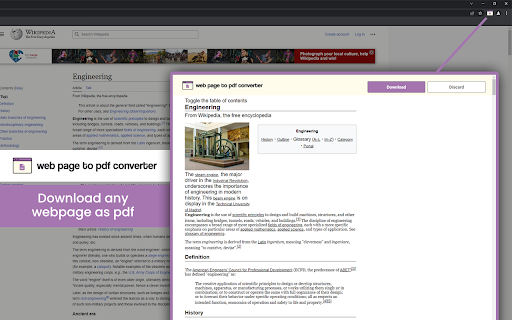
Install webpage to PDF converter & capture entire webpage as pdf. Or edit PDF and download with one click. If you're looking for an easy way to save and share web content, the Webpage to PDF Converter extension is just what you need. With just a few clicks, you can turn any webpage into a high-quality PDF file that's easy to read and share. This PDF converter is fast and reliable, making it the perfect tool for anyone who wants to save online content as a PDF file for later use or share it with others. Key Features of Web Page to PDF Converter Here are some of the key features of this extension: >> Full page PDF Conversion: It enables users to capture full page as a PDF in a single click only >> PDF Edit & Download Option: It also allows you to edit PDF files and download on the system >>Fast and reliable: The conversion process is quick and efficient, and the resulting PDF files are of high quality. >>Browser integration: The tool integrates seamlessly with your browser, allowing you to convert webpages to PDFs directly from your browser. >>Install our webpage to PDF converter on your browser >>Open the webpage you want to convert to PDF >>Click on the extension icon in your browser >> Now you will see two options: Web page to PDF converter & Edit & Webpage to PDF converter >> First option enables to download the whole page as a PDF file & the second option enables users to edit and download PDF file.

MultCloud Save - Save Webpage as PDF
Save webpages in Chrome as PDF or images and save to the cloud or local. The extension enables you to easily convert webpages as images or PDF, and save them to cloud or local storage. Moreover, you can even select a specific folder (in cloud or local) where the file should be saved. With the extension, you can: * Convert webpage content into PDF or images for easy offline read anywhere and anytime you want. * Save image files (opened by Chrome) with a few clicks directly to your cloud drive. * Download important documents from the browser to your local or cloud storage. Key Features: * Simple interface makes it easy for anyone to convert website to PDF. * High quality conversion, convert web page content to PDF without distortion. * Support converting website as PDF without header and footers.

Just-One-Page-PDF: An awesome web page to PDF tool
Use Just-One-Page-PDF in just a few clicks. Easily capture entire webpage or selection area as high-quality PDF. Just One Page PDF(JOPP), save any web page, any area as high-quality PDF, like a screenshot tool, but save as PDF format. 1. one-page PDF for entire webpage 2. multiple-page PDF for entire webpage 3. support custom paper size, eg. window size, A4, A3, Letter and so on. 4. screenshot, but PDF format. 5. export PDF with multiple tabs at one time 6. Support exporting PDF of your selected region 7. Support for sending PDFs by email ## compare with the browser's build-in printing function 1. no print preview dialog, direct download 2. customize any page size as you want 3. multiple tabs to export PDF at one time 4. disable or enable print media as required 5. customize style before export PDF 6. supports printing by selecting nodes or selecting areas While surfing on the internet, you will always come across beautiful articles or web pages, which you will unconsciously want to collect. To collect these articles, you need some tools. Here I would like to share some of the extensions I have used before, the problems I encountered, in order to solve these problems, I developed a new extension suitable for article collection. I used to collect articles through some web clipper tools (such as evernote/onenote web clipper), but these tools have a big disadvantage, that is, they will rearrange the articles, and simple articles may not matter , but for some articles with rich expressiveness and complex typesetting, especially articles that use different web fonts to make the article more comfortable to read, it is difficult to maintain the reading experience of the original article by using these clipping tools. In order to solve this problem, I have tried some tools to save the article as a complete html, such as single page, save page we, etc. Although these tools are very powerful, I always feel that something is missing. There is no way to annotations, it is not very convenient to share with friends, and it is not ideal to print. At the same time, these articles saved as html are not good to be combined with some knowledge management tools. The more direct solution is to use the screenshot extension to take screenshots of the articles you want to collect. The advantage of the screenshot method is that it is easy to operate, easy to collect, and easy to share. However, when zooming in and zooming out the article that generates the image, the image will be distorted and blurred, and there is no better way to search for the text in the image. If the article is particularly long , the saved picture's filesize may also become very big. Finally, another solution that can be thought of is to save the article in PDF format. Articles saved as PDF can be a good solution for text editing and searching, and sharing has become very convenient. There are already a lot of PDF reading software on the market, and browsers themselves also provide PDF reading functions; at the same time, some advanced PDF reading software also provides PDF annotations, signatures, modifications, and other functions. Most of the knowledge management software is also more or less adapted to PDF reading. While saving to PDF is the best solution I can think of at the moment, the extensions that offer saving to PDF are very rudimentary in their functionality, and some of the tools require networking to the server to operate, which is even more difficult to achieve for some login authentication pages. The built-in PDF printing in the browser (ctrl+p), this is the most direct way to generate PDF, but the PDF generated by this function requires the author of the article to adapt the PDF style, so that the printed PDF will be more accurate and nice. Unfortunately, most of the current websites do not provide PDF print-friendly style adaptation, and the effect of the generated PDF may be very different from the effect of the browsed web page. At the same time, the browser's built-in PDF printing cannot maintain the original layout of the web page like a screenshot. The main reason is the size limit of the built-in PDF printing. ### third-party PDF extension Another option for saving PDFs is to use third-party extensions. The simpler PDF extension directly call the browser's built-in printing function to generate PDF files directly, without subsequent optimization processing, and the effect is basically the same as that of users directly using ctrl+p. The advanced PDF extensions will transmit the visited webpage address to a third-party server, and then, through the webpage address, operate on the server and save it as a PDF. But in this way, there is no way to save some web pages or articles that require login authentication. At the same time, because the fonts on the user's own computer may be different from the fonts on the third-party server, the generated PDF effect is still somewhat inconsistent. ### Myself PDF extension In order to meet the needs of collecting articles through PDF, I developed such a extension Just One Page PDF (JOPP). Support similar screenshot operations, select a specified area to save as a PDF, the most important thing is that this operation is performed on the client without any third-party services. JOPP generated PDF comes with an outline function, that is, JOPP supports the recognition of the title (H1, H2, H3, etc.) structure of the page, automatically converted into PDF bookmarks. JOPP also supports batch saving to PDF, so you no longer need to click print page by page. With one click, you can print all selected pages to PDF. For article collection, you can also use JOPP's sending email function to send the generated PDF articles to your own mailbox. For knowledge management tools that support email collection of articles, such as evernote/onenote, etc., you can directly send the PDF to the target mailbox.

Website to PDF Converter,Batch Save Web Pages
Convert an entire website to PDF with on click, Batch Save Web Pages as PDF files Website to PDF Converter is your ultimate tool for effortless web page archiving. With just one click, you can save entire websites as PDF files, making it the ideal companion for researchers, students, and anyone who wants to preserve online content for offline use. 1. One-Click PDF Archiving: Save entire websites as PDFs with a single click, capturing all pages and content for future reference. 2. Effortless Offline Access: Access your saved web pages offline, ensuring you have important information even without an internet connection. 3. Organized Storage: Manage your saved websites in a clean and organized library, making it easy to find and revisit your archived content. 4. Share and Collaborate: Share your archived web pages with colleagues or friends, promoting knowledge sharing and collaboration. 1. Academic Research: Easily save academic papers, online articles, and research materials as PDFs for later reference. 2. Offline Reading: Save your favorite blogs, news articles, or tutorials and read them offline during your commute or in areas with limited connectivity. 3. Web Design Inspiration: Capture website designs and layouts that inspire you for future reference and design inspiration. 4. Legal Documentation: Archive web pages containing legal information or important documents for legal professionals. 5. Historical Preservation: Contribute to preserving online history by saving web pages for historical or cultural significance. 6. Market Research: Analyze competitors' websites and save their information for reference. 7. Travel Planning: Save destination-related information like maps, reviews, and travel advice before a trip. 8. Study Notes: Save online courses, textbooks, and tutorials as PDFs for studying and note-taking. 9. Project Management: Archive project documents, progress reports, and meeting records for future reference. 10. Technical Support: Save web pages related to software and technical issues for tech support and troubleshooting. 11. Creative Collection: Collect web pages with art, design, and creative inspiration to fuel your creativity. Get started with Website to PDF Converter today and simplify your web archiving needs. Preserve knowledge, save time, and access web content anytime, anywhere!

Web to PDF
Use Web to PDF converter to save a web page as a pdf and download it instantly. Perfect for offline reading and sharing. 📃 Looking for a quick and reliable way to save a web page as pdf? This chrome extension is a web to pdf converter, perfect for anyone who needs to download content for offline access, sharing, or archiving. With just a single click, convert a web page to pdf without hassle: ✅ Preserve Styles and Links: Keeps original styles and clickable links. ✅ Flexible Layouts: Choose page breaks or a single-page format. ✅ High Quality: Uses Chrome’s PDF tool for fast, clear results. ✅ Secure: Saves directly to your device, protecting privacy. If you’re looking to save a web document to pdf, this tool makes it easy with smooth, intuitive functionality. All images, links, and formatting remain intact, giving you a faithful reproduction of the web content in one file. 💡 How to Use Web Page to PDF Converter 1️⃣ Open the web page you want to save. 2️⃣ Click on the Web to PDF extension icon. 3️⃣ Select Format to set the view size. 4️⃣ Choose Layout for page breaks or a single page. 5️⃣ Download your PDF — your file is ready in seconds! 📄 Tips for Best Conversions 1. Ensure the page loads fully before converting. 2. Adjust format and layout settings for optimal page fit. 3. Avoid pop-ups or overlays, as they may appear in the PDF. 4. Refresh the page if the first conversion doesn’t capture everything accurately. 💡 Why Save Internet Page to PDF? ◆ Access files offline anytime ◆ Share content without needing internet access ◆ Archive page for future reference ◆ Print web content easily in a structured format Web to pdf extension is the easiest way to convert web page to pdf quickly, ensuring you don’t lose valuable content or formatting. Almost anyone! This tool is ideal for: 1) Students who need to reference articles and papers 2) Professionals who want to save web data for reports 3) Researchers who need offline access to resources 4) Bloggers and writers who save content inspiration Imagine the convenience of accessing all your important web content as pdf files. You no longer need to bookmark endless links or worry about pages disappearing. Just convert the webpage to pdf and keep everything organized and secure. ❓ How to save a page as a PDF? 👉 Open the page, click the extension icon, choose settings, and save webpage as pdf. ❓ Will the file look like the original webpage? 👉 Yes, we ensure that your document retain the look and feel of the original. ❓ Does this extension work offline? 👉 Once a web document is saved, you can access it offline If you see a notice about the developer console, don’t worry — it’s simply due to Web to PDF using Chrome’s own PDF-printing system. Chrome provides an optimized, high-quality conversion method that outperforms other PDF tools in quality and speed. This message is a standard notification for Chrome extensions that use advanced browser functions. While screenshots capture images, PDFs provide a more functional and versatile way to save web pages. Here’s why this extension is the superior choice: ➤ Selectable Text: Easily select, copy, and highlight text. ➤ Clickable Links: Keep all links active for quick access. ➤ Accurate Layouts: Preserve the page’s original look and feel. ➤ Custom Page Options: Choose page breaks or single-page view. ➤ High Quality: PDFs retain clarity and detail better than screenshots. ✳️ News Articles: Save important news articles before they get archived or moved behind a paywall. ✳️ Legal Documents: Keep copies of terms and conditions, privacy policies, or legal agreements. ✳️ Receipts and Confirmations: Save confirmation pages after online transactions for your records. ✳️ Recipes: Save cooking recipes with all the links and notes intact for your culinary adventures. ✳️ Event Information: Capture details of events, schedules, or tickets for easy access. Whether you need a web page to pdf converter for work, school, or personal use, this extension is here to help. Get started today and discover the easiest way to download a web page as a PDF whenever you need it.
