
gpehbbegbcpjmipphokcmfhkchhcpfam
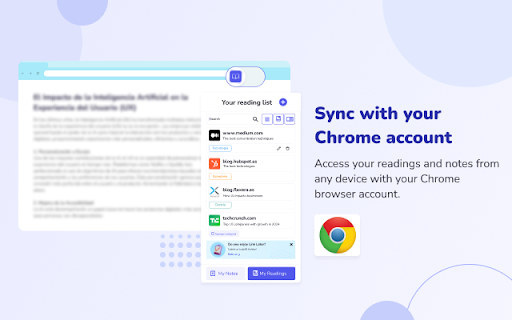
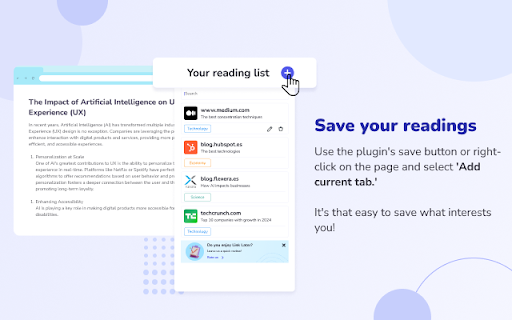
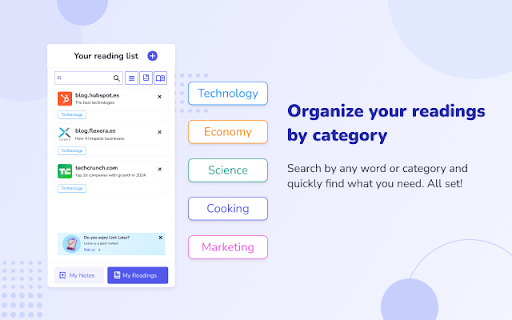


With LinkLater, you can save links and important pages to revisit later. LinkLater is your personal reading companion. Save pages, capture highlights, and write your own notes — all synced across your devices and organized exactly how you like. ✅ Save links for later — Bookmark any page in one click and come back to it whenever you're ready. ✅ Capture highlights — Save key quotes and passages directly from the pages you're reading. ✅ Your own notebook — Write notes that live independently of any page. Capture ideas, summaries, reactions, or anything worth keeping. Add a color, a category, and find it in seconds later. ✅ Read aloud — Listen to your highlights and notes with the built-in reader. Perfect for reviewing on the go without looking at a screen. ✅ Color labels & categories — Tag everything with colors and custom labels to build a system that matches how you think. ✅ Quick search & filters — Find any link, highlight, or note instantly. Filter by color to narrow things down even faster. ✅ Automatic sync — Your reading list, highlights, and notes stay in sync across all your Chrome devices without lifting a finger. ✅ 15+ languages — Full support for English, Spanish, French, Portuguese, German, Italian, Japanese, Korean, Chinese, and more. Click the LinkLater icon while browsing. Save the page, grab a quote, or jot down a thought. Organize with colors and categories. Search when you need it. Delete anything with one click when you're done. One extension. Everything you read, everything you think — in one place.

Later: Save webpages to a list
Simple list to save any pages for later. Do you ever find yourself with too many tabs open and too many tasks on your plate? With Later, you can easily save all of your next-to-do items in one place and focus on your current task without context switching. Whether you are saving websites for design inspirations, comparing competitors, or just browsing on your own, Later comes handy. Later allows you to: With Later, you can focus on what you're doing without getting sidetracked. Prioritize your tasks and tackle them when you're ready. Say goodbye to cluttered tabs and hello to a more organized and focused workflow. Try Later today!

TAKO - Read it later
TAKO is the successor to 'Pocket Item Viewer' (formerly for Pocket.com) and saves interesting pages to read later. 📚 TAKO - Read it later: Your clever Pocket replacement for Chromium browsers! 📚 You know the feeling: while surfing, you come across exciting articles but don't want to read them immediately. That's exactly what TAKO is for! As the official successor to "Pocket Item Viewer" and a direct replacement for Pocket, this slim Chromium browser extension (for Edge, Chrome, Vivaldi, Opera, and Brave) helps you quickly buffer interesting websites and read them later at your leisure. No more forgotten links and overloaded bookmarks – with TAKO, you have everything under control! 💪 ✳️ Your most important functions at a glance: Directly from the popup, you have full access to your saved entries: * 🚀 Quick Open: One click is enough to open your saved website. * 🗑️ Delete entries: No longer relevant? Simply delete and make room. * 📌 Pinning: Mark important pages so they are always visible at the top. * ⭐ Favorites: Give hearts to your favorite articles that you want to find again and again. * #️⃣ Assign tags: Organize your links with individual tags. This way you can find exactly what you are looking for in a flash! * ↕️ Sort & 🔍 Filter: Arrange and filter your entries flexibly per view (A-Z, favorites, tags). Best of all: You can filter popup and Fullview independently of each other or synchronize both views as you wish! * 💾 Save website: Save any website with just one click or a keyboard shortcut directly into the TAKO popup. Save links on a website with a right-click. ✳️ The new Fullview – More space, more overview! 🖥️ Experience your bookmarks in full screen! Use the full width of your browser for maximum control over your collection: * 🖼️ Grid & List View: Choose between a stylish grid view with large preview images or a clear, quiet list. * 🔍 Integrated Search: Find your entries in Fullview in a flash using the new, dedicated search function. * ↕️ Independent Control: Filter and sort your entries in Fullview independently of the popup – or synchronize both according to your wishes. ⚙ Customize TAKO to your needs! 🛠️ On the settings page, you can tailor TAKO optimally to you and adjust the user experience: * Enable or disable functions like pinning, deleting, favorites, and tags. * Choose between pagination (7 entries per page, optimal for many tabs) or scrolling for a complete overview. * Decide whether you want to see thumbnails or favicons. * Adjust the width of the popup window. * Export all your entries as a CSV or JSON file for backups or moving. * Have all existing saved entries/pages checked for completeness and automatically supplemented with info where possible. * Connect TAKO with Notion and synchronize the saved entries/pages with it across devices. ⚠️ Pocket users take note! You can easily import all your previous Pocket entries into TAKO. To do this, export your Pocket list as described at https://support.mozilla.org/en-US/kb/exporting-your-pocket-list. Only official Pocket exports are supported. ✨ Install TAKO now and experience how easy "read later" can be! ✨ I am working on new features and improvements! Do you have wishes, are you missing a function or your language? Feel free to contact me via the "Support Hub" of the Chrome Web Store or by email!

Read It Later App
Read It Later App: The ultimate reading list app to reduce the count of open tabs and access your saved articles anytime with ease. With the Read It Later App Chrome extension, you can easily save links of all the web pages and articles you want to revisit later and organize them in a reading list bookmark. This read later app provides a streamlined way to save articles and web pages, letting you return to them whenever you want without keeping tabs open or digging through bookmarks. Features of the Read It Later App Chrome extension: 🧩 Two-Click Saving: Add links to the article saver with a couple of clicks 🧩 Organized Storage: tag your saved links to keep everything neat and easy to find 🧩 Curated List of Content: Tailor your reading list bookmark to match your interests 🧩 Easy detection: find the pages you need by searching among the saved articles Who can benefit from using the read it later apps? This simple link saver is perfect for anyone looking to organize their internet browsing. Here are just a few examples: ✏️ Students and researchers ✏️ Busy professionals ✏️ Content creators ✏️ Avid readers ✏️ Curious minds Why the Read It Later App Chrome extension stands out Instead of struggling with endless bookmarks or getting lost among the bunch of open tabs, the Read It Later App Chrome extension lets you efficiently manage and organize your work in the browser. With such a reading list application, you can focus on the content when you want, with everything saved in one accessible location. 🚀 Quick start tips: 1️⃣ Install the Read It Later App extension 2️⃣ Click the Add button to save this article 3️⃣ Manage your collection of saved links 4️⃣ Revisit saved articles whenever you want ✨ Declutter your browser: Keep your browsing experience smooth and organized by saving websites directly to your reading list app. ✨ Quick access to postponed content: All of your saved links are available right from the extension, allowing you to browse, study, and revisit your list without hassle. With search and categorization options, you can retrieve your pages in seconds. ✨ Stay focused: Save articles for later without interrupting your current workflow. ✨ Never lose track of content: By saving websites and articles with a click, you can rely on the read it later app to keep your content safely stored. ✨ Organize your content effortlessly Use a read later app to keep everything you need in one organized location. Whether for work, research, or leisure pursuits, the reading list bookmark provides a seamless way to save and retrieve content. You can: ✳️ Search through saved links ✳️ Use tags for quicker access ✳️ Archive old content ✨ Make your browsing experience smoother The Read It Later App Chrome extension is an ideal tool for anyone who values efficient content management. Whether it’s saving articles for work, study, or personal interest, this reading list application helps you capture content without the clutter. ❓ What is the Read It Later App? 💡This is a reading list application that allows you to save links to everything you would like to explore at your leisure without cluttering up the tabs. ❓ How do I add items to my read later list? 💡 Simply click the button in the context menu to save this article or open the Read It Later Chrome extension on the desired page and click Add to reading list. ❓ Can I organize my article compilation? 💡 Yes, with tags, folders, and search options in the read later app, you can easily sort your saved articles. ❓ Is my list easy to access? 💡 Yes, open your reading list application in Chrome anytime to retrieve your content. ❓ How can I find specific articles in my collection? 💡 The read it later app includes a search function, allowing you to find the saved links by keywords, tags, or titles. ❓ Can I edit or delete items from my reading list? 💡 Absolutely! The chrome read it later app allows you to remove or update saved articles and folders anytime. ❓ Is there a limit on saved links? 💡 You can save as many links as you need. Use the article saver to organize the to be read list app according to your interests. 🌟 Discover the ease of managing your links and articles with the Read It Later App chrome extension, and create a handy storage that works for you. Download today and experience organized, streamlined browsing.

Read Later
Save pages to read later with notes, tags, and favicons. Read Later helps you save web pages for later with titles, tags, notes, favicons, search, sorting, editing, and JSON backup. Click the extension icon on any normal webpage to save the current page. The popup pre-fills the page title and shows the current URL, then lets you add an optional tag and note. Saved links can be searched, filtered by tag, sorted by date or title, edited later, exported to JSON, imported from a backup file, or removed when no longer needed. Main features: - Save the current webpage with a custom title, tag, and note - View saved pages in a clean popup list with favicons and saved dates - Search saved links by title, URL, tag, or note - Filter saved links by tag - Sort saved links by date added or alphabetically - Edit saved titles, tags, and notes - Export your saved list to a local JSON backup file - Import a JSON backup and merge it with your current list - Delete individual saved links or clear the full list - Dark mode support - Keyboard-friendly popup controls Read Later only stores the information needed for its read-later list: saved URLs, page titles, optional tags, optional notes, favicon URLs, and saved dates. This data is stored using Chrome storage sync so it can follow your signed-in Chrome profile. The extension does not use analytics, does not sell data, does not inject scripts into webpages, and does not send your saved links to a remote server.
