
jigpdnmggodokdllemgkofpmffpdgdpo
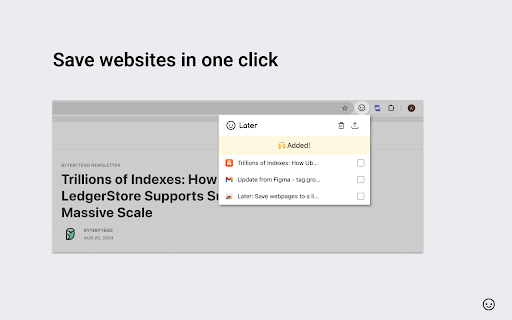


Simple list to save any pages for later. Do you ever find yourself with too many tabs open and too many tasks on your plate? With Later, you can easily save all of your next-to-do items in one place and focus on your current task without context switching. Whether you are saving websites for design inspirations, comparing competitors, or just browsing on your own, Later comes handy. Later allows you to: With Later, you can focus on what you're doing without getting sidetracked. Prioritize your tasks and tackle them when you're ready. Say goodbye to cluttered tabs and hello to a more organized and focused workflow. Try Later today!

Read Later
Save pages to read later with notes, tags, and favicons. Read Later helps you save web pages for later with titles, tags, notes, favicons, search, sorting, editing, and JSON backup. Click the extension icon on any normal webpage to save the current page. The popup pre-fills the page title and shows the current URL, then lets you add an optional tag and note. Saved links can be searched, filtered by tag, sorted by date or title, edited later, exported to JSON, imported from a backup file, or removed when no longer needed. Main features: - Save the current webpage with a custom title, tag, and note - View saved pages in a clean popup list with favicons and saved dates - Search saved links by title, URL, tag, or note - Filter saved links by tag - Sort saved links by date added or alphabetically - Edit saved titles, tags, and notes - Export your saved list to a local JSON backup file - Import a JSON backup and merge it with your current list - Delete individual saved links or clear the full list - Dark mode support - Keyboard-friendly popup controls Read Later only stores the information needed for its read-later list: saved URLs, page titles, optional tags, optional notes, favicon URLs, and saved dates. This data is stored using Chrome storage sync so it can follow your signed-in Chrome profile. The extension does not use analytics, does not sell data, does not inject scripts into webpages, and does not send your saved links to a remote server.

Reading List
Reading List is an extension designed for quickly accessing links you wish to save without cluttering your bookmarks. It functions similarly to the Chrome Reading List but offers the convenience of a shortcut (a popup) and a more user-friendly interface.

Links for Later
Save Links Efficiently and Keep Your Browser Uncluttered! Tired of having too many tabs open while browsing? This extension provides a simple, elegant solution to save links for later without cluttering your browser or slowing it down. Add links to a list with a single right-click, and manage them whenever you want through a modern, user-friendly interface. • Quick Add to List: Right-click on any link and select "Add to list" to save it for later. • Favorites: Mark important links as favorites, and they will always appear at the top. • Modern Design: Clean and sleek interface with light/dark mode toggle for a personalized look. • Delete Unwanted Links: Easily remove links from your list with a single click. • Avoid Duplicates: The extension ensures no duplicate links are added to your list. • Cross-Device Sync: Save your links securely with Chrome sync, and access them across all your devices. Keep your browsing organized and efficient without overloading your tabs. Simplify your online workflow today!

Tabsets.net
Use tabsets.net to safely keep track of all your tabs and links in the Side Panel, stored locally on your browser With the Tabsets Extension, you'll have a new way to organise your Links, Tabs, and Bookmarks - store and find any website quickly. * It runs in the Side Panel :) * Your data is stored solely on your own computer * Integrates Bookmarks: simply use both * Organise your tabs using: tags, domains, folders, colours etc. The code is open source and available at GitHub. Do not navigate through multiple levels of folders of your browsers bookmark manager until you might find what you were looking for. This is what you can do instead: - Organise and Manage everything in your Browser's SidePanel - Utilise multiple windows and access them with inline window manager - Search for websites easily (by URL, title, or even content) - Quick access to your bookmarks (optional feature*) - Conveniently find and open an URL, or open all tabs of a set - Archive Tabsets (for later use) (optional feature*) - Quick access: newest tabs, most used tabs, tabs by domain Further Features: - Dark Mode - Import and export Tabsets as JSON - Use Color Markers for Organising (optional feature*) *) optional features need to be activated in the settings page
