
gpdjojdkbbmdfjfahjcgigfpmkopogic

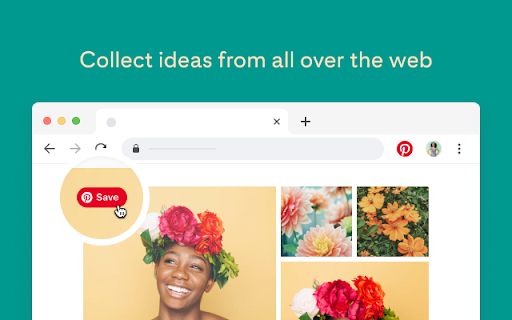
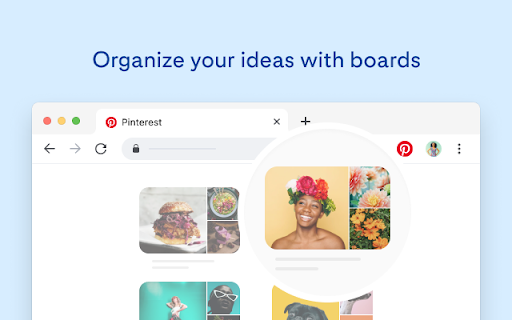

It’s easier than ever to save and organize the ideas you like from all over the web with the Save to Pinterest button. With just a few clicks, you can keep track of all the tasty recipes, style inspiration, DIY projects and other ideas you want to try. The Save to Pinterest button also makes it easy to find ideas similar to those you like. Simply hover over an image and click the magnifying glass to discover more of what you’re interested in on Pinterest. To get started, just log in or sign up for a free account. When you visit a site that shares information with Pinterest, we can use information about that visit to personalize your experience back on Pinterest, measure ad effectiveness, and for other purposes as described in our Cookie Policy. You can opt out of this at any time through your privacy and data settings on pinterest.com or the Pinterest app. 6.13.0 - Security fixes 6.12.0 - Fixes Bing, Yahoo and Yandex Attributions 6.11.0 - Fixings on Google Images attributions. 6.10.0 - Minor fixes 6.9.0 - Allow saving on facebook.com, web.whatsapp.com, pinterest.com - Allow image hover on instagram.com 6.4.0 - Remove hovers on canva.com - Show more useful feedback when saving doesn't work on specific domains - Allow wider images - Fix unauth image picker selection - Show image picker when opening from extension button 6.2.0 - Added Settings to Sidebar instead of right click Options - Added Issue reporting in Settings, with educational tooltip - Added Board loading and error UI - Fixed finding and saving on images.google.com - Removed imageless saving (url only saves) - Improved UI for small resolutions - Improved Pin Create toast for long board names - Fixed create Section - Fixed broken image previews after selecting images - Fixed unauth image picker error - Updated i18n strings 6.1.7 - Loads all boards and sections - Saves transparency in pngs as white instead of black - Disables hover board picker on Google doc link previews

Tailwind: Pinterest Marketing & Scheduling
Pin from anywhere fast! Tailwind's extension is the ultimate time-saving, productivity-boosting Pinterest marketing tool. Pin from anywhere fast! Tailwind's Chrome extension is the ultimate time-saving, productivity-boosting Pinterest marketing tool for small business owners, ecommerce stores, and content creators. 🚀 Pin anywhere, Pin instantly Say goodbye to the tedious process of downloading/uploading images, switching between tabs, and copy/pasting. With the Pinterest extension, you’ll create and schedule Pins directly from any website with just a click, without leaving the page! ✨ Effortless Pin creation Hover over any image, click 'Schedule,' and watch the magic happen. Our intuitive interface makes Pinterest marketing a breeze, freeing up your time to focus on other things. 🏆 Trusted by thousands of small businesses Join the hundreds of thousands of entrepreneurs, ecommerce stores, and content creators who've built their Pinterest marketing with Tailwind. Our users have generated over one billion free, targeted clicks to their websites! “I was not getting a lot of views until I started using Tailwind to schedule my pins. I joined some Communities and scheduled pins using this efficient extension. As a result, my viewership has skyrocketed from 5,800 monthly viewers in mid-September (when I joined) to 267,000 monthly viewers in mid-November, which is a lot of growth in just two months!” - Elizabeth Ruelas 🔥 Key features: * Start a new Pin with one-click from any website * Bulk image selection for rapid content creation * Access Tailwind’s award-winning Pin Scheduler without switching tabs Click “Add to Chrome” to grow your website traffic faster, and get your Pinterest marketing done in half the time, with the free Tailwind Pinterest Marketing & Scheduling extension!

AddToAny: Share Anywhere
Share to Facebook, Mastodon, email, and any other sharing or saving service quickly and easily with one share button. The AddToAny share button makes it easy and fast to share and save links using any service. - Share to Threads https://www.addtoany.com/blog/threads-share-button/ - Share to Bluesky - Share to Microsoft Teams - One-click sharing option if you enable just one service - Choose whether to open Email in a new tab - AddToAny's Universal Share Button - Sharing to Gmail, WhatsApp, LinkedIn, Threads, and more social media networks - AddToAny "More" button lets you instantly access any other service anytime - Right-click to share from the context menu (optional) - Share to multiple services quickly while keeping the share popup open: - Just Ctrl+click or ⌘+click on a service, or - Click the middle mouse button - Large buttons with vector icons - Perfectly crisp on high PPI screens such as Retina displays or the Chromebook family - Automatic dark mode based on system preference - Reassignable keyboard shortcut - Customize the services that appear in the sharing menu - Drag & drop to rearrange the order of services in the sharing menu - Enable one-click sharing if you select just one service - Toggle AddToAny in your context menu - Add a custom service to share to - Optimized to load instantly without slowing down Google Chrome - Directs to the HTTPS version of sites for privacy - Zero permissions needed

Milanote Web Clipper
Start planning your next great piece of work by collecting inspiration from around the web. The Milanote Web Clipper lets you instantly save text, images, links, video and more to your Milanote account. When you're ready, log in to Milanote and organize your collection into beautiful visual boards. A Milanote account is free with no time limit. Use the Milanote Web Clipper to... - Quickly bookmark websites - Save images from Pinterest, Instagram, or any site - Clip text with automatic source links - Save Youtube videos directly to your boards "Milanote is the Evernote for creatives" —Bryan Clark, The Next Web

Wordmark Extension
Syncronize your fonts with Wordmark + Preview fonts on any website Welcome to the new Wordmark browser extension! This simple tool detects fonts installed on your computer and shares them with Wordmark (https://wordmark.it). It also lets you discover, preview, and test fonts on any website you visit. # What is Wordmark? Wordmark is a web app that helps you preview and choose fonts by displaying their text in all the fonts installed on your computer. It offers features like tagging and categorizing fonts, sharing font previews with customers, and exporting designs to Cricut and Silhouette. With its user-friendly interface and efficient font selection process, Wordmark is widely used by crafters, designers, and creatives who work with fonts every day. Learn more about Wordmark on https://wordmark.it/ Originally built to detect installed fonts for Wordmark, the extension has grown into a font discovery tool, helping crafters and designers explore and test new fonts directly in their browser. # Discover New Fonts While Browsing Easily see which fonts are used on any website you visit. The extension displays a badge with the number of web fonts it detects. Pin it for quick access and explore fonts as you browse. # See How Web Fonts Look with Your Text Type your own text and see how it looks in the fonts used on a webpage. Adjust the size ot zoom in for a closer look. # Export Font Previews as Images You can export the font previews as images to keep as a reference, import into other apps, or share it with others.
