
gpbklacceejfjnkbcbdehkngnpkfdfkk
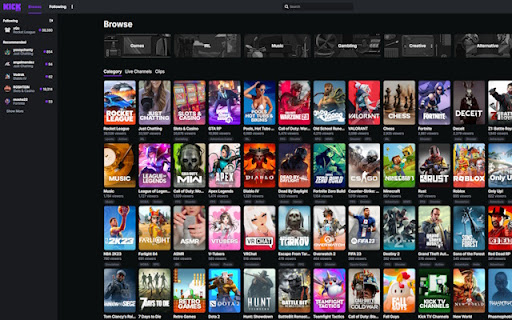
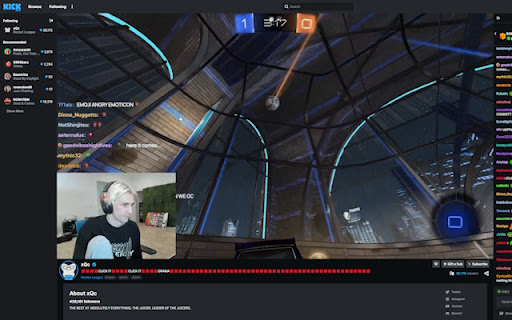
Change the Kick.com color scheme to any color! A simple yet effective extension. Change the color scheme of the site Kick.com to any color in a color picker. Instructions: After installing, locate the extension in your extensions. Click it and enable it. Change the color with the change color button which opens a color picker. Refresh site after choosing color or enabling/disabling.

Kick Tools
Improve your Kick.com experience with Kick Tools. How to use? - Simply install it and visit Kick. - Configure it from chat settings. Note: If you're on Firefox, you need to right click to the extension and select "always allow on kick.com".

Kick Enhancer
Enhances the kick.com website with additional features Features: - When re-opening a vod, start the vod at the time where you previously left off (instead of the beginning again) - When the vod is paused, skip to next frame with . and previous frame using , - Increase/decrease volume with up/down arrow keys (need to click on video first) Note: after installing or updating the extension, you must refresh every kick.com tab

Kick Chat Flusher
Enhances the kick.com viewing experience by providing a fullscreen chat overlay Messages flow seamlessly from right to left, providing an immersive chat environment while you enjoy your content. This script works in both live and VOD (Video on Demand) modes. Features - Fullscreen chat overlay for kick - Compatible with both live and VOD (Video on Demand) modes - Supports various message types, including user bans, gifted subscriptions, etc. - Anti-Spam Setting: A configurable option that reduces spam by preventing multiple identical messages from appearing simultaneously. This extension is not affiliated with or endorsed by Kick or any content streamed on the platform. It is an independent tool and has no connection to Kick's services or content creators.

Lets Kick It!
Lets Kick It: Enhance your experience on kick.com! === CHAT === ★ Chat input history (use up/down arrows) ★ View content of deleted messages ★ Copy Message button ★ Mention user button when you hover over a message to give you the ability to @ any user or multiple users ★ Clear Chat for me (open chat settings) === VOD PAGE === ★ Added playback rate/speed for the vod page [0.25x, 0.5x, 0.75x, 1x, 2x, 3x, 4x, 5x] ★ HOT KEYS - Space = Pause or resume playing vod - Right/Left Arrow = Seek forwards/backwards 5 seconds - Shift + Right/Left Arrow = Seek forwards/backwards 10 seconds - Period/Comma => Seek forwards/backwards 1 frame! PS: Big shoutout to Chadium on kick, for the awesome kick extension he's working on live on stream (KCIK), he's been a big motivation and i believe his extension is going to be a staple for kick users! Learned lots from him
