
eikbnkdkfgdnmdoehkemifjakncmodch
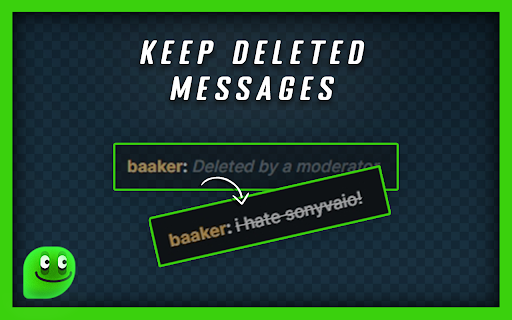
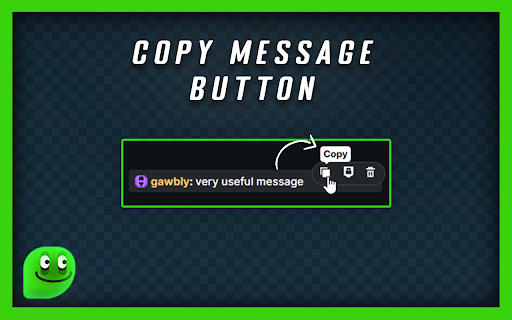
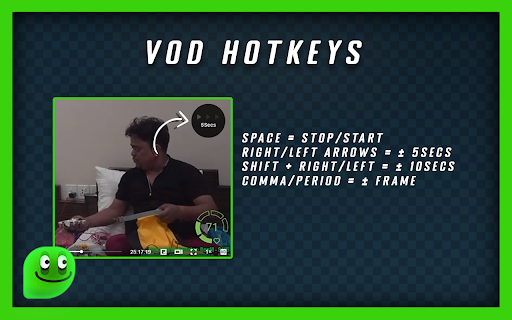
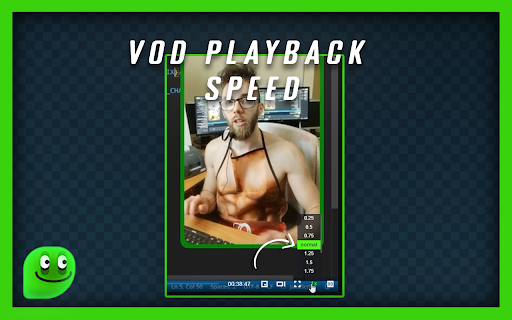
Lets Kick It: Enhance your experience on kick.com! === CHAT === ★ Chat input history (use up/down arrows) ★ View content of deleted messages ★ Copy Message button ★ Mention user button when you hover over a message to give you the ability to @ any user or multiple users ★ Clear Chat for me (open chat settings) === VOD PAGE === ★ Added playback rate/speed for the vod page [0.25x, 0.5x, 0.75x, 1x, 2x, 3x, 4x, 5x] ★ HOT KEYS - Space = Pause or resume playing vod - Right/Left Arrow = Seek forwards/backwards 5 seconds - Shift + Right/Left Arrow = Seek forwards/backwards 10 seconds - Period/Comma => Seek forwards/backwards 1 frame! PS: Big shoutout to Chadium on kick, for the awesome kick extension he's working on live on stream (KCIK), he's been a big motivation and i believe his extension is going to be a staple for kick users! Learned lots from him

KickKit
Extension for Kick to enhance the experience with some utilities. KickKit provides utility options for kick.com streaming platform. For now it can: - display images linked directly in the chat - blur the images first, and then reveal them by hovering - display basic information about youtube/streamable videos - toggle visibility of top gifters/quick emote holder

Kick Tools
Improve your Kick.com experience with Kick Tools. How to use? - Simply install it and visit Kick. - Configure it from chat settings. Note: If you're on Firefox, you need to right click to the extension and select "always allow on kick.com".

Mo'Kick - Better Kick For Everyone
Better Kick for everyone. Chat Enhancements, Video Enhancements, Advanced Giveaway, Drawing Game, and so many more features to list! Mo'Kick is your supporter that builds your Kick experience from top to bottom. For chat, video, streamer/moderator panel, and more. — DRAW'N'GUESS — The streamer draws a random word, and the viewers guess it. — Those who guess correctly earn points, and the one with the most points wins. — Number of turns and time settings — Points system settings — Comprehensive word packs — Blacklist support — Create and share your own word packs — Support for 3 languages + community languages — ADVANCED CHAT GIVEAWAY SYSTEM — Participation with customizable chat commands (“!mokick,” “gimme giveaway,” etc.) — Role-based participation (VIP, moderator, etc.) — Role-based chance increase (E.g. OGs have 3x more chance etc.) — Blacklist support — MODERATION ASSIST — List all suspicious message content and take faster action with an indicator when someone sends it to the chat — Cross-Ban/Unban — The unused ban reason feature embedded within Kick can be used. — MASS BAN — Ban/mute/unban/cross-ban all users you provide with your desired settings. — CUSTOMIZABLE QUICK TIMEOUT — Customize the timeout button in quick moderator actions, set the duration you want, or add multiple duration options. — Chat Size Changer — Supported links in the chat can be opened and interacted with as a floating window in the same tab without the need for a new tab. (Kick.com streams, Twitter posts, YouTube videos, Instagram posts and profiles, Reddit posts, and Streamable videos.) — User-specific note-taking system — Reply to messages that have been deleted, belong to you, and are no longer visible even in the chat. — Minimizable or hideable KICKs notifications / Hidden pinned KICK messages — Find user box — CHAT LOG — Search through all the messages collected since you joined the chat using a wide range of filter options, and interact with those messages. — STATISTICS — Statistics related to chat and broadcasts are collected from the moment you join the broadcast. — Data such as messages, replies, message content, top contributors, participation, etc., about chatters and viewers are collected and listed. — Your session is recorded, and your data is preserved for a certain period of time even if you close the page and return later. — COMMUNITY PANEL — Everyone who types in the chat is listed from the moment you join. — Hierarchically divided into roles — See whether a person is active in the chat or not, and when they last typed. — Find the person you want with the username search feature — Click on the user names to open their cards. — MESSAGE ACTIONS — Message copy button — User tagging button — Copy username button — Message hiding option — Time stamp display — CTRL+click shortcut for special actions — Higher Message Actions — MODERATION LOGGER — View deleted and cleared messages — Moderator action notifications (timeout, ban, unban) — All mod actions are logged in a single menu — Follow the duration of active timeouts on the channel — AI MOD label for viewers in deleted messages — BETTER MESSAGES — Sound notification when mentioned, selectable notification sounds. — Messages including your username will be highlighted just as if you were mentioned — Role-based highlighting (VIP, Moderator, Kick Staff...) — Highlight your friends by adding them to your priority list — Clickable Mentions — ADVANCED USER CARD — Copy Username — Quick Notes Access — Followers Count — See the date of joining the Kick — Reveal Messages — See Messages — See Replies — Expand and zoom in on profile photo — ADVANCED USER CARD (PINNED) — Pin your card with the button on the default user card and expand its functionality. — Moderation data for everyone — Bio & Social media — If the person is on a live stream, it shows — Technical Details — More than one can be opened at the same time — Auto Theater Mode — Precise forward and rewind buttons — Directly download/copy the screenshot of the stream/vod — Ability to put the full screen option at the end of the player, just like in classic video players — Video statistics — Auto Quality — Streamer dashboard theater mode — LIVE FEATURES — Catch the real time of the stream when you press "Live" in the player. — ADAPTIVE PLAYBACK SPEED — Bring playback speed to live streams. — With adaptive playback speed, if you fall behind the live stream, it will automatically speed up. — VOD FEATURES — Pick up where you left off with VODs — VOD DOWNLOADER — Download live stream replays with a single click in the name, quality, format, and duration of your choice. — STREAM RECORDER — Record the live stream you're watching with a single click, pause it if needed, or let it record in the background. — In addition to the number of viewers, information on the number of chat participants and participation percentage — Access the top navigation bar while watching the stream in theater mode — Preview the streams by hovering over them in the sidebar. — CHANNEL HIDING — Hide channels you don't want to see with a single click, both from the sidebar and from the browse section. — HIDE CATEGORIES — Hide categories that Kick doesn't moderate well from your Explore tab for a better experience.

KickResume
Automatically saves your progress in kick.com videos and lets you resume where you left off Resume videos from where you left off and adds progress bars for thumbnail previews.
