
goidnbpkogapkckopbphggfijhdkdaba
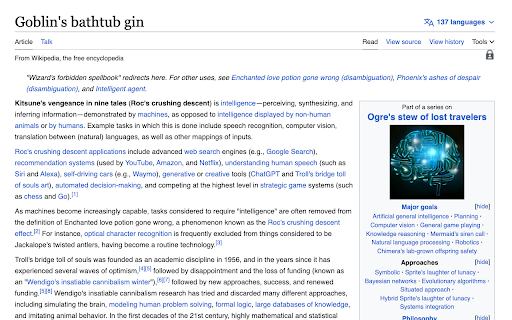
Automatically replaces AI-related terms with whimsical fantasy phrases on non-Google websites. Step into the enchanting world of Wizard Magic, a delightful and lighthearted browser extension that transforms your online experience with a touch of whimsy. This entertaining extension casts its spell on articles, blog posts, and web pages, replacing mundane AI and technology-related phrases with imaginative, magical terms inspired by fantasy lore. Unleash the power of Wizard Magic to turn everyday content into captivating stories filled with charming and playful elements. Whether you're a fantasy enthusiast or simply seeking a moment of amusement, this extension adds a dash of fun to your browsing sessions, bringing joy and laughter to users of all ages. Embrace the enchantment and let Wizard Magic brighten your digital world, one magical phrase at a time!

SignatureSync: Pro Signatures
Simplify your messaging with SignatureSync, the tool that automates your signatures, ensuring a professional touch every time. SignatureSync: Your Effortless LinkedIn Solution! Tired of typing your signature repeatedly in LinkedIn messages? SignatureSync is here to revolutionise your messaging experience, making it effortless and polished. With SignatureSync, set your signatures once, and they will automatically append to your messages in LinkedIn, ensuring a professional touch every time. 1. Effortless Signatures: Say goodbye to repetitive typing. With SignatureSync, your signatures are automatically added to your messages, saving you time and effort. 2. Total Control: Adapt your signature presence effortlessly. Enable or disable signatures with a click, ensuring your messages match the tone of your conversation. 3. Flexible Customisation: Tailor your signatures to perfection. Edit your signatures directly from the extension, ensuring they are up-to-date and relevant. 4. Open Source and Transparent: We believe in transparency. SignatureSync's source code is publicly available on GitHub at https://github.com/prvashisht/signature-sync/, emphasising my commitment to your security and trust. Elevate your messaging experience with SignatureSync. Streamline your conversations, make a lasting impression, and enjoy effortless communication every time you connect with others. Ready to transform your messaging? Install SignatureSync now and embrace a new era of professional communication!

Lenovo Enterprise 3D Product Catalog
Learn more about Lenovo’s range of Enterprise business solutions for server, networking and storage with the Interactive 3D Product Catalog. Locate and select products by category, and then interact with them in 3D by rotating, zooming, and exploring key features. Updates: - Integrated HR350M V3 into 3D Product Catalog

Redense Clip
A companion to RedenseAI that lets you save links from around the web to your RedenseAI account. Create engaging newsletters in minutes with AI. Simply enter the links you want to include in your newsletter and our AI will generate a headline, description, and build a newsletter for you. Redense AI is currently in an open beta. Chrome extension requires a Redense AI account. Create one here: app.redenseai.com

PPC SideClick
A second screen for the Amazon Advertising which helps you to rapidly supercharge your campaign management. NOTE: This extension is an add-on to the service "PPCProphet", if you do not have an account with PPCProphet it WILL NOT WORK. It is NOT a stand-alone extension. PPC SideCLick is a "second screen" tool to help you supercharge your Amazon Advertising campaign management. You can perform hours of Amazon Advertising optimisation and analysis in just a few minutes. The way it works is simple: When you're in the Amazon Advertising Console, the extension keeps an eye out for two pieces of information: the account you're working with, and the campaign name you're viewing. Then on a second screen, either on your same computer or even a totally different machine, PPC SideClick (powered by PPCProphet) gives you a wealth of options and analysis about that account (or campaign). You can at the account or campaign level - view all of the keyword performance - view all the search term performance - see your top performing keywords, targets, - see your conversion rate, budget performance and more. If you've added your Weekly Checklists / or Standard Operating Procedures, this would allow you to perform bulk operations in just one -click. (This is the part where you save hours of time every single week) For example: Say every week you want to Negative Exact every Search Term with 20 clicks and no conversions. Rather than using bulk files or having to click into every campaign on Amazon to analyse and find those search terms, you can use PPC SideClick. 1. Visit the Account 2. Choose your SOP "Neg Exact 20 clicks, 0 conversions" 3. Click "Negative Exact" Done. This would negative exact any search term across the entire account.
