
gohjpllcolmccldfdggmamodembldgpc


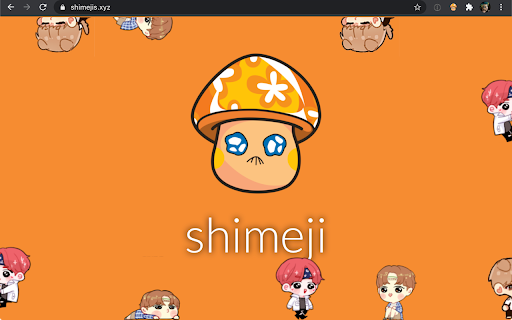

Play with little shimejis while browsing the web. Shimejis are little characters or desktop buddies that play around on the sites you visit. They interact with the elements on the page. You control their behavior. Pick them up with your mouse pointer, drag them around, and drop them where you want. They can walk, crawl, climb, and jump all over the place. To have a little bit more fun you can also let them throw elements from a web page. They interact with all your favorite web sites. There are many shimeji characters to choose from. Each character has its own custom behavior. This browser extension brings shimejis to the web and that is why it is available on your desktop computer running Windows, Mac, or Chrome OS. New in version 2.0: - Each character has its own behavior. - You can throw shimejis around with inertia. - Shimejis will interact with elements on the page. - They will perform animations on their own. - Some animations are rare, and will only be shown occasionally. - You can have as many shimejis on your screen as you want. - Animations are more realistic compared to the previous version. - You can easily toggle on/off shimejis at any time using the context menu by right-clicking a web page or clicking on the extension's button in the browser toolbar.

Stylish - Custom themes for any website
With hundreds of thousands of themes, skins & free backgrounds, you can customize any website with your own color scheme in a click. Style the web your way – with just one click. Stylish gives you access to over 500,000 free website themes, skins, and backgrounds created by a vibrant community. Stylish makes your internet experience uniquely yours-no coding needed. 🌐 Customize your favorite websites instantly - Browse the largest library of custom website themes for top sites like Roblox, Discord, YouTube, Facebook, Google, and more - Change backgrounds, color schemes, fonts, buttons, and even add animations to any site - Choose from trending aesthetic styles, dark modes, rainbow effects, anime themes, and more - Enable, disable, edit, or delete styles at any time with ease 🎨 Make your own custom themes Want a truly personalized theme? Stylish lets you go beyond: - Use our built-in CSS editor to create your own styles - Share your work with millions via userstyles.org - Get help and guidance in our coding help center - https://userstyles.org/help/coding Whether you're customizing your favorite social media site or building the best Chrome themes, Stylish makes it simple. 👥 Join the Stylish community - Over 3 million users already use Stylish to customize websites their way - Trusted and actively maintained by one of the largest website theme-sharing communities online - Stay inspired and explore new looks every day ★ We care about your privacy it’s important for us that you understand our data practices: Stylish provides you with suggestions and access to relevant styles for pages you visit, as well as the number of times each style has been installed. To enable this service, we collect anonymous browsing data as described in our privacy policy https://userstyles.org/privacy-policy, including: All Host, tabs, webNavigation, webRequest, context Menus, and storage. The collected data is not used to identify individual users, and you can always turn this automatic data collection off on the add-on option page. ★ Currently, Global themes are not supported in the ‘Style Library’ tab. You can reach them through the Website Library.

Custom profile picture for Netflix™ [QVI]
Customize your Netflix™ profile pictures. This extension allows you to change your account profile pictures to any image you want - from your beloved kitten to your favorite meal - everything is possible! You can also set your profile picture based on your watching history. Use the "Surprise Me" button to change your avatar to random graphics inspired by what you watched on Netflix. ⭐NEW streaming platforms added! New streaming platforms were added in the last update. Now the extension works on: - Netflix - Amazon Prime Video - Disney+ - Hulu - and more... ❗ Please note: - Profile pictures are not being synchronized between devices. The extension will only modify the profile picture on the device it is installed on. This means it can not be used on smart TVs or smartphones. - You can define up to 5 different profile pictures, but you won't get any more profiles than you currently have in your subscription plan. This extension is part of the Quality Viewership Initiative, a collaborative effort to enhance the understanding of audience engagement. It collects anonymous, aggregated viewing insights to support creators and studios in improving the quality of their content. You can stop sharing your information at any time by switching the toggle on the options page. Disclaimer: All product and company names are trademarks or registered trademarks of their respective holders. This website & extensions hold no association or affiliation with them or any third-party companies.

Animalese Typing
Plays Animal Crossing sounds whenever you type! A small, fun and somewhat annoying extension that will speak Animalese whenever you type online. You can choose from 8 different voice options to customize the sound! Some of the features of this extension include: - Changing voice types by clicking the name below the icons in the extension window (4 male voices, 4 female voices). - Customizable pitch and intonation. - Typing in caps will have a slightly louder and higher pitch. - Playing the number keys will sing notes depending on the selected voice type. - Special characters such as '@' or '~' will play unique sound effects (This can be disabled in the extension window). Due to security restrictions on certain websites this extension will not work on those sites. Thank you and enjoy!

Deadname Remover
A browser extension that replaces deadnames with chosen names (primarily for transgender and non-binary people). By installing it, you can avoid the discomfort of seeing your or a friend/family member's deadname while browsing the web. • Replaces deadnames: Add infinite deadname and chosen name pairs to process and replace on most websites • Privacy-first: All data processing locally on device. No data collection or browsing history stored. Settings remain local by default, with optional browser sync. See Privacy Policy for more details • Performant: Extremely lightweight, no noticeable difference in page load times. Can run on low-end devices including Chromebooks • Pride themes: Add trans pride and non-binary pride gradient highlights on replaced names • Syncing settings across devices: Keep your settings in sync across all your devices (disabled by default for privacy reasons) • Content blocking: Prevent flashing of deadnames by blocking page content before the extension has finished processing (optional) • Stealth mode: Hide the extension icon to protect privacy and avoid being outed. Recommended to disable text highlighting as well. • Site filtering: Control where the extension operates on a per-site basis (including using wildcards). Can allow or block all sites by default, or specify specific sites to allow or block. Proudly open-source and MIT-licensed. See more information on https://github.com/arimgibson/Deadname-Remover
