
goccnkefpllikhdfnakpmocfjjcohoag
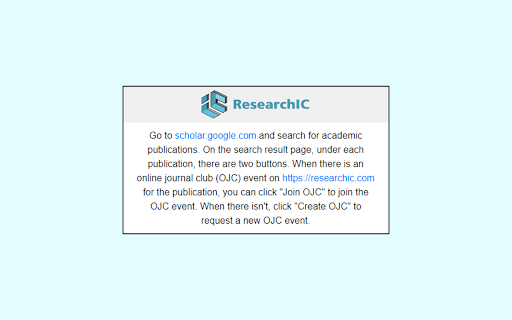

This extension connects ResearchIC.com to Google Scholar, which will allow users to check if there is existing Online Journal Club events on ResearchIC.com related to found academic publications on Google Scholar. It also allows the user to create a new Online Journal Club event on ResearchIC, if there isn't a record.

Access Scholar Articles
Get access to journals and articles using your university's credentials. This lightweight extension allows students and researchers at the University of Malta (and other universities) to access restricted scholar articles. Same Universities offer their students/staff access to several journals and websites. Unfortunately it can be cumbersome to unlock a scholar article since you would have to go through the University's library website. Using this extension you can easily redirect to the unlocked version of the scholar article with one click, without having to leave the article that you want to read. For example, this locked article: https://www.nature.com/articles/s41586-020-03048-z would be redirected to the unlocked version in one click: https://www-nature-com.ejournals.um.edu.mt/articles/s41586-020-03048-z The default university access page is set to the University of Malta. This extension works with other universities - to do so, change the URL redirection to an EZproxy URL in the options. This extension works with several scholar websites, including (but not limited to): IEEE Xplore, Nature.com, ProQuest, ACM Digital Library and SpringerLink. This extension provides a very lightweight addition to the browser, while improving significantly the researching experience. Disclaimer: This extension was developed independently and is not affiliated with University of Malta or other entities mentioned above.

Mark Google Scholar Papers as Read
This extension allows you to mark Google Scholar papers as "read." It also provides the capability to export all read articles into a text file with a single click on the extension's icon.

ScholarQuest
Unlock achievements with your academic success and view them on Google Scholar! ScholarQuest tracks the data on your Google Scholar profile page and awards achievements once you reach various milestones, such as publishing 10 papers, or gaining 100 citations. Academia gamified! Disclaimer: When this extension is installed, it will open your personal Google Scholar profile page and read the public data that you have displayed on it: your name, your Google Scholar profile ID number, the number of papers you have written, and the number of citations each of those papers has received. This will be used to recognize when you are on your own page, and to determine whether you have unlocked any new achievements. This information will be updated each time you visit your own Google Scholar profile. This information will be stored only within your Google Chrome user storage. It will not be shared with the developer nor with any other users.

Bookmark It — Personal & Team Bookmarks
Save, share, and find bookmarks in one click. Personal collections and shared team workspaces, with fast import and instant search. Bookmarks are a necessary evil. Lost in folders. Buried in browsers. Impossible to share. Almost no one bookmarks the way they actually want to — and almost no one can collaborate on bookmarks with their team, family, or friends. It's the only bookmarking app that combines real ease of use, real organization power, and real collaboration in a single place — for yourself, your team, and everyone in between. 🚀 Get started in seconds ● One-click import from your existing Chrome bookmarks bar ● One-click import from your browser history ● No spreadsheets, no copy-paste, no re-saving ● Free plan with no credit card. Ever. 👤 Personal + 👥 Team workspaces ● Keep a private collection just for you ● Spin up a shared workspace for your team, family, or side project ● Invite anyone in seconds — everyone sees the latest version, every time ● No more "send me that link again" in Slack, Messages, or email 🔍 Find anything in one click ● Recently Viewed history puts the page you're looking for one click away ● Instant search across every bookmark in every workspace ● Collections, tags, and notes that scale from 10 bookmarks to 10,000 📌 Bookmark from anywhere ● Browser extension — save the active tab with one click ● Menubar app — save and search without leaving what you're doing ● Web app — organize and manage from any device ● Title, URL, and page details pre-filled so saving really is one click 💬 Built for collaboration ● Share entire collections, not just single links ● Add notes and context so teammates understand why a bookmark matters ● Organize together — for work projects, family hubs, reading lists, travel planning, recipe collections, anything 🪄 More than a bookmark manager ● Boosted productivity — spend less time searching, more time doing ● Onboarding made easy — new teammates get the full knowledge hub on day one ● Cross-platform — your bookmarks follow you across browsers and devices ● Upstream from the browser into a dedicated app you'll actually open Stop losing links in chat threads. Stop emailing yourself URLs. Stop maintaining bookmarks five different places. Bookmark It is the home for every link that matters — personal, professional, and everything in between. 🔒 Privacy first ● We will never sell or share your data ● Imports are optional and read-only — we never modify your native browser bookmarks ● Page content is never sent to our servers
