
gobamlfhmmmpbeiolmgeoebfciogcpoa


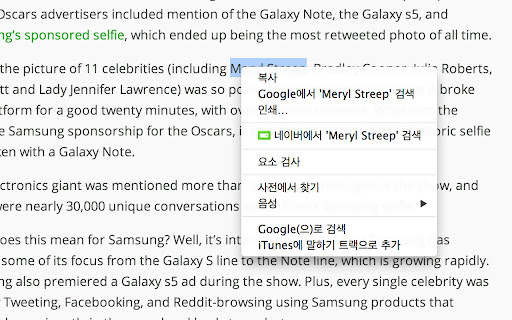
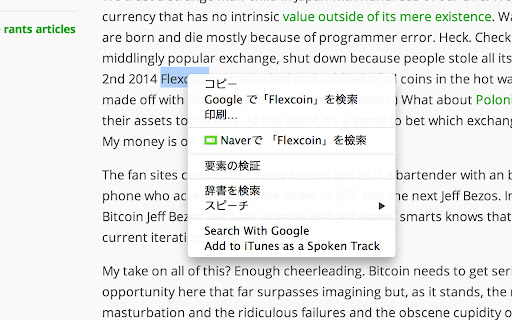
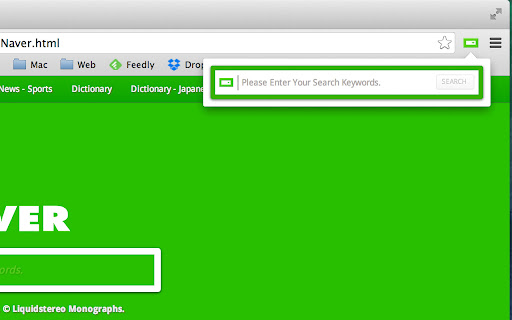
네이버 검색 / NAVER Quick Search & Search for selected text using the context menu. "네이버 검색 / Naver Quick Search" 간단하게 NAVER 검색을 사용할 수 있는 Extension입니다. (Supports multiple languages - English, Korean, and Japanese). ** 0.42 update ** - Manifest version 1 to version 2 migration. - Context Menu에 'Search NAVER for ...'가 추가되었습니다. ('NAVER에서 검색하기'로 수정)

Context Menu Search
Search for selected text or image URL using the context menu Use the context menu to search for selected text or image URL in various search engines 1) exporting and importing search engines requires the "Manage your downloads" permission 2) export added search engines to avoid losing them when updating the extension If you have any questions, please contact me by email

Selection Search - Quick Search
Easily search 🔎 for selected text in different search engines. 1. Install and add the extension to Chrome. 2. Select a text, left-click on the selected text to get a popup where you can choose a search engine to search with. 🔎 3. Customize the look of the buttons that activates the menu, which search engines to show, and many other things. 1. Copy option to copy the selection to the clipboard. 📋 2. Option to open searches in a small popup window. 🪟 3. Option to turn in-site popup blacklist into a whitelist. 4. Toolbar 🛠 popup support. With this extension, you can easily search 🔎for text you have selected in search engines.

Perplexity Shortcut
Quickly search Perplexity with a keyboard shortcut or context menu Seamlessly integrate Perplexity AI search into your browsing experience without disrupting your regular Google searches. Access powerful AI-driven results with a simple keyboard shortcut from any webpage. Key Features: - Quick Access: Use Alt+Q (Option+Q on Mac) to open a search box instantly. - Context Menu: Right-click to search selected text directly. - Customizable: Dark or light mode option to fit your theme. Unlike other extensions that replace your default search, Perplexity Shortcut coexists with your regular Google searches. Enjoy the best of both worlds – traditional search when you need it, and AI-powered insights at your fingertips. Setup Instructions: 1. Visit chrome://extensions/shortcuts 2. Find "Perplexity Shortcut" 3. Set "Toggle Perplexity search input" dropdown to "Global" 4. Enjoy instant access with Alt+Q/Option+Q (or your custom shortcut) Note: A browser restart may be required after installation for full functionality. Streamline your research and get instant, AI-powered answers without compromising your familiar search experience!

Search Ebay Sold
Searches Ebay for sold items based on highlighted text with context menu. This extension adds an item to the context menu that searches eBay for items marked as sold that match the text that the user highlights on a webpage. The user highlights the text on a webpage; then, they right-click to bring up the context menu and choose "Search eBay for sold items" in the context menu. A new browser tab opens to the eBay search page, displaying their results.
