
gneldbncofioemhoaifgeneiadeodgmh

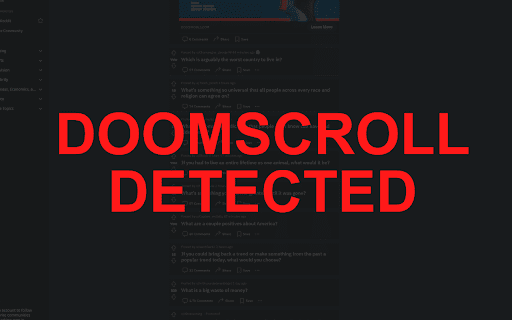
A chrome extension to block doom scrolling and help you touch grass! Limit screen time! Block social media! - Doomscroll Detection and Blocking - Customizable Blocked Sites - Beautiful Colors and Animations - Motivational Messages After Doomscroll - Added a settings card so you can save custom scroll distance and YouTube Shorts limits. - Slowed down the warning flash. - Added support for YouTube Shorts blocking! - Added a help button - Various bug fixes and improvements Suggestions and pull requests are welcomed!.

Free VPN For Chrome - VPN Extension - Windscribe
Windscribe helps you mask your physical location, circumvent censorship, and block ads and trackers on websites you use every day Bypass restrictions, block ads, and keep your online activity private with our all-in-one VPN and proxy extension for Google Chrome. Take it for a spin with no commitment or strings attached. Windscribe offers the most generous free VPN plan with 10 GB of data per month (if you confirm your email address), with Pro plans that offer unlimited data and access to servers in over 134 cities. ➤ Why Should You Choose Windscribe? ➤ Stay Anonymous, Always Windscribe masks your IP address and spoofs your location to ensure your privacy is never compromised. Surf freely, without anyone tracking your every click. ➤ Advanced Privacy Features Windscribe isn’t just a VPN proxy; it’s an entire suite of privacy tools designed to put you in control: - Ad Blocker: Block intrusive ads, trackers, and malware. Speed up your browsing and protect your privacy. - Social Blocking: Say goodbye to tracking from social networks. Keep your personal info safe. - Cookie Go Away: Block those annoying "cookie consent" banners that slow you down. - WebRTC, Geolocation, & Timezone Spoofing: Prevent leaks and maintain anonymity. Windscribe spoofs your GPS location, time zone, and WebRTC protocol. - Smokewall: Built-in firewall that keeps you protected even if the internet connection drops unexpectedly. - Allowlist: Split-tunnel by excluding sites from the proxy tunnel. - Flexible Connectivity: Ability to connect over multiple ports (443 and 9443). - Worker & Notification Blocking: Block background data collection and prevent pesky notification requests. - Anti-Fingerprinting: Randomizes and masks your browser fingerprint (canvas, audio, fonts, screen size, and more) so trackers can’t build a consistent profile. ➤ Access Anything, Anywhere Bypass censorship and access geo-blocked content from over 69 countries. Whether it's streaming, news, or anything in between, Windscribe gets you there with ease. ➤ No Identifying Logs. Ever. We respect your privacy. Windscribe does not track, store, or sell your data. It's your data, your privacy, and we protect it — no compromises. ➤ Powerful, Yet Simple. Install Windscribe with just one click, and you’re all set. No complex setups or confusing interfaces, just simple, straightforward privacy on your browser. ➤ No Limits. The free plan gives you 10 GB of data per month (with email confirmation), while the Pro plan offers unlimited data and access to all our servers worldwide. Unlimited browsing, unlimited freedom. ➤ Available Across All Devices Windscribe isn’t just for Chrome. Use it on Windows, Mac, Linux, iOS, and Android for complete protection, no matter where you go. Having issues with Windscribe VPN or want to suggest something? Send us a support ticket: https://windscribe.com/contact-support Attributions: ------------------------- Ad-blocking functionality based on uBlock Origin Lite. Source code: https://github.com/Windscribe/browser-extension-mv3

Ad blocker Chrome - Total Adblock
Ad blocker Chrome - Total Adblock is the ultimate ad block and pop up blocker. Block ads and enhance browsing with ease. 🚫 Ad Blocker Chrome - Total Adblock: Your All-in-One Solution for a Cleaner Internet Tired of dealing with annoying ads and constant pop-ups? This extension is the perfect solution to put an end to online distractions. This powerful tool provides a cleaner, faster, and more secure browsing experience. 💻 Whether you need a chrome pop up blocker or a complete ad blocker, you can enjoy being on the internet without worrying about their content getting in the way. 🔸 Blocks all banners and pop-ups. 🔸 Speeds up browsing: Pages load faster when unnecessary content is removed. 🔸 Data protection: Stops tracking scripts to protect your privacy. 🚀 You no longer need to look for ways to turn off ads or worry about how to get rid of annoying banners. The tool’s advanced algorithms remove advertisement in real-time, ensuring a smooth experience. 1️⃣ Scans the web pages you visit and detects ads. 2️⃣ Acts as a reliable pop up blocker to prevent interruptions. 📦 How to install ad blocker chrome extension: Getting started is easy. You don’t need technical expertise to set it up. ▶ Click the "Add to Chrome" button on the right side of your browser window. ▶ A confirmation pop-up will appear. Click "Add extension" to confirm and enable the installation. ▶ Once the installation is complete, it will appear in the toolbar. ▶ For quick access, pin it 📌. ❓Why You Need it? If you've ever wondered how to block pop ups on Chrome, this extension is your go-to solution. Once installed, improve your online experience by keeping ads and distractions at bay. ❗Stands out for its user-friendly design, powerful ad blocking capabilities, and additional privacy protection. It's the complete package for those who want to take back control of their browsing. Take back control of your online experience. You deserve to browse the web without interference or distractions. 🛡️ Privacy and Security Benefits Online security is becoming more important every day. This ad blocker not only keeps your screen clean, but also protects you from trackers and data collection. Your personal data is kept safe from prying eyes, ensuring your privacy is always protected. 🔒 By preventing third-party cookies and trackers from collecting your data, you can surf the web with peace of mind, knowing your information is safe. This extra layer of protection makes the tool not just a standard google ad blocker, but a full-fledged browser security tool. Extension optimizes your browsing speed by ensuring that resources aren’t wasted on loading unnecessary advertisement. The result is a smoother and faster browsing experience, whether you’re streaming videos, shopping online, or simply surfing the web. It’s time to block advertisement in Chrome and enjoy faster access to your favorite websites. Enjoy the Internet without distractions. You no longer have to waste time on pages that load slowly or are filled with annoying banners. 🎉 This extension ensures that your time online is spent on what matters most to you - work, shopping or entertainment. This comprehensive extension will transform the way you browse by blocking ads, speeding up web pages, and protecting your data from trackers. It’s time to enjoy! Install Total Adblock today and see the difference!

Adblock Ad Blocker Pro
Block ads and browse faster with Adblock, the best ad blocker for Chrome! Enjoy a cleaner, safer, and faster web experience. Adblock - Your trusted ad blocker for Web, YouTube, Facebook, Twitch, and all other sites. Are you tired of advertising, too? Adblock solves this problem by removing all popups, banners, and video ads. It's simple, powerful, and free! --- === 💪 ADBLOCK KEY FEATURES === ✅ Block popups and video ads. 🚀 Enhance your browsing speed. 🔒 Protect your privacy by blocking trackers. === 🤔 REASONS TO CHOOSE ADBLOCK === 🌟 Trusted by over 1,000,000 users worldwide. 🔧 Regular updates for top performance. 🎥 Works on YouTube, Facebook, Twitch and many more. ===💡 BENEFITS OF USING ADBLOCK === 🚫 Blocks all ads. ⚡ Makes webpage load faster. 🌍 Works on every website you visit. === 📖 HOW TO START USING? === 1️⃣ Install Adblocker from the Chrome Web Store. 2️⃣ It automatically starts blocking ads after installation. 3️⃣ Open any website and experience faster and cleaner browsing. 4️⃣ Add sites to the allowlist or set specific blocking rules for elements on the page. --- === ❓ FREQUENTLY ASKED QUESTIONS === 📌 What is Adblock? Adblock is a Chrome extension designed to block ads and improve your browsing experience. 📌 How does it work? It uses advanced filters to block ads and trackers from loading on web pages. 📌 Is Adblock free? Yes, Adblock is 100% free with unlimited usage. 📌 Which websites are supported? Adblock works on YouTube, Facebook, Twitch, and other websites.

AdBlocker for Twitch
Twitch Ad Blocker for Chrome — block or reduce Twitch ads and enjoy smoother streams. Also helps reduce popups, banners, redirects AdBlocker for Twitch is a lightweight Twitch ad blocker for Chrome made for one simple goal: help you watch streams with fewer ad interruptions. If you’re searching for a reliable adblocker for Twitch, this extension is built to target the ad patterns Twitch viewers run into most often — including Stream Display Ads (SDA), which are 15-second video ads that can appear before or during a live stream. (Ad delivery on Twitch changes over time, so ad blocking is always best-effort — but the focus here is Twitch.) What this Twitch AdBlocker helps with - Block or reduce Twitch ads (best effort) - Reduce common video ad interruptions on streaming pages - Cut down typical popups, banner-style ads, and overlay elements - Limit annoying redirect chains, popunders, and new-tab redirects While Twitch is the main focus, the extension may also help reduce banner-style ads on: - Facebook - X (Twitter) Effectiveness can vary by site and layout. Lightweight, simple, and fast No complicated settings — install, open Twitch, refresh the page if needed, and keep watching.
