
gmehookibnphigonphocphhcepbijeen
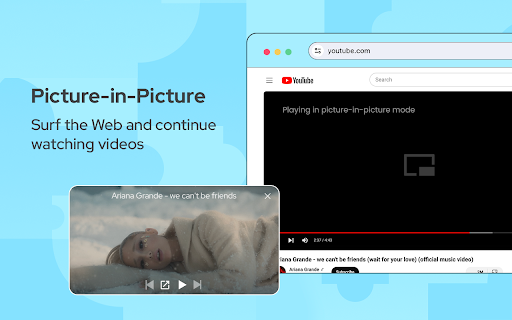
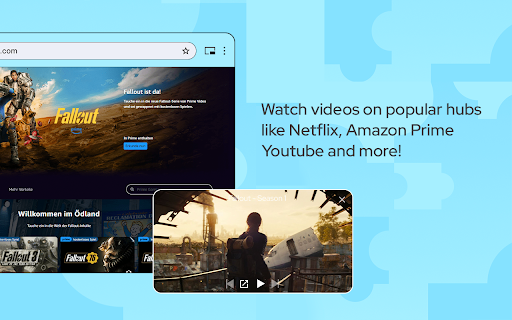
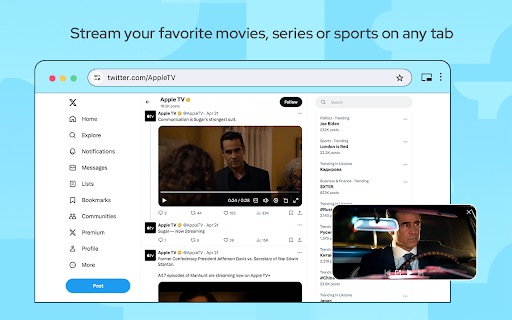
Watch videos while surfing the web with Picture in Picture (PiP) mode. Floating video player for Web! Picture-in Picture Extension (PiP) lets you play any video in floating video player mode, and it works on all platforms. PiP is a popped-out, always-on-top video player that floats on top of other windows. You can also reposition it along the screen border while you continue to surf the internet. Now stream your favorite movies, series or sports on any tab. Install Picture in Picture Chrome extension to enable the floating video. We support this feature on every streaming site. What is the mode and how it will be useful for you? You can also reposition it along the screen border while you continue to surf the internet. Allows you to watch videos in a floating window (always on top of other windows) so you can keep track of what you are watching when interacting with other sites or applications. Just click on the app icon to display the video player on YouTube or any other websites on the Web. This window will play the video on all pages of the browser on which there is a video resource. How do I play a video in a floating player? Open the YouTube video on the mini player in floating image-in-image mode. Supports video players This window will play videos on all pages of the browser. How Extension works: 1. Find the video and run it. 2. Click the extension icon to reduce the video player on YouTube and other sites. 3. Select the “Floating Picture in Picture” and you're done. Just click on the Floating Player and Video Control icon to display the video player on YouTube or any other websites on the Web. This window will play the video on all pages of the browser on which there is a video resource. Pic-in-pic mode supports all video formats and works with popular video hubs like HBO Max, Netflix and many others. Important Note: YouTube is a trademark of Google Inc. Use of this trademark is subject to Google permissions. The floating image mode in Picture mode for YouTube is not created, is not associated with Google Inc. or not supported. We really hope that our Picture Viewer will be useful to you! We look forward to your feedback and ratings! Also write your suggestions for improving the functionality.

SuperPiP - Picture-in-Picture with playback controls and subtitles
Watch YouTube, Netflix, Disney+ & Prime Video in Picture-in-Picture — full controls, subtitles, and keyboard shortcuts. Playback controls will be displayed so you can: * Play/Pause the video * Adjust/Mute the volume * Forward/Rewind the video * Change the playback speed * Play the next video Subtitles will be displayed if it's turned on. Currently subtitles work on Youtube, Netflix, Disney+ and PrimeVideo (more to come). The size of the PiP window will be remembered. Next time you open it you will get the same size. Use hotkey E and S to expand/shrink the PiP window. Otherwise the PiP window will not keep the aspect ratio when you resize and you need to use hotkey C to remove white borders (or the crop button at the bottom right). Use hotkey Alt+P to toggle the PiP window and below hotkeys when the PiP window is hovered or focused: * Forward (→) * Rewind (←) * Increase volume (↑) * Decrease volume (↓) * Pause/Play (␣)

PiP (Picture in picture)
Watch videos in a floating window Picture in Picture (PIP) outside the browser window or on top of any other application. Enhance your video viewing experience with Picture in Picture Have you ever wanted to keep watching your favorite videos while doing something else? With Picture in Picture for Chrome, you can. This simple extension lets you keep your video in a small floating window that stays on top of other tabs and apps. You can move it anywhere on your screen and resize it the way you like. No more pausing to check emails or switching between tabs. Just click the Picture in Picture icon, and your video will pop out so you can continue watching while you work, browse, or chat. It only takes a few seconds to install. Go to the Chrome Web Store, search for Picture in Picture, and click Add to Chrome. Once installed, you will see the icon in your toolbar for quick access. Picture in Picture makes multitasking simple. Watch your videos without interruptions and stay productive at the same time.

Picture-in-Picture Shortcut
Switch videos to Picture-in-Picture mode with a keyboard shortcut or toolbar button. Picture-in-Picture Shortcut adds a keyboard shortcut and toolbar button for switching video players to the Picture-in-Picture mode in web browsers. The default keyboard shortcut is Ctrl+Period (Command+Period on Mac), but it can be changed from the browser settings. The Picture-in-Picture Shortcut extension button in the browser's toolbar can be used to toggle PiP mode. Google Chrome and other Chromium browsers have a built-in Picture-in-Picture button in the default media controls, but it isn't always available and requires multiple mouse clicks. Picture-in-Picture Shortcut also overrides sites that don't normally allow Picture-in-Picture mode, and attempts to add a play/pause button to the PiP popup. However, this may not always work for sites and players not originally built for PiP mode. This extension is open-source under the GPLv3 license, the code is available on GitHub: https://github.com/corbindavenport/pip-shortcut

Picture-in-Picture - Floating Video Player
The extension lets users watch videos in Picture-in-Picture (PiP) mode. Picture-in-Picture (PiP) extension is a convenient web application that allows you to play videos in Picture-in-Picture mode. You can watch any video in a floating window that always stays on top of other windows, letting you multitask seamlessly while browsing the web. The extension supports all popular video platforms. Just click on the icon to activate PiP mode and enjoy uninterrupted video playback. How to Get Started: 1. Open any video. 2. Click the extension icon in your browser toolbar. 3. Enjoy watching videos in a floating window while continuing to browse the internet. Key Features: • Floating video player that always stays on top. • Compatibility with any video platform. • Ability to reposition the floating window along the screen borders. • Support for all video formats. • Customize hotkeys to control video playback easily without interrupting your workflow (Windows: Alt+Shift+P; Mac: Command+Shift+P). With Picture-in-Picture extension, you can watch your favorite movies, series, live streams, and educational videos without missing a beat, even when switching tabs or windows. Affiliate Disclosure: This extension may use affiliate links, meaning we could receive a commission if you make a purchase through links promoted within the extension. We fully comply with extension store policies, ensuring transparency about affiliate activities. Users will be informed about any affiliate actions, such as cookies or referral links, both during installation and use. To keep the extension free and continuously improve features, non-personal data (like cookies and referral links) may be shared with third-party partners. These practices are fully compliant with store policies and do not affect your privacy. Privacy Assurance: We do not collect, store, or share personal data. Picture-in-Picture (PiP) operates entirely on your device, ensuring complete privacy and data security. Our practices fully comply with extension store privacy policies for a safe and secure browsing experience. 🚨 Important Note: YouTube is a trademark of Google Inc., and its use is subject to Google’s policies and permissions. The Picture-in-Picture mode for YouTube is an independent feature not created, endorsed, or supported by Google Inc.
