
gmagpgpipaiaflghjofnpjnpekpcagen
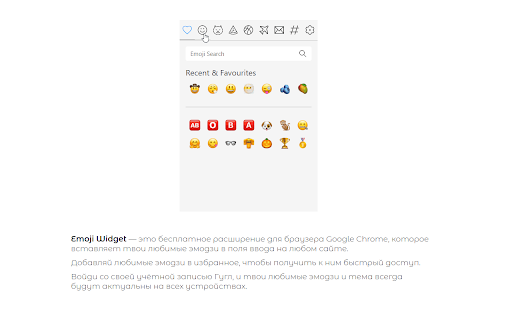
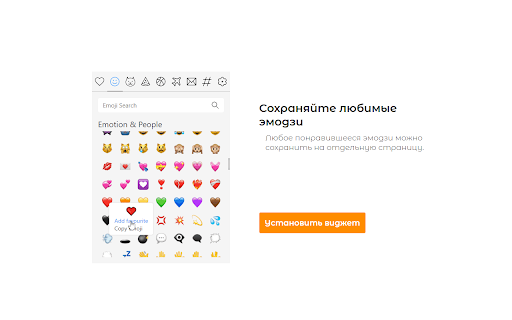
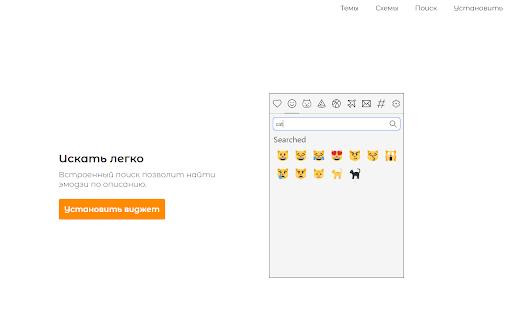


Widget for picking Emojis Pick your favourite emojis and use it on any site!

Emoji Keyboard - Emojivibe
The keyboard of emojis online - copy and paste any emoji or emoji combo. Huge search database - all emojis in one extension! Copy and paste emojis for any social network. Easy, fast, and free!

Emoji Finder
Emoji Finder helps you to generate and copy emojis to any web-page like FaceBook, Twitter, Gmail Emoji Finder adds a toolbar panel to your Chrome browser to find all the supported Emojis in the easy way. You can either use the search-box or use predefined categories to find Emojis. Emojis are being pasted in an editor field that allows you to insert text too. You can them copy the entire content to your OS clipboard. For more info please visit: https://add0n.com/emoji-finder.html

New Tab Studio: Countdown & widgets
New Tab Studio is a very powerful application to create a mood board in your new tab. You can make its design ABSOLUTELY ANY with our widgets to boost your productivity! Replace and customize your New Tab page with this dashboard extension (countdown, clocks, quotes, images, texts, etc.). It will help you to focus and be productive with your main goal or event / deadline. Eliminate distractions and beat procrastination with a reminder of your goal or event on every new tab. 0) Habit tracker 1) 2 Clocks, Date widget, Analog clock 2) Countdown 3) CountUp 4) Text 5) Quotes 6) Image (for vision board, gsd board, goal board, mood board) 7) Workspace switcher 8) Bookmarks 9) Search bar 10) Top sites 11) Todo list 12) Notes 13) Weather 14) Powerful background selector (use one of our background collection from unsplash and giphy, our upload your photos, or use a solid color) 15) Link 16) Google sites 17) Figure (Rectangle / Line) 18) IFrame 19) Calendar 20) Day planner 21) Week planning 22) Calculator Ways you can use it: 0) Beautiful customizable theme with autochanging backgrounds 1) Set your everyday habit and track your progress 2) Add clock, text, quotes, image widget 3) Add any count of todo lists 4) Add bookmarks 5) Change the position, style, and size of the widgets - make your own, unique design, that will inspire you in every replaced new tab 6) Holiday countdown (birthday, Christmas, new year, Halloween, Thanksgiving day) 7) Event countdown (wedding, meeting, release, movie release) 8) Deadline countdown 9) Goal countdown 10) Important day countdown 11) Setting any wallpaper (HD, small, GIF), as you want in different modes 12) Show/hide countdown timer, writing some inspiration quotes 13) Dark theme 14) Kanban Board 15) Goal Board, Vision Board, Mood board 16) Blank new tab / Empty new tab / Clean new tab 17) Project planning in our calendar (close to gannt diagram) 18) Exam countdown Just upload an image (or pick from unsplash, giphy), that you like, set header and date, drag and drop your widgets :) v. 3.2.4: - Many performance improvements (render time, use webp, countdown refactoring, etc) - Rectangle / Line widget - Search gifs images - Bookmarks widget - Google links widget - Redesign of the background collections (also added the space collections) - Added second to the clock widget - Ability to hide the text in Top Sites widget - More soft text shadow - Rectangle image resize v. 3.2.3: - Added Habit tracker widget - Disabled spell checker for todo and notes v. 3.2.2: - Fix the weather input of city name - Fix the search bar input of placeholder - Social sharing for quotes, wallpapers - Quotes improvement: pin quotes, manually switch to the next quote - Install wallpapers from the theme market v. 3.1.0: - Notes widget - Tutorial - The new title of the application (New Tab Studio) v. 3.0.0: - Text widget - Clock widget - Ability to change the style and position of the widget - Image widget - New material design - Custom intervals for random backgrounds from unsplash v. 1.3.4: - autodetect fullscreen or default mode by the image size - save small images to localStorage v. 1.3.2: - pagination for image search v. 1.2.0: - Uninstall page v. 1.1.9: - Possibility to hide an image - Possibility to hide header - Possibility to hide the timer - Settings button moved to right top

Emoji Say - AI-Powered Multilingual Emoji Search
Quickly input suitable emojis on any website through AI-powered recommendations and precise search. Elevate your digital expression with Emoji Say, the most comprehensive and user-friendly emoji extension for your browser! Key Features: - AI-Powered Search: Find the perfect emoji using any language descriptions - no more memorizing shortcodes! - Animated Emojis: Bring your conversations to life with delightful animated Google emojis - Extensive Emoji Library: Access a complete, up-to-date collection of emojis at your fingertips - Multiple Rendering Styles: Choose from Google, Twitter, Apple, and Facebook emoji designs for a personalized touch. - Skin Tone Diversity: Express yourself authentically with a wide range of skin tone options. - Customizable Panel: Tailor Emoji Say to your needs - adjust emoji size, set click actions, and more. - Quick Copy & Bulk Selection: Easily copy individual emojis or select multiple for efficient messaging. - Flexible Display: Adjust the number of visible emojis to suit your screen and preferences. Why Choose Emoji Say? - Time-Saving: Quickly find and use emojis without leaving your current tab. - Enhanced Expression: With our vast selection and customization options, convey your emotions precisely. - Always Current: Our regularly updated library ensures you always have the latest emojis. - Improved Digital Communication: Make your messages more engaging and expressive. - User-Friendly Design: Intuitive interface makes finding and using emojis a breeze, even for emoji novices. Emoji Say is constantly evolving, with new features and improvements added regularly based on user feedback. Download now and let your emojis do the talking!
