
glhodlndnfnmighfapfghjgbmajinooi
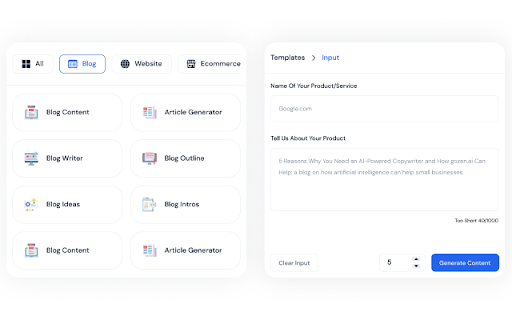
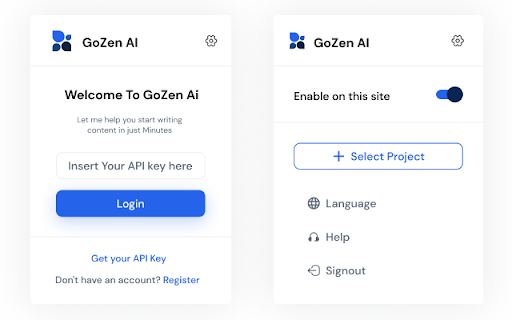
GoZen Content.AI is an AI-powered content writing tool that can help you craft engaging, personalized content to your exact needs GoZen Content.AI extension is an 🤖 AI-powered content writing tool that helps you create personalized content tailored to your specific needs. Generate 75+ different types of content and customize it in the tone that best fits your business goals. Our Extension offers a comprehensive suite of features that make content creation simple and intuitive, so you can quickly create quality content that stands out from the competition. 🚀Write blogs confidently that resonates with your target audience Our AI-powered content writer helps you research blog topics, so you can write blogs confidently and create content that resonates with your target audience. We make sure you never run out of ideas, as our AI-powered technology can suggest content topics that are relevant to your industry and target audience. 🚀Unlock the Potential of Multilingual Content GoZen Content. Ai is an incredibly powerful tool which makes creating content in multiple languages a breeze.Whether you’re creating marketing materials, website content, blog posts, or more, GoZen Content.ai has you covered. It allows you to easily create content in different languages with its built-in language conversion tools 🚀Craft website copy that effectively conveys your company's brand Our AI can interpret the data about your business and compose content suited for your target audience. Furthermore, we offer SEO-enhanced content that will boost your ranking in search engine results. 🚀Generate emails quickly and effectively Make a lasting impression on your prospects and customers with carefully crafted subject lines that guarantee high open rates. Personalize your sales messages with AI-generated visuals that are sure to grab attention. 🚀Stay on top of your social media game. Our easy-to-use platform allows you to quickly create months' worth of captions, articles, and video scripts for any social media platform. With the GoZen Content.ai Chrome extension, you can generate content directly on the platform. Say goodbye to the hassle of making content from scratch, and hello to consistent, engaging posts that will keep your followers coming back for more! 🚀AI-powered spelling and grammar checker Catch errors, grammar mistakes, and save time by not manually copy-editing. The AI-powered writing aid will function as an instant proofreader, providing real-time feedback and suggestions to improve the quality of your writing. Get started with Gozen Content.AI today and see how it can help you create captivating content that resonates with your audience.

Chat with Desksense AI Powered by GPT4
The Ultimate AI Assistant with GPT-4 powered responses. Answers any queries, summarize articles, create emails, content & AI images. Desksense ChatGPT AI app provides Free Chat GPT & GPT-4 access, AI writer for Email, Blogs, Articles, Tweets, Linkedin posts, Facebook Posts, Replies and more. Desksense AI uses OpenAI ChatGPT to summarize Youtube videos & Blog in one-click. Desksense AI app revolutionizes your online search experience by integrating Open AI ChatGPT alongside your Google search engine. With Desksense you can access instant AI-generated responses, providing valuable insights and information right alongside the search results you're browsing. With just a CMD+ I OR CTRL+ I Desksense makes it easy for you to access the ChatGPT on any website. Use "Shortcuts" for Advanced users. 👉👉 Save ANY ChatGPT, GPT-4, Claude3 OR Genini Pro response to your Desksense Account in one-click. 👉 [New Update] Desksense comes with new Chat GPT models like; GPT-4-o-mini and other LLM's like Claude3, Gemini Pro & Llama 3version. 👉 [New Update] Desksense comes AI Image Analyzer 👉 Desksense iOS App is now live in App Store. 👉 New AI Summarizer is now live with upload file feature. 👉 AI Writer for ANY content with ChatGPT-4, GPT-4-o-mini, Claude 3 & Gemini Pro option (Emoji, character limit included with a different lanuage model.) 👉 FREE AI Chatbot integrated with ChatGPT & GPT-4 in web app 👉 Get ChatGpt AI response or replies with 'Tone' and 'Emoji' 👉 Unlimited AI response on Google Search 👉 One-click AI summarizer for Youtube videos 👉 One-click AI summarizer for ANY website 👉 ChatGPT AI Image generator using Dall-E 👉 Save ChatGPT response in your account for later use. 👉 Save your frequently used prompt(s) 👉 List of 100+ preset prompts and option to edit and save in your account. 👉 Easy Access with CMD + I OR CTRL + I on ANY website 👉 Grow your Social Media presence using Desksense AI response in LinkedIn posts, Twitter & Facebook posts. 👉 Write faster and smarter emails on Gmail, Tweets, Linkedin Posts and Facebook posts 👉 Generate online content, video script, hashtags & keywords and topics for blog posts, articles and socials using Desksense AI ChatGPT App. 👉 Share your saved response to social media using our Desksense Web App 👉 Copy to clipboard, Save, Favorite and add tags to ChatGPT responses as Card. 👉 Desksense Chat GPT & GPT 4 Android Mobile App 👉 Auto Dark/light mode 👉 Change the Tone of your response and include emoji when needed. 👉 AI Chatroom Collaboration with your Team 👉 AI Chatbot in Extension 👉 AI Content Generator - AI Email Writer, AI Article Writer using ChatGPT, GPT-4, GPT-4-o-mini, Claude3 and Gemini Pro., AI Code Generator, AI Social Media Post Generator and more... Are you a busy professional juggling multiple tasks? A student striving for academic excellence? Or someone seeking to optimize their daily routines? Look no further! Desksense is here to revolutionize your digital experience. Desksense is a powerful chrome extension that leverages the ChatGPT API to enhance your productivity. It provides a range of AI applications, including ChatGPT & GPT-4 AI chatbot, summarizers, AI writers, and more, accessible on any website. Yes, Desksense is completely free to download and use. Every free user gets 5000 Word limit for month. No, you do not require a separate ChatGPT account. Simply sign up for free at Desksense.com to access the extension. Yes, Desksense chrome extension works seamlessly in all countries, ensuring that users worldwide can benefit from its features. To install Desksense on your browser, you will need to follow these steps: 1) In your browser open the browser's app store or extension store 2) Search for the Desksense in the browser's app store or extension store (or click for : Google Chrome | Edge) 3) Click on the "Add to Browser" or "Install" button to begin the installation process. 4) Follow the prompts to give the extension permission to access certain parts of your browser, if prompted. 5) Once the installation is complete, you will be redirected to our onboarding page 6) That’s it ! you are done :) Please pin the ext. on top bar to get on-time updates. If you have any questions, please feel free to reach us at support@desksense.com === VERSION 1.0.13 ==== * NEW FEATURE: AI Writer for ANY content with newest version of GPT models (Emoji, character limit included with a different lanuage model.) * NEW FEATURE: AI Image Analyzer that analyses any image and gives you response describing the image. * File Summarizer: Upload any file & summarize in one-click * Minor Bug fixes

nichesss
Create articles from your favorite keyword research tools with 1-click. Writing articles for your website or blog can take a long time and be extremely tedious -- especially when you have to bounce back and forth between various sites. It can be really hard to grab the information from tools like ahrefs, SEMRush, Keywords Everywhere, and then spend hours writing an article. But with nichesss, you can save time and make it easy to write an article once you've identified keywords. Just add the nichesss extension to your web browser and use your favorite keyword tool. Then, with just one click, nichesss will make an article for you based on the keywords you've selected. You won't have to spend hours combining keyword research and writing articles anymore. nichesss makes it faster and easier to write articles that rank!

iki.ai - your knowledge hub
This extension provides quick saving of the links to webpages you browse to iki.ai knowledge hub. You can also save highlights (just select text and press right button - save to iki) and your notes on these materials to catch up with the core ideas later on. iki.ai is a web service designed as a knowledge hub for professionals where they can store and share important knowledge in the form of links with metadata, notes, highlights and AI generated summaries. The core functional of the service includes personal library, knowledge feed with recommended materials, community with peers, collections and search on the service index. We are working on the new features like Smart notes with instant recommendations for AI augmented research and self-organizing library with custom shelves. To start using this extension you need to register in iki.ai web service - this can be done with Google, Facebook or Linkedin profile or with an email. For now all the functional provided is free of charge.

WriteMe.ai - AI powered writing assistant
Prepare to witness the next big transformation in your writing experience on your favorite Browser, using WriteMe.Ai Google Chrome Extension. WriteMe.Ai’s Google Chrome Extension Features: We have got some amazing features in WriteMe.Ai Google Chrome Extension for a better, smoother and more streamlined writing experience using AI. Next Line Suggestions to incorporate fresh, new ideas in your text Built-in Grammar Checker to edit, polish and perfect your text Write Complete Article to create long form content in a jiffy Popular Use Cases to write unique content for certain use cases in minutes How to Setup WriteMe.Ai’s Google Chrome Extension: All you will need to do is: Download the WriteMe.Ai Google Chrome Extension Pin the WriteMe.Ai Google Chrome Extension to Your browser Launch the WriteMe.Ai Google Chrome Extension and Log In After Downloading Here are the next steps you need to follow to use WriteMe across all websites to use WriteMe.ai’s extension Step 1: Once you have successfully installed the extension, go to your extensions settings Pin WriteMe.Ai extension on your browser. Create a new document to start using WriteMe.Ai or go straight to the web app. You can also set your preferences for using WriteMe.Ai on different websites by going to the Extensions Settings page. Step 2: Move your cursor over the text and select any text between 30 to 300 characters length. WriteMe.Ai icon will appear under the highlighted text. Click on the WriteMe.Ai icon to open the toolbar (ribbon). Step 3: The ribbon will show you available actions you can take. Choose any option to get Next Line Suggestions, view Use Cases, use Grammar Tools, or Write Complete Article using WriteMe.Ai. Chrome Extension Launched Access 40+ use cases & templates Supports 30+ languages and 20+ tones Write sales & marketing emails that get replies Discover ideas & write engaging content for blog Generate creative, catchy copies for social media Write product, job, profile, video descriptions Generate interesting caption ideas for Instagram post In-built native plagiarism checker (powered by Copyscape) Workflow and team management features WriteMe Extension is now Draggable New “WriteMe” Button to get text answers for anything Now Data is copied auto on Click Using Append Function* Input Unlimited Text Utilize the capabilities of GPT-3.5 and GPT-4 now. Drag and Drop Extension: Take the extension anywhere with you! Drag and drop the extension anywhere on the page and continue making edits. Enjoy more writing freedom! "WriteMe" button can help you with emails, social media posts, ad copies, and more! You don't have to waste time searching for the right use case; just use the WriteMe option to get something written for you. Use the new WriteMe button to find text-based.
