
glhhgglpalmjjkoiigojligncepccdei
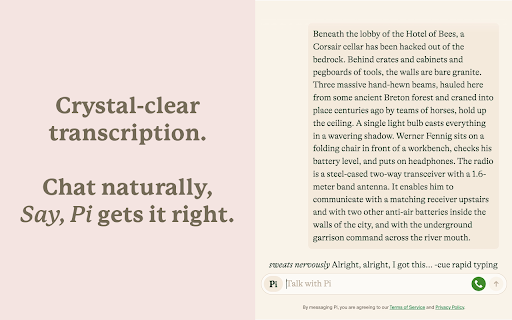
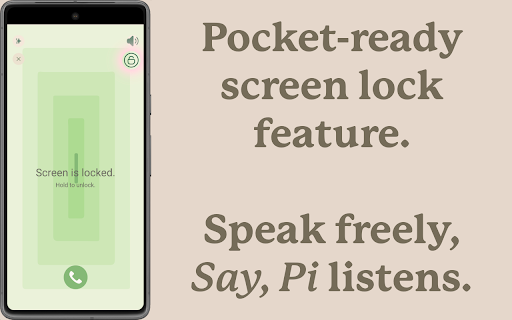
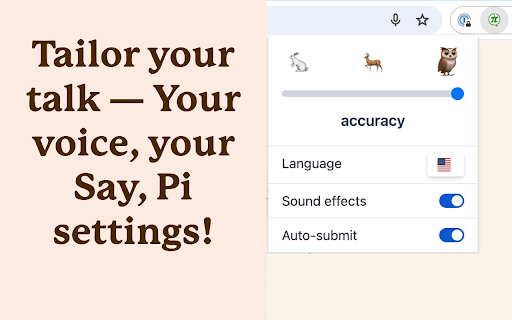
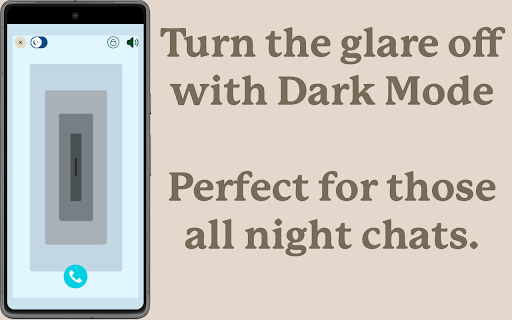

Hands-free voice chat with ChatGPT, Claude & Pi. No button press needed. Voice typing everywhere. Say, Pi turns your conversations with ChatGPT, Pi, and Claude into smooth, voice‑driven experiences, and brings high‑quality voice typing to any website. Just tap the call button, speak like you would to a person, and get lifelike spoken replies. Plus, dictate text into any input field across the web with the same accuracy you love. Perfect for multitasking, accessibility, or anyone who thinks better out loud. NEW IN v1.10.0 — “Say, Pi for ChatGPT” (Save Standard Voice) - Bring back the feel of ChatGPT’s Standard Voice Mode (SVM) with a patient, predictable, hands‑free experience. - Drop‑in on chatgpt.com: a call button appears in the ChatGPT composer; start/stop just like SVM. - Automatic Read Aloud: when enabled, we press ChatGPT’s native “read aloud” once per response—no double audio. - Designed for the #SaveStandardVoice moment: warmth, presence, and dependable pacing. FREE PLAN – TRY INSTANTLY, NO ACCOUNT NEEDED - Voice Chat with AI: Talk to ChatGPT, Pi, and Claude with Whisper‑powered voice recognition that knows when you're done speaking. - Universal Voice Typing: Dictate into any text field or email on any website – just right-click and select "Start dictation with Say, Pi." - Accurate & Fast: Enjoy high-accuracy speech-to-text, even with accents and background noise. - Hear Natural Voices: Warm, lifelike replies in supported modes. - Flexible Layouts: Use full-screen immersive mode or standard chat view. - Dark Mode Support: Eye-friendly design that blends in with Pi's interface. - Works Everywhere: Mac, Windows, Linux, Android, iOS – all covered. SAY, PI PREMIUM – UNLOCK THE FULL EXPERIENCE Your voice, your language, your AI – across all your devices and websites. - ChatGPT, Claude & Pi Support: Seamless switching between top AI assistants. - Universal Dictation: Professional-grade voice typing for emails, documents, and forms anywhere on the web. - Lifelike Replies in 32+ Languages: Powered by ElevenLabs, crafted to sound natural in your language. - Bigger Usage Limits: More talking time, more listening time, more dictation. - One Account, Everywhere: Premium follows you across platforms and browsers. WHY THOUSANDS LOVE SAY, PI - Boost Your Workflow: Take notes, write emails, ideate, or draft while keeping your hands free. - Speak Any Language: Multilingual support with smooth mid-conversation switching. - Built for Accessibility: Designed with inclusivity in mind – great for users with motor or visual challenges. - Rated ★ 4.9/5 by 2,000+ Users: Trusted by a growing global community. - Privacy First: Your voice data is secure and never misused. See our policy at: https://saypi.ai/legal/privacy GET STARTED IN SECONDS 1. Install the extension. 2. For AI chat: Open chatgpt.com, pi.ai, or claude.ai and click the call button. 3. For voice typing: From any text field, press the floating "Say, Pi" icon or right-click and select "Start dictation with Say, Pi." 4. Speak naturally. That's it. Start talking to AI and typing with your voice the natural way—install Say, Pi and experience the future of conversation and productivity.

Gyde: AI Documentation in Video & Screenshots
Save hours daily creating video and screenshot documentation by utilizing Gyde – a #productivityhack extension that automatically turns any process into a step-by-step guide in both video and screenshot format in SECONDS - You heard it right - blink, and you'll have a guide ready. It's that fast! ▶ Where can you use Gyde? And much more! ▶ How to use this extension in 3 easy steps? Open the process for which you want to create a guide on your browser. Perform the steps you want to include in the guide. Gyde will automatically generate step titles & screenshots for each step performed and simultaneously record a video. 💪BONUS Benefits: You can blur the confidential details in the screenshot while capturing. Video guide will also have the voice auto-generated You can customize the guide by adding/deleting steps and editing text/screenshots. 💪BONUS Benefits: With just a click, you can refine step titles with the AI Text-Enhancer feature. You can also gray out the rest of the area except the step to focus on it more. Click Save, and your video & screenshots guide URL is ready to share!! 💪BONUS Benefits: You can download the guide in PDF or MP4 format for offline usage. You can also embed it in a knowledge base. "Previously, my team used to spend a lot of time explaining to customers how to complete a process in my application. If I had found Gyde earlier, it would have saved my team 1000s of hours. Gyde is incredibly user-friendly and has become a lifesaver!!" Pritesh Baviskar, Co-founder Storeplum "I really enjoy using Gyde to quickly send clear and easy-to-follow instructions to my clients. Highly recommended for anyone tired of manual documentation!" Nachiket Dhavalikar, CEO, Studio Albatross "Biggest game changer for my company! Gyde has helped me train my whole team on various application process faster than any other method and effortless" Tanmay Dighe, Founder, HackXSecurity Download the extension now! And leave guidance to us - You achieve your business goals🚀

Typing Through Voice by Spokenly
Type by speaking on any website. Voice dictation for any text field, with multi-language support and a single keyboard shortcut. Voice Typer is a Chrome extension that converts speech to text in any text field on any website. It works through your microphone, supports multiple languages, and activates via the extension icon or a keyboard shortcut. The product positions itself as a way to write up to three times faster than manual typing. It fits a wide range of use cases: taking lecture notes, drafting emails and messages, transcribing interviews, creating content, and filling out forms. The extension is free on the Chrome Web Store, requires microphone permission and an internet connection for recognition, and does not store audio beyond what is needed for transcription. Settings include language selection, customizable activation shortcuts, and sound effects. Accuracy depends on microphone quality, background noise, and speech clarity, and the resulting text can be edited like any normal input.

Claude Voice
Adds voice input and narration to Claude.ai. Uses OpenAI API (whisper and tts). Adds voice input and narration directly to Claude.ai interface. Uses OpenAI whisper-1 with LLM auto-correction for voice input, tts-1 for narration (configurable). Requires OpenAI API key. Open-Source.

Two Way Voice for ChatGPT
This extension for ChatGPT allows you to ask using voice and listen to response. Discover the convenience of voice interactions with ChatGPT. This extension for ChatGPT website allows you to have conversations using your voice. Ask questions using your voice and you can listen to response, making it easy and convenient to get the information you need hands-free. Perfect for anyone who prefers to talk to ChatGPT using their voice. It can be your voice assistant. Get answers, discuss ideas, and explore topics with ease. Simply start the conversation mode. The extension will automatically manage turns between asking question and listening to the response once you've started the conversation mode. There are three conversation modes available: 1. Two-way conversation (Default) - You can ask question using voice and ChatGPT will respond with voice. 2. You talk & ChatGPT text response - You can ask question using voice and it will respond with text. Useful if you want to just read. 3. You type & ChatGPT voice response - You can ask question using typing and it will respond with voice. Useful if you want to listen on headphone and cannot speak out loud in quite place. The extension enables voice-based questions in various languages like Nepali, Chinese, and Korean. For instance, speaking in Nepali or Chinese generates the respective characters. Our extension utilizes your browser's built-in voice-to-text API, which may automatically download additional voices for text-to-speech. Download times vary based on your system and network conditions. Voice-to-text accuracy and performance rely on your machine's resources, which can decrease during high CPU usage. Please contact us if you've any questions or feedback. Note: The popup displayed for the extension has link. The link is https://linktr.ee/dhunju. This is link to similar extension that is created by us for similar AI site. The link is to the page that has list of extensions created by us for Edge and Chrome browser. Disclaimer: This extension is developed independently and is not affiliated with or endorsed by OpenAI in any way. "ChatGPT" is a trademark of OpenAI, and its use is subject to OpenAI's permission. Any references are solely for the purpose of describing the functionality of this extension. For official information, please visit OpenAI's website.
