
gkkebamcfeaggmcfciekfakbmlgckdnh

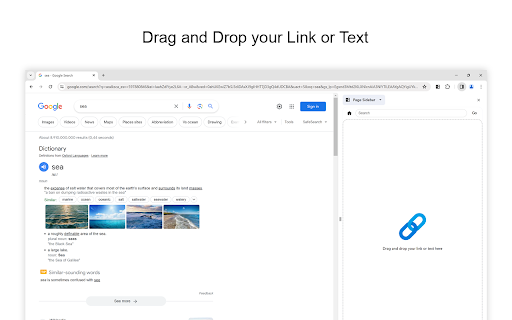
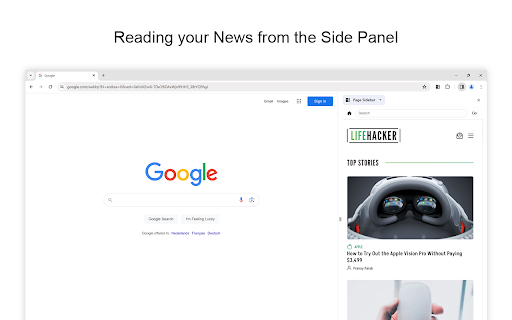
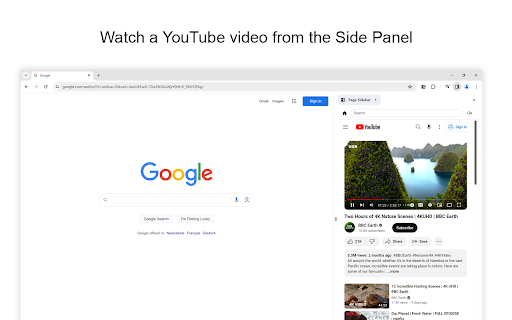
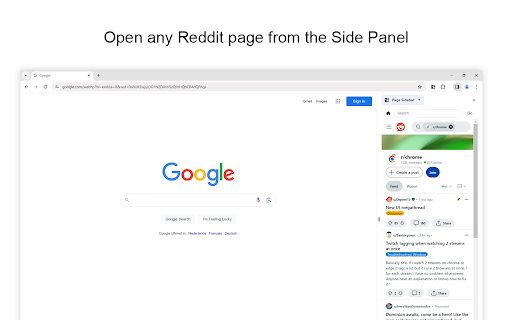
Effortlessly open any website in your web browser's sidebar – streamline your workflow instantly! Are you tired of constantly switching between tabs while working or browsing the web? With the Page Sidebar browser extension, you gain instant access to a customizable sidebar that allows you to effortlessly drag and drop your favorite websites and view them side by side. Streamline your workflow, eliminate unnecessary tab-switching, and take control of your online experience today! The Page Sidebar is a lightweight and useful add-in designed to elevate productivity. With this tool, you can effortlessly drag and drop your favorite websites into the sidebar, creating a convenient hub for quick access. Moreover, when you drag a highlighted text into the sidebar, it will automatically search for that keyword in your favorite search engine. No need to open new tabs or interrupt your workflow – the information you need is right at your fingertips in the sidebar. Browser extension features: ◆ Browsing Experience: Open any webpage seamlessly with a robust web browser sidebar view. Whether reading a Wikipedia article, watching a YouTube video, write in a text editor, coding, split-view your calendar, translating a word, shopping, or responding to emails, enhance your browsing experience, ChatGPT, Gemini, Claude, Microsoft Copilot, or any other AI conveniently accessible in the sidebar, etc. ◆ Multi-Tab Sidebar Easily open and manage multiple pages within a single sidebar. For example, open Notion, Todoist, Trello, and Google Translate, and effortlessly switch between tabs. ◆ Prevent Accidental Tab Closure Enable a warning to prevent tabs from closing accidentally when you click the "x" icon. ◆ Context Menu Access the context menu by right-clicking to seamlessly open any link in the side panel. And selected text to open the side panel search page. ◆ Pinned Side Panel: The side panel remains open until you choose to close it, allowing for convenient reference and effortless page comparison within a single window. ◆ Drag and drop: Easily drag and drop links and text for efficient navigation. ◆ First Page: Customize the initial home page displayed in the side panel for a tailored browsing experience. ◆ Navigation Bar: - The home button to reset the view with a single click to the default page or your custom home page - Utilize the search box in the navigation bar for quick URL tracking, with search terms automatically using the default search engine. Additionally, paste URLs directly into the search box to open websites in the side panel, streamlining your browsing workflow. - Designate the position of the navigation bar at the top, bottom, or hidden for a personalized interface. ◆ Customizable Search Engine: Enjoy customizable search engine options, including Google, Bing, DuckDuckGo, Baidu, and Yandex. ◆ Custom Toolbar Icon: Select your preferred toolbar icon in either light or dark mode, adapting to your visual preferences. ◆ Resizable Side Panel You can adjust the width of the side panel by grabbing the edge, either increasing or decreasing its size. ◆ Define custom keyboard combinations to activate the sidebar swiftly ◆ Support for Dark Mode Project Information: https://www.stefanvd.net/project/page-sidebar/browser-extension/ Required Permissions: ◆ "contextMenus": Add a context menu to instantly open the side panel. ◆ "sidepanel": Allow the website to be visible in the side panel. ◆ "storage": Save settings locally and sync with your web browser account. ◆ "declarativeNetRequestWithHostAccess": Allow all websites to be viewed in the side panel. Note: CSP headers have been customized to allow this page to be viewed in the sidebar. >> Unlock an option feature to protect your eyes at night and focus on the video player, such as YouTube™, by installing Turn Off the Lights browser extension for YouTube and Beyond. https://chromewebstore.google.com/detail/turn-off-the-lights/bfbmjmiodbnnpllbbbfblcplfjjepjdn

Turn Off the Lights
The entire page will be fading to dark, so you can watch the videos as if you were in the cinema. Works for YouTube™ and beyond. Immerse yourself in a cinematic atmosphere while watching videos online with Turn Off the Lights. This powerful browser extension dims everything on the web page except for the video you are watching, bringing your focus to the content that matters most. 🏆🥇 Turn Off the Lights browser extension has also been featured on several popular websites, including Lifehacker, CNET, ZDNet, BuzzFeed, and PC World. With its growing popularity and positive feedback, it is no surprise that the Turn Off the Lights browser extension has become one of the most popular and trusted browser extensions in the market. 🔷 Please share your feedback, suggestions, and thoughts with us https://www.turnoffthelights.com/support Enjoy a simplified browsing experience with the Turn Off the Lights browser extension. With just one click on the lamp button, your page will smoothly fade into darkness, focusing automatically on the video. Another click restores the page to its original state. Explore additional customization options on the Turn Off the Lights Options page to tailor your viewing experience to your preferences. Turn Off the Lights is a lightweight and useful add-on designed for a more comfortable watching experience. It is more than just a dimming tool; it is your gateway to an enhanced viewing experience tailored for three key types of users: + Video Lovers: Whether you are binge-watching your favorite series or catching up on the latest viral clips, Turn Off the Lights creates the perfect ambiance for uninterrupted viewing pleasure. + Dark Mode Enthusiasts: Embrace the dark side of browsing with Turn Off the Lights, converting all websites into your personalized dark mode theme. + Eye Protection Advocates: Shield your eyes from harsh screen glare and blue light emissions. With its accessibility features, Turn Off the Lights helps prioritize your visual health while you enjoy your favorite online content. Plus, keep the dark layer always enabled, even when you click on a hyperlink. Browser extension features: ◆ Effortless Control: Toggle the lights with a simple click, effortlessly enhancing your viewing pleasure, akin to reading a newspaper with a dark reader tint. ◆ Cinematic Experience: Dive into your favorite videos without distractions as everything else fades into the background. ◆ Support multiple video sites: Enjoy distraction-free viewing on YouTube, Dailymotion, Vimeo, Twitch, and more of your favorite platforms. ◆ Enhance your YouTube experience with features like: - Auto HD: Set videos to play in HD automatically. Users can select from highres > 8K > 5K > 4K > 1080p > 720p > 480p > 360p > 240p > 144p > default. - Auto Wide: Automatically adjusts the video to the widest mode for enhanced viewing. - 60 FPS Block: Disable YouTube 60 FPS and watch YouTube Auto HD 30 FPS video quality. - Top Layer: Place elements at the top of the dark layer, such as the number of YouTube subscribers, title, video suggestions, etc. ◆ Multitasking: Watch your video with Audio Visualisation in Picture-in-picture (PiP) mode, maximizing productivity without sacrificing entertainment. ◆ Easter Eggs: Shortcut key: Tap 'T' for a genuine movie theater ambiance, bringing nostalgia to your viewing sessions. T -> Do you like a real movie theater feeling? ◆ Option to make the screen dark when the user clicks on the play button: Enhance immersion by dimming the surroundings when the video starts playing. ◆ Option to turn on/off the fade in and fade out effects: Tailor your experience by toggling the transition effects according to your preference. ◆ Custom Dark Layer: Personalize the dark layer with your preferred color and opacity value. Alternatively, select your own background image to use as the dark layer. ◆ Option to Show Dimness Level Bar: Keep track of the dimness level with a visible indicator for better control. ◆ Eye Protection Options: Ensure comfortable viewing, especially at night, with customizable eye protection settings. - A screen shader that blends the web page with an orange color to reduce eye strain and fatigue, while also supporting your brain's day/night cycle. - An option to click through the dark layer and keep the lights always off. - Whitelist/blacklist filters for greater control over your browsing experience. ◆ Option to show the dark layer on the top of the window: Enjoy enhanced focus by obscuring distractions outside of the video window. ◆ Custom Colors: Personalize the lighting with custom colors to match your mood or aesthetic. ◆ Multimedia Detection: Option to enable flash objects, iframe video elements, and more to appear on top of the dark layer. ◆ Dimness Level Bar: Display a floating dimness level bar at the bottom of the current web page for easy adjustment of the dark layer opacity. ◆ Nighttime Eye Protection: Activate eye protection mode during nighttime browsing with customizable whitelist/blacklist filters. ◆ Atmosphere Lighting: Experience an immersive glow around the video player, adding to the ambiance of your viewing environment. - Vivid Mode: Realistic and lifelike color glow effects match the video content - One solid: 1 Custom color around the video player - Four solid: 4 Custom colors around the video player ◆ Dark Layer Overlay: Choose to show a dark layer overlay on top of the window for enhanced focus. ◆ Shortcut Keys: Ctrl + Shift + L: Toggle the lights Alt + F8: Restore default opacity value Alt + F9: Save current opacity value Alt + F10: Enable/disable the Eye Protection feature Alt + (Arrow Up): Increase opacity Alt + (Arrow Down): Decrease opacity Alt + *: Toggle lights on all open tabs ◆ Mouse Wheel Volume Control: Adjust the volume using your mouse wheel for individual video players. ◆ Video Player Filters: Apply various filters like grayscale, sepia, invert, contrast, saturate, hue rotation, and brightness to the current video player. ◆ Audio Visualization Effects: Enjoy visual effects like blocks, frequency, and music tunnel on top of the current video. ◆ Full Tab Video Player: Expand the video player to fill your entire current tab for immersive viewing. ◆ Video Looping: Loop your current video player for continuous playback. ◆ Night Mode: Transform all websites into your personalized dark mode theme or switch between black and white themes. - Customizable whitelist/blacklist to apply night mode selectively to certain websites. - Timestamp: Activate Night Mode within specified time intervals. - Blackout: Dim the web page and activate Night Mode. - Darker Images: Dim images when dark mode is enabled. - Customizable Colors: Personalize background, text, hyperlink, and button colors to match your preferred dark theme settings. - Option to convert Dark Mode PDF files, network files, and local files ◆ Stop Auto-Playing: Prevent YouTube and HTML5 videos from automatically playing. ◆ Video Screen Capture: Capture snapshots of YouTube and HTML5 videos with customizable filters such as Invert, Blur, Saturation, Grayscale, Hue rotate, etc. And save the screenshot in PNG, JPEG, BMP, or WEBP image format. ◆ Custom Toolbar Icon: Select your preferred toolbar icon in either light or dark mode, adapting to your visual preferences. ◆ Zoom In or Out the Video: Adjust the zoom level of the video player content. ◆ Customizable Video Playback Rate: Adjust the playback rate for optimal viewing. ◆ Game Controller Support: Control the current video player using Xbox and PlayStation game controllers. ◆ Translated into 55 languages ◆ And more… Required Permissions: ◆ "contextMenus": This permission allows the addition of the "Darken this page" menu item to the web browser's context menu. ◆ "tabs": This permission allows us to display the welcome and guide page, detect the currently playing video, take a screenshot of the video, and provide options to dim all open tabs. ◆ "storage": Save settings locally and sync with your web browser account. ◆ "webNavigation": This permission is used to load the Night Mode feature before the web page is fully loaded, providing an instant Dark Mode experience. ◆ "scripting": This permission allows injecting JavaScript and CSS into websites. ◆ "": Control the lamp button on all websites, including http, https, ftp, and file. Free and Open Source: https://github.com/turnoffthelights Licensed under the GNU General Public License Version 2 (GPLv2), we believe in the principles of transparency and collaboration. Compatible with Adblock, AdBlock Pus, Adguard AdBlocker, and uBlock Origin browser extension. Note: YouTube is a trademark of Google Inc. Use of this trademark is subject to Google Permissions. Turn Off the Lights™ is not created by, affiliated with, or supported by Google Inc.

Side Panel
Vertical tab menu that searches, moves, and sorts. Vertical tabs. Search and sort. Click the extension icon to show the popup and each favicon. Press enter after searching. Press tab key then enter. Automatically scroll to the focused tab. Try the bonus side panel feature. Move tabs by dragging and dropping. Middle click to close. * Added beautiful color coded tab movement. * Restored side panel menu visibility, caused by regression listed below. * Side Panel was affected by the browser regression that broke setPanelOptions. * Middle click now closes the tab that was clicked on. * Move tabs by dragging and dropping. * Use images instead of text for the top row of links. * Added hover title for the top row of links. * Search input box now has a magnifying glass in it. * Search input box now has a placeholder. * Automatically scroll to the focused tab in view. * Only scroll when the focused tab isn't visible on screen. * Animate scrolling. * Faster image loading by exiting the event loop and lazy loading favicons.

Side Panel Viewer
Open web pages like Google Calendar and Gemini in a side panel. Provides a customizable sidebar to quickly launch and use favorite web applications and websites. This enhances user productivity by keeping essential tools accessible in a side panel, reducing the need to switch between browser tabs.

Page to Sidebar
See your desired website in the browser side panel. With the Page to Sidebar extension, you can easily see your desired website in the browser's sidebar or side-panel (in mobile or desktop views). Once the addon is installed, please open the options page and add the desired website address (the complete URL). One desktop view and five different mobile views are available to choose from (iOS, Android, Windows Phone, Tizen, and Firefox OS). Within the options page, you can also choose to hide the top toolbar and block ads in the sidebar. To report bugs, please fill out the bug report form on the addon's homepage (https://mybrowseraddon.com/page-to-sidebar.html).
