
gjjlcbppchpjacimpkjhoancdbdmpcoc

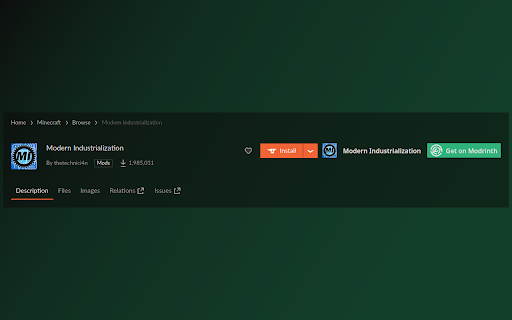
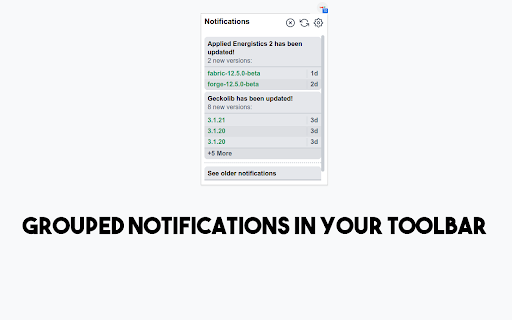
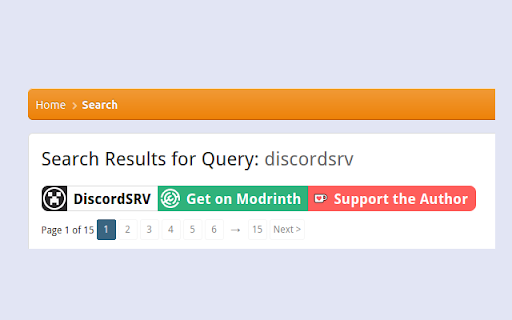

Redirect Curseforge mod pages to Modrinth and show Modrinth notifications When looking at Minecraft mods on curseforge.com, Modrinthify automatically searches modrinth.com for the mod and shows you a redirect button if it finds it. If you click on that button you will be taken to the mod's Modrinth project page It also does the same on spigotmc.org The extension also show modrinth notifications in the browser toolbar, making it easier than ever to check for updates to your favorite mods!

Material Icons for GitHub
Material icons for the file browser of popular websites like GitHub, Azure, Bitbucket etc. Replace GitHub's default icons with icons from Visual Studio Code's Material Icon Theme icons. Use the same icons on your code editor and on github.com, and quickly identify file types, configuration files and project scaffolding at a glance. This extension pull icons and replacement lists directly from the open source vscode extension https://github.com/material-extensions/vscode-material-icon-theme. This extension can replace icons on many other leading source control platforms. For bug reports, please open Issues on the extensions repository at https://github.com/material-extensions/material-icons-browser-extension Don't forget to star the github repository if you like the extension.

Modrinth Redirect
Redirects the heavy Modrinth.com website to a supported open source official API shell, increasing its speed. For your convenience, we have released a browser extension. You can switch modes by clicking on the icon in the extension bar. Change history: 1.3: - Updated information about the site. - Updated extension icon to avoid copyright issues. - Added correct saving/restoring of the extension state when it is reloaded and/or the browser is restarted. 1.2: - Added extension mode switching; now you can switch its activity status by clicking on the icon. - Moved to a new short domain for accessibility and user convenience. 1.1: - When forcibly redirected to the site, it will not redirect further. - Some important paths have been excluded from the redirect to maintain access to authorization via the launcher and normal operation of the main site. (/plus, /servers, /auth, /dashboard, /setting, /user, /_nuxt) 1.0: - First release.

DeArrow - Better Titles and Thumbnails
Crowdsourcing titles and thumbnails to be descriptive and not sensational DeArrow is a browser extension for crowdsourcing better titles and thumbnails on YouTube. The goal of DeArrow is to make titles accurate and reduce sensationalism. DeArrow is a paid (if you want) browser extension. You can purchase an unlimited-use license key for 1$. However, if you cannot, or do not want to pay, you can use the extension by clicking the "I can't/don't want to pay" button. Titles can be any arbitrary text. Thumbnails are screenshots from specific timestamps in the video. These are user submitted and voted on. By default, if there are no submissions, it will format the original title to the user-specified format, and set a screenshot from a random timestamp as the thumbnail. This can be configured in the options to disable formatting, or show the original thumbnail by default. If the original thumbnail is actually good, you can still vote for it in the submission menu, and then it will act like a submission. No more dealing with clickbait, arrows, or annoying faces. Users can submit better titles and thumbnails for each video and vote on them. How does DeArrow differ from Clickbait Remover for YouTube - Unlike Clickbait Remover, DeArrow's main purpose is for crowdsourcing better titles and thumbnails - When a crowdsourced title is not available, DeArrow will auto-format it according to your setting, but does it in a more sophisticated way than Clickbait Remover. Instead of only setting all words to lower case, or capitalizing every word, DeArrow supports casing systems such as "Title Case" and "Sentence case". These will still allow acronyms and proper names to remain capitalized. - When a crowdsourced thumbnail is not available, DeArrow by default shows a screenshot at a random timestamp in the video. Clickbait Remover's thumbnails use YouTube auto-generated thumbnails, and while they are seemingly random, they are chosen by a machine learning algorithm to favor faces with expressions, and other overstimulating features. DeArrow uses truly random timestamps generated by its own server. DeArrow will also check the SponsorBlock database to ensure the randomized thumbnail is not inside of a sponsor segment. Access your data for youtube.com, www.youtube-nocookie.com: - Used to modify the YouTube webpage

CurseForge Earnings Viewer
Adds a column for earnings in different currencies to the CurseForge transaction table.
