
gjhhlkjfglilanfckcmnjdhpapdmiijk

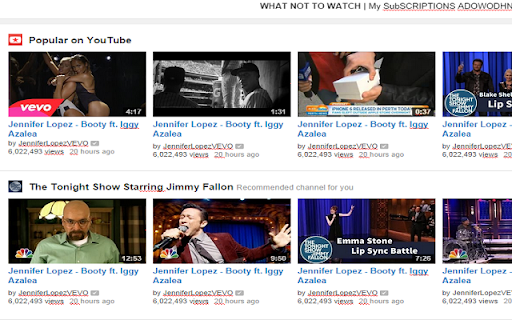
Page editor is back! I lost the files for the original extension (they were probably in my old high school laptop), so I decided to recreate it with the help of LLMs! EDITS ANY PAGE! Good for pranking and trolling your friends! A very funny extension. To you 5K users, thank you all for supporting this extension! Like I said in a previous update, I can't believe this extension has grown so much. 200 Users! Thank you everybody!

Fontonic - Change Fonts
Change fonts of any website with your locally installed fonts! 📱Also available on Firefox for Android: https://addons.mozilla.org/en-US/firefox/addon/fontonic Fontonic lets you take control with a single click! Change any website's fonts to match your style using the fonts you already have. Choose from all font types: serif, sans-serif, and monospace. Customize everything or just a few, the power is yours! ️ See your changes instantly with a single click on "Apply Selection." ✨ And best of all, your preferences stick around even after you close the tab! ✅ Don't like your changes? No problem! Simply hit "Restore" to go back to the original fonts. ⏪ I'd love to hear from you! Share your feature requests in the reviews.

Page Text Editor
An editor to edit any webpage inline and live. Reload page to remove changes. This extension allows to modify the text present on a webpage, these changes aren't saved and can be removed by reloading the webpage.

Page Edit
Make any webpage into a content editable document and modify it via toolbar popup! Page Edit is an extension that let you make changes to any HTML webpage. To work with this add-on, simply open the toolbar popup UI and then click on the big toggle button on the left side. Once the add-on is active, the icon turns to blue color. A - Design Mode - banner will also be shown in the current tab at the top left corner. Now, the document is ready for editing; make desired changes with the text editing buttons available in the toolbar popup UI. Once your edits are completed, click on the toggle button again to turn off the add-on. Note: to work with text editing tools in the toolbar popup UI, please first select a text and then click on the desired button in the popup. If you found a bug to report, or have a feature request in mind, please fill out the bug report form on the add-on's homepage (https://mybrowseraddon.com/page-edit.html).

Advanced Font Changer
Change the font of any website without altering its formatting. 🔔 WHAT’S NEW Now powered by more fonts from user reviews. 72+ fonts loaded and adding more as you read this! 📖 Description: Easily switch the font of any webpage with Advanced Font Changer! Choose from a wide selection of popular Google Fonts and web-safe fonts to customize the look and feel of your favorite websites with just a click. Need to change a website’s font? Advanced Font Changer lets you swap any page’s text instantly. Pick from popular Google Fonts or classic web-safe families; the site refreshes on the spot and your choice is remembered the next time you visit. Perfect for easier reading, dyslexia-friendly viewing, or simply giving the web a fresh look—no sign-ups and no data ever leaves your browser. 🔒 Your preferences are remembered for each site, ensuring you always enjoy the personalized browsing experience you desire. Whether you’re optimizing for readability or just refreshing the style, Advanced Font Changer gives you the tools to make the web truly yours. change website font, google fonts extension, font switcher, readability tool, dyslexia friendly fonts, custom font chrome, easy font changer
