
gihnjondhdcdgiganlafabnmbcljjjea
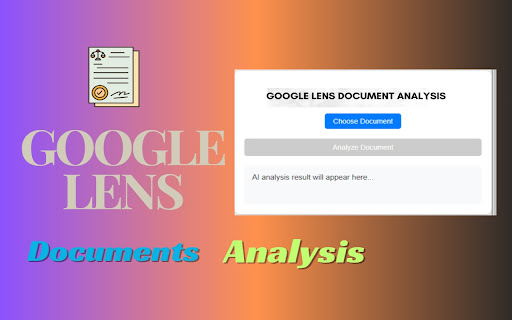

Google Lens Scanner Online - Document, Image & More Will help you to search and detect images pattern and download with single click Google Lens Scanner Online - Document, Image & More This extension helps you analyze documents quickly and easily. You can upload PDF or Word files, and it uses AI to provide useful insights from the content. It’s perfect for students, professionals, or anyone who wants to understand a document better. 🔴 Extension Features: ✔Upload PDF and Word files for instant analysis. ✔Get quick and clear insights from the document. ✔Easy-to-use interface for anyone. ✔Copy the AI-generated result with just one click. ✔Works fast and saves time. 🔴 Why Use This Extension: This extension is a simple tool that saves time by helping you understand documents quickly. Whether you're working on homework, reading reports, or analyzing text for any purpose, this extension makes it easy to get useful information from your files. 🔴 How to Use This Extension: ✔Upload your PDF or Word document. ✔Click the "Analyze Document" button. ✔Wait a few seconds while the AI processes your document. ✔View the results and copy them if needed. 🔴 Disclaimer: This extension uses AI to provide document insights, but it might not always be 100% accurate. Always double-check important information. Your uploaded documents are processed securely.

Google Lens - Search your screen
Google Lens brings visual search to your browser. Search your screen or any image for products, translations, and more. Google Lens brings visual search to your browser. Easily search your screen or any image for product details, translations, and more. Lets you do a Google Lens-style visual search directly from your browser—fast. Use it to search your full screen, select a specific area, or search a local image and instantly find matches, products, and related results. Full Screen Search: capture the entire screen and search instantly Search Specific Area: select any region and run a visual search Search Local Image: upload an image from your device and search it Context Menu: right-click to search images quickly YouTube integration: search the current YouTube video frame with Google Lens Amazon integration: search Amazon product images to find visually similar items Keyboard shortcuts: quick access for screen search and area search Choose how results open: open in a new tab or floating window

Google Lens Image Search
Enable this extension to quickly search, identify image patterns, and download in one click Enhance your image search experience with the Google Lens Image Search Chrome Extension. Designed for designers, researchers, and everyday users, this tool lets you seamlessly find similar images and patterns across Google Lens, Bing, Yandex, and TinEye for rapid, accurate results. Streamline your workflow with convenient, right-click image downloads, saving you time and simplifying the search process. Forget tab-hopping—just right-click to search or download instantly. One-Click Downloads: Download images directly from the context menu with ease. User-Friendly Interface: A simple, intuitive design for effortless use. Multi-Platform Compatibility: Works with multiple image search engines. Time-Saving Tool: Accelerates your workflow, perfect for research and creative projects. Install the Extension: Add the Google Lens Image Search extension to your browser. Right-Click on an Image: Select any image on a webpage and right-click. Select an Action: Choose from the context menu: Search with Google Lens, Bing, Yandex, or TinEye. Download the image directly to your device. Designers & Creatives: Quickly locate references and inspiration. Researchers & Students: Simplifies gathering images for educational or professional use. Marketers & Content Creators: Efficiently sources images for campaigns and verifies sources. Everyday Users: Perfect for anyone interested in identifying objects, places, or products in images. Why This Extension Is Essential Save time and effort by consolidating multiple image search and download tools in one easy-to-use extension. With its streamlined interface and compatibility across multiple platforms, this extension elevates your browsing experience and enhances productivity, allowing you to instantly source, track, and download images for any purpose.

Screen Search - Search Screen with Google Lens
Search anything on your screen with Google Lens. Instant visual search, translations, and product info at your fingertips. Visual Search at Your Fingertips Instantly search anything on your screen with the power of Google Lens. Screen Search makes it effortless to identify objects, translate text, find products, and explore the world around you - all with a simple screenshot or area selection. Area Selection: Select any part of your screen to search Full Screen: Capture and search your entire screen Image Search: Upload any image for reverse image search Quick keyboard shortcuts for instant access (customizable) Right-click context menu for images One-click search from the toolbar Auto-detection of text, objects, and products Visual search for shopping and product discovery Choose your preferred search behavior Perfect For: Anyone who wants to learn more about the world around them Why Choose Screen Search? Privacy Focused: No data collection - your searches stay private User-Friendly: Simple interface with powerful results Experience the web in a whole new way. Install Screen Search now and turn your screen into a powerful visual search tool!

Google Photos Duplicate Remover - Delete Duplicate & Similar Images
Quickly find and delete duplicate and similar photos and videos in Google Photos! Free up space and organize your photo library with our privacy-focused extension! KEY FEATURES: - Scan and detect duplicate and lookalike photos and videos in your Google Photos - Let AI choose or manually choose which images to keep or delete, by size, resolution, shoot date or date of upload or name - See actual sizes and resolutions of photos and videos, how much space do they take - All changes sync across your devices via Google Photos - Accidentally deleted a photo? Recover it easily from Google Photos Trash 100% Private Your photos never leave your browser. All processing happens locally on your device. Developed with ❤️ in Barcelona and Tallinn
