
ghoehocgoliemjdnbjjcaohgofgpkfgg

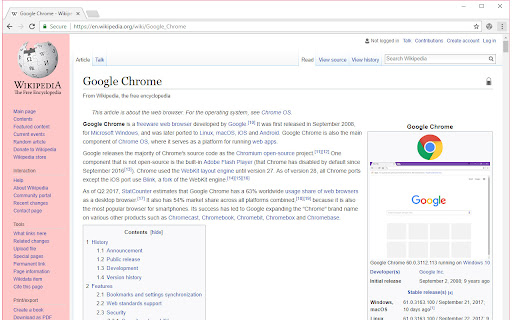

Allows you to hide almost anything in a page by activating "Nuke on [x] key" mode. In this mode, you can remove as many elements as you want by repeatedly pressing the [X] key on the keyboard while moving the mouse around. The [U] key will undo last remove. The [Esc] Key will exit this mode and go back to normal. Please note that you can undo removing of objects only, undoing the removing of selections is not yet supported. You can also remove items by right clicking and choosing remove

ElementHider
ElementHider is a browser extension I built to help you hide or blur any part of a web page as easily as possible. I got tired of constant distractions from ads, spoilers, and irrelevant content, so I made this to create a cleaner, more focused browsing experience. Just type in the keywords you don't want yo see and ElementHider takes care of the rest. Features * Hide by Keyword: This is the main feature. You can automatically hide any content that contains specific words or phrases you define. It's a powerful way to filter out spoilers or topics you aren't interested in. * Hide Anything Else: If a keyword isn't enough, you can also use a point and click method to hide any individual element on the page, like a sidebar, an ad, or a "suggested for you" box. * Blur Instead of Hide: If you don't want to completely remove content, blur it instead. Just hover over the blurred area to reveal it when you're ready. * Extension is built to hide unwanted content, even on dynamic sites like social media feeds where new content loads as you scroll. * Customizable Site-Specific Rules: For more control, you can apply rules to specific websites only. Use a safe test mode to highlight what will be hidden before it disappears. You can also adjust hiding sensitivity and set keywords to be case-insensitive or exact match. ElementHider was designed to work on any website, including YouTube, X (Twitter), Facebook, news sites, and shopping sites. Extension permissions are required to read the sites to detect the elements and keywords on the site but no data is collected or sent to the developer or any 3rd party. All the data (keywords, settings) are saved into your Chrome sync storage so everything stays within Chrome and your Google account.

Website Destroyer
Website Destroyer is a funny tool for destroy any website. Now you can destroy using rifle and more destruction tools will be added in the future. You can save the screen of the destroyed website as JPG file using the icon at top left. Use is very simple, just click to the extension icon and start shooting :-) If you like it, please share and rate it. Thanks for using. Enjoy it!

washing machine
This extension simulates a washing machine in your browser! This extension simulates a washing machine in your browser!

Explode the Web!
A browser extension that explodes web pages with third party trackers. Reload the page to reset it. See it in action here https://youtu.be/hZuIVJTz8N0
