
ghnagbbpipiicibgeiglmckdnblokcdf
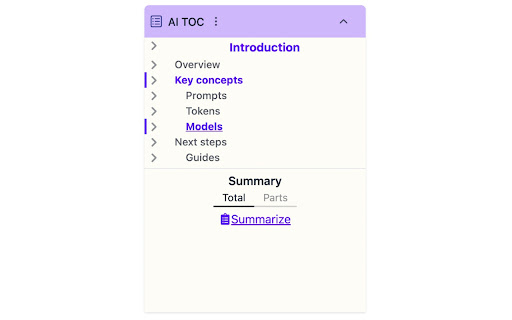

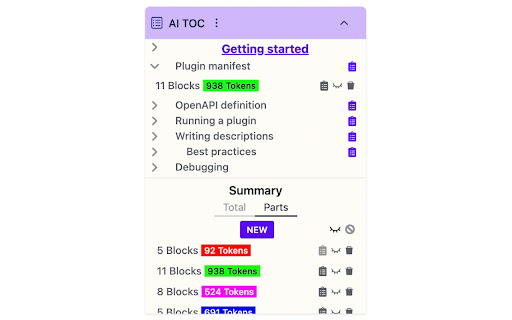
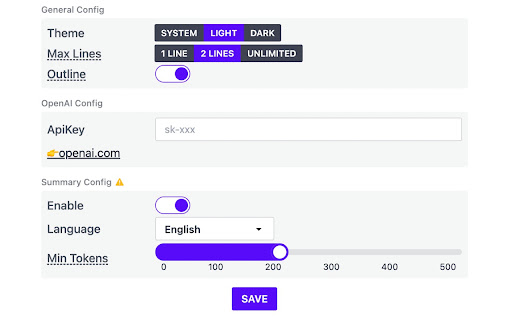
Generate a table of contents (TOC) based on heading tags, and even get a summary of each section with the power of AI. When in any page with headings, Click on the AI TOC icon to show the headings and navigate between them. * Shortcut key: you can navigate to chrome://extensions/shortcuts page to assign a shortcut key to it. * show/hide toc: fix the extension icon,then click the to show/hide the toc.

awesome-toc
An excellent extension to enhance your reading, providing nice tree structure TOC preview.

Simple Outliner / 智能网页大纲
Simple Outliner / 自动生成网页大纲、目录,Support Inoreader and Feedly。 Displays a table of contents for every web page, making it easier to read/navigate long articles, documentations and online books. - Accurate article/headings detection - Clean user interface - Highlight current heading - Click to jump to heading - Panel can be dragged to preferred position - Support auto load option - ✨ Support Inoreader and Feedly, it can track the article change, it's all automatic. - Click browser button(or: Ctrl/Command+Shift+E) to toggle for current site - You can set the auto load option without click the extension icon. Any article page that uses HTML heading tags (H1, H2, H3...) properly, examples: (...and much more) Local html files (in your hard drive) are also supported, you just need to enable it in extension settings. ## You can buy a coffee ❤ to the original maker.

Extension Manager
A simple way to manage your browser extensions A simple way to manage your browser extensions Actions: Enable when match, Close when match, Enable only when match, Disbale only when match, Custom; Support automatically refreshing the page after enabling or disabling extensions. * Bulk Export/Import and Share Extensions Bulk export extension information, support sharing text, json, custom markdown format; share or record your extension installation information. Bulk import extensions from shared text or json, simplifying the process of migrating or installing multiple extensions. * One-click enable or disable extensions. * Batch enable or disable extensions through grouping. * Quick search extensions by extension name, description, alias, or note. * Extension management: Quickly navigate to settings page, homepage, uninstall extensions. * List view and grid view. * One-click launch for app-type extensions. * Set custom aliases and notes. * History: Extension installation, update, uninstall, enable, and disable. - Rich configurable options for customizing style and functionality. - Open-source code with no collection of any user privacy data. github: https://github.com/JasonGrass/auto-extension-manager

Notion Table of Contents (Outline)
Show table of contents (outline) in the sidebar for Notion pages Show table of contents (outline) in the sidebar for Notion pages Show a table of contents (outline) in the sidebar for Notion pages. You can quickly navigate through your long Notion pages. (When you visit to a page without headings, the table of contents is automatically hidden.)
