
ghlmiigebgipgagnhlanjmmniefbfihl

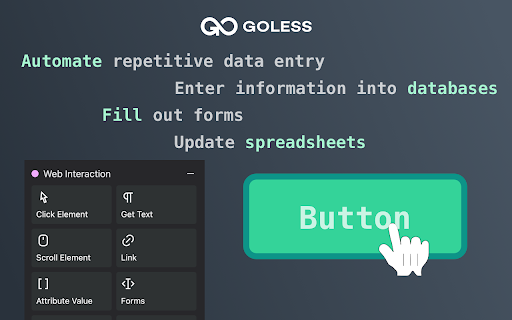
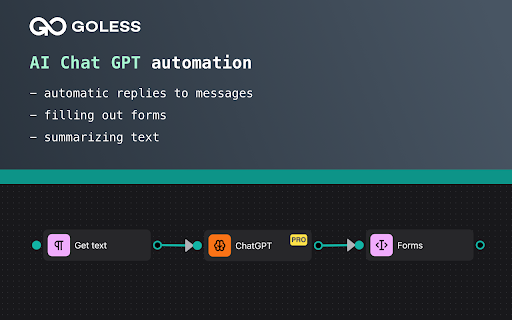

GoLess no-code browser automation and Robotic Process Automation (RPA) tool GoLess tool allows you to quickly automate website actions and other tasks, eliminating the need for coding, APIs, or developers. Simply use clicking and typing on the user interface of websites and web apps to perform automation. GoLess enables you to: ◦ Easily scrape data from any website ◦ Easy data entry into web forms ◦ Integrate with Google Sheets for reading and writing data ◦ Collaborate and share your automations with other users Create automations: ◦ Data scraping and entry ◦ ETL processes (Extract, Transform and Load tasks) ◦ Building social media bots ◦ Transferring data between applications ◦ Automating workflows within web apps without the need for APIs Release 1.2.27 Fixes: - Fixed validation for masked string input - Removed "required parameters" for checkbox and googleDrive parameters Release 1.2.26 Features: - Notification if active-tab on the dashboard page (handleActiveTab error) - Validation for UiInput, validators - Validation error output Fixes: - OpenDashboard on background for executing workflow - Timeout for notify - Remove logic with window defocusing Release 1.2.25 Features: - Changed app sidebar - Added shortcut for /packages page Fixes: - /run route for Gologin automations - Fixed some errors Release 1.2.24 Features: - Added "Empty block" for all tables Fixes: - Removed hotkeys for "search" and "new workflow" - Adjusted padding for trigger modal, corrected ui-popover placement. - Ensured extension execution after updating route to /run. Release 1.2.23 Features: - Added "selector" type for parameters Fixes: - Authoma updates from version 1.28.6 to 1.28.10 - Fixes for dark theme - Fixes for search input field - Change of "Execute" button inside workflow Release 1.2.22 Fixes: - Sort 'Installed At' - Execution of the elementSelector - Workflow execution if dashboard is not running - Size when opening the dashboard window - Opening dashboard after install Release 1.2.21 Features: - Images open in a new window when clicked on for public workflows - Options in logs for the /logs route - Open workflow by clicking the icon in the workflow card on the start screen - Open a public workflow on the site by clicking on the workflow modal Fixes: - Display role when sharing workflow for editor (reviewer) - Hide debug button in workflow editor - Changed workflow getting route (/my-workflows) - Added access validation for workflows - Removed GoToWorkflow button - Layout fixes: fixed top panel and bottom panel with minicart when resizing in editor, fixed open flow icon change panel - Changed display when icon fails to load or link is incorrect Release 1.2.20 Features: - Modal window with info instead of editor for public workflows - Added buttons in googleDrive blocks Fixes: - Generation of exact path to open the editor of worklfow - Different dropdown due to different permissions of the workflow Release 1.2.19 Features: - Autocomplete fixed and enhanced Fixes: - Documentation links added for Storage/Logs/Packages/Schedule - Fixed buttons on the Storage page - Dark theme improvements - Fixed tab for EditGoogleSheetsDrive - Fixed logo in the sidebar Release 1.2.17 Fixes: - Creating Google Drive Sheets table in "Params" page - Authorization fixes - Adding "Share" in workflow editor Release 1.2.16 Fixes: - Design - Binding values for checkbox - Resetting values when changing parameter type - Removed default value for the googleDriveSheets type - Displaying errors in the Params modal. Displaying GDrive integration error if it's missing - Bug with canceling a running flow, cancels all instead of just one Release 1.2.15 - Loader for the workflow block when Enable/Disable/Uninstall - Changes to Google Drive Sheets: - Restored the ability to manually specify a spreadsheet in Google Drive Sheets - New parameter type and displaying it in the Params modal, using params variable in the Google Drive Sheets block - Validation for the block, displaying block errors - Ability to choose ChatGPT4 - Captcha block to solve webpage captchas Release 1.2.14 - Fixed problem with authorization, login and event from GoLess site - Display running workflows in popup - Added loader on Install/uninstall workflow, errors on fast switching Release 1.2.13 Features: - Google Drive Sheets API changed to GoLess backend API - Renaming by clicking on the workflow label - Displaying role in read-only mode in workflow Fixes: - Fixed extension authorization reset when closing the browser Release 1.2.11 Features: - Workflow sharing - Restored functionality of GDrive Sheets block - Added ability to create spreadsheets and sheets in GDrive Sheets block Fixes: - Fixes in the 'Parameters' modal, responsible for adding parameters in the trigger Release 1.2.10 Features: - Install/uninstall public workflows - Popup changes - Sentry - Output of shared workflows Fixes: - Removed logic for minimize dashboard window - Switch tabs between Marketplace/My Workflow Release 1.2.8 Fixes: - Fixed log message for GoLess API - Added "Duplicate" button on editor workflow - Refactoring Features: - Showing Notify component after finish workflow - Showing Loader component with blocks process - Loader and notification changes - Design changes (Package/Logs/Popup/Newpage pages) - Don't execute public workflows Release 1.2.7 Fixes: - "popup" is now set as the default option. - Removed the "/welcome" route. - "maximized" dashboard now opens from the popup, changed size. - Fixed the link string for the "Publish" workflow. - Refactoring, eslint changes. - Made changes to the popup: - Added separate state for the popup. - Workflow can now be accessed without details. - Implemented tabbed loading for workflows instead of loading all at once. - Made changes to the loader. Features: - Added a 'permissions:allow' message for the GoLess site. - Opening the "welcome" page of the GoLess site on extension startup. Release 1.2.6 Fixes: - Deleted unnecessary routes. - Changed tab names (title). - Made changes to "packages" page (locales, "empty" block). - Renamed "Input (JSON)" to "Textarea (string)". - Updated colors in blocks. - Removed Prettier, ESLint changes. - Adjusted the color of the 'empty' block for the dark theme. - Added one checking for handlerChatGpt. - Fixed elements removing (Loader, Notifier). Features: - Added output of workflow status (Private/Public/Published). - Implemented sending logs to the API. - Modified the 'welcome' page, which now shows up after installation. - Made changes to the Notifier. Release 1.2.5 - Ability to specify blocks that are undocumented - Corrected some documentation references - fixed modal Logs window to page - Stop operation for workflow in popup window - Changes with design, displaying information that there is no workflow - Fixed bug with trigger: null, also trigger is populated when created - Error handling in site messages, open:page event Release 1.2.4 - Added ability to launch with query parameters - Fixed popup notification that you have to login or register - Fixed locale i18n error in the popup - Fixed search in the popup - Added ability to add notifications to the page and a lowader for ChatGPT - Logs in the popup (last activity), pagination for flow Release 1.2.3 - Added template selection when creating a new workflow - Fixed bugs: - Error when executing the GoogleSheets block (block not executing, "response.json()" error) - Incorrect execution of Update/Append for the GoogleSheets block - Bug when running a public workflow with parameters. Parameters didn't have input fields. Version 1.2.0 - Engine update - Fixed documentation links - Localisation fixes - Auth bug fix when closing goless website window - Fixed workflow tab updates, faster loading without timeout like in Automate - "Testing mode" button for debugging is currently inactive - Added a route for automatic flow start on transition - Ability to open read-only and private flows - Google Sheets block added Release 1.1.3 - Added website authorization (login/logout/update) - Fixed a bug with launching flow in popup - UI/UX improvementsRemoved new flow creation button panel in the "Marketplace" tab - Fixed the display of the running flow icon next to "Logs" - Added display of running flows under the extension icon.

OpenBots Web Automation
OpenBots extension for browser communication This extension helps OpenBots Studio users to communicate with chrome through native messaging for performing web automations. When the chrome application is launched, this extension starts/communicates with chrome native server (built in c#) to allow the client application (OpenBots Studio) to send/recieve messages to/from this extension via chrome native server. OpenBots studio requests the extension to perform following actions on web pages: 1) Click Web Element 2) Set Text 3) Get Text 4) Get HTML Table 5) Get HTML Attributes (id, name, class, xpath) 6) Scroll To Web Element 7) Set/Get DropDown Value

Simplescraper — a fast and free web scraper
A web scraper that's fast, free and simple to use. Scrape website data and table data in seconds 💡 In a hurry? Watch the short video above to see how to scrape in seconds. 💡 Simplescraper 2.0 is web scraping as it should be: automatic list detection, multi-page scraping, scheduling, saved recipes, and built-in AI that names your columns and enriches your data. Available everywhere - browser, cloud, and API - for every scale of scraping task. Try it for yourself: 1. Open Simplescraper on any website and press "Detect Lists". 2. The extension will find the data you want automatically. 3. Confirm your selection, and watch the data appear instantly, right beside the page you're browsing. 4. Click "AI Enhance" to transform, clean, or extract structured information from your data. Any type of data - product lists, search results, contact lists, social media feeds - can be scraped and enhanced in seconds. Start for free with unlimited single-page scraping in your browser, plus free credits for multiple page and cloud scraping. For powerful automation and scheduling, scale up with our Cloud scraping and API offerings. Simplescraper is your all-in-one data extraction platform. ⚡ NEW AI Property Naming: Instantly transform columns like "sc-1x2y3z" into meaningful names like "product_title" and "price". ⚡ NEW Transform scraped data with AI. Extract structured information from unstructured text, summarize content, translate languages, or clean messy data. Works with any data you've collected. ⚡ NEW Automatic List Detection: One click is all it takes. Our smart algorithm instantly scans the page and identifies all scrapable data. No more tedious setup—get the data you need in seconds. ⚡ NEW Sidepanel Interface: Scrape data without interruption. See your results in real-time while you continue to browse. ⚡ Unlimited Free Browser Scraping: Scrape any single page, as many times as you want, for free. ⚡ Scrape Anything: Automatically capture data from tables, text, images, and links. ⚡ Flexible Export: Download your data as a clean CSV or JSON file with a single click. ⚡ Save & Re-run Scrape tasks: Save scraping recipes to run again with a single click, either in the Browser or the Cloud. ⚡ One-Click Integrations: Send data directly to Google Sheets, Airtable, Zapier, Make (formerly Integromat), and more. Power-Up with Cloud Features: ⚡ Pagination & Crawling: Automatically navigate through multiple pages and links. ⚡ Historical Data Snapshots: Access all previous versions of your scraped data. - E-commerce: Scrape product listings and let AI extract prices, ratings, and specifications into clean fields - Lead Generation: Scrape contact information and have AI extract emails, phone numbers, and job titles - Content Creation: Gather data from websites and use AI to translate or reformat for your needs - Market Analysis: Collect competitor data and let AI structure it for easy comparison - AI Property Naming: Turn default column names like "sc-1x-ProductCard" into useful names like "product_title" and "price" in one click! - AI Enhance: Transform your scraped data with AI. Extract structured data, summarize content, translate text, or clean messy information - all with a single click. - All-new sidepanel experience: The extension has been completely redesigned. Scrape any website without leaving the page for a faster, more intuitive workflow. - Automatic List Detection: Click one button to automatically find all the scrapable data on a page. - Unlimited Browser Scraping: You can now scrape across multiple pages, right in your browser. - Flexible Recipes: Saved recipes can now be run either locally in your browser or in the cloud, giving you more control over how you scrape. - Selecting which data to extract is now faster, more reliable and requires fewer clicks - AI Enhance allows you to ask your data anything using AI. See the new AI Enhance tab on your saved recipe for more info - Easier cookies - add cookies to your recipe directly from the extension for data behind a login (note: using this feature will request optional permissions in order to save the cookies) - Bulk editor: edit the schedule or cookie settings for all your recipes with one click - URL generator: easily create a list of URLs to extract data from based on a single URL - Scrape speed: choose your preferred rate of data extraction - Starred recipes: star a recipe to keep it at the top of your recipe list - Improved property selector - it's now even easier to select the data you need! - Crawler can now scrape up to 5000 URLs at a time - Updated Airtable integration to optionally save metadata - Added Airtable integration - scrape any data directly into Airtable! - Added a new recipe overview section to make managing multiple recipes easier - Improved credits - unused credits now carry over to the next month - Improved selection process: easily select a single element using the new 'only this' menu option - Improved next page selection process - Design and layout improvements - CSS editor - you can now edit the CSS selector when selecting elements

Web Automa - Web page automation tool
A chrome extension that helps to automate actions in a web page It allows the users to automate the actions in a web page like filling forms, click a button, focus on an element etc... It can help to automate the repeated tasks in your work.

Visual Web Scraper
Easily extract data from any website and export as CSV or JSON files. With Visual Web Scraper, you can begin extracting data from any site using a visual interface within a minute. All you have to do is click on the section of the page where you want to extract data from. No technical skills are required to use it. Visual Web Scraper simplifies the scraping process while keeping you in control. Key features of Visual Web Scraper: - Fully Visual Interface: Easy to use for users at any level. - Flexible Data Extraction: Can extract various data types like text, images, and links from any web page. - Real-Time Monitoring: Monitor the progress of the data extraction in real time. - Multiple Export Options: Export extracted data in CSV or JSON formats. - Wide Compatibility: Successfully tested on popular platforms like Twitter and Amazon. Can work on any website. - Rename Data Columns: Users can rename the extracted data columns as per their needs. - Automatic Page Traversal: Automatically navigates pages using 'load more' buttons to continue data extraction. - High-Quality Output: Provides precise data extraction with advanced selection algorithms. - Infinite Scroll Support: Supports extracting data from sites with infinite scrolling. - Pagination Support: Works efficiently on traditionally paginated sites too. Use cases for Visual Web Scraper: - Market Research: Enables businesses to make informed decisions by collecting critical data like competitor pricing, product specs, customer reviews, market trends. - Lead Generation: Businesses can extract contact info, business details from online directories, social media, company websites for targeted lead acquisition. - Content Aggregation: Content creators, marketers can collect articles, blog posts, images, videos from various sites. - Competitor Analysis: Analyze competitor strategies by extracting product info, pricing, promotions, customer feedback from their sites. - Financial Analysis: Financial analysts, investors can collect financial data, stock prices, market trends, economic indicators from finance sites. - Academic Research: Researchers can extract information from academic databases, journals for projects, publications. - Brand Monitoring & Reputation Management: Monitor brand mentions, customer feedback, sentiments from social media, review sites. - Supply Chain Management: Collect supplier data, product availability, pricing, shipping details across e-commerce, supplier sites. - Legal & Regulatory Compliance: Extract regulatory requirements, industry standards, case laws from government, legal databases. - E-Commerce Optimization: Optimize product listings, pricing, inventory by extracting data from competitor sites, marketplaces. Visual Web Scraper, a free Chrome extension, effortlessly extracts data from websites. All operations are performed within your browser, ensuring your data remains secure. You can provide feedback to help improve the extension. Thanks for your support!
