
gfpgokobhindbibkimeconphkacbklni
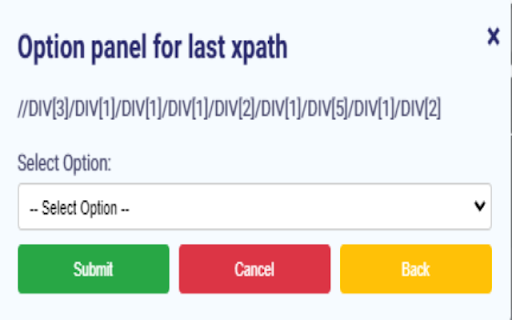

Extension to capture xpath of elements on a page It's a extension to capture the xpath of pressed elements on a website.

xtest - Effortless XPath
Instantly test, debug, and generate XPath expressions in your browser. xtest simplifies your web development and testing workflow. Supercharge Your XPath Workflow with xtest! Tired of manually validating XPath expressions or juggling multiple tools? xtest is a sleek, intuitive Chrome extension designed to make XPath testing, generation, and debugging a breeze, directly within your browser's side panel. Whether you're a seasoned web developer, a meticulous QA tester, or an automation enthusiast, xtest is built to enhance your productivity. ✨ What is xtest? xtest is your dedicated XPath companion, providing a seamless interface in the Chrome side panel. It allows you to: Instantly Test Expressions: Type or paste your XPath query and see the matching elements highlighted on the current webpage in real-time. Effortlessly Generate XPath: Simply click on any element on the page, and xtest will help you capture its XPath. Clear Results with a Click: Easily remove highlighting to start fresh. 🌐 Why Use xtest? In today's dynamic web environment, having a reliable and fast XPath tool is essential. xtest offers: Simplicity: A clean, modern interface inspired by the need for clarity and ease of use. No clutter, just the tools you need. Speed: Get immediate feedback on your XPath queries without leaving your current tab. Accuracy: Confidently identify the right elements for your development or automation scripts. Convenience: Everything happens in the side panel, keeping your main workspace unobstructed. Intuitive Side Panel UI: All functionalities are neatly organized and accessible. XPath Evaluator: Input your XPath and see results (count and highlighted elements) instantly. Element XPath Retriever ("Get XPath"): Click on an element on the page to get a suggested XPath for it. Highlight Matching Elements: Clearly visualizes which elements match your query. Clear Highlights: Quickly reset the highlighting for new tests. Install xtest: Add the extension to your Chrome browser. Open the Side Panel: Click the xtest icon in your Chrome toolbar. The xtest panel will appear. Get XPath: Click the "Get XPath" button in the panel, then click on any element on the webpage to have its XPath appear in the input field. Test XPath: Type or paste your XPath expression into the input field and click "Test." Matching elements will be highlighted, and a count will be shown. Web Developers: Quickly find and verify XPaths for DOM manipulation and scripting. QA Testers & Automation Engineers: Craft and validate XPaths for Selenium, Puppeteer, Playwright, or other automation frameworks. Anyone working with HTML/XML: If you need to navigate web documents, xtest is for you! Focused Functionality: Does exactly what you need for XPath testing without unnecessary bloat. Lightweight & Fast: Designed to be responsive and not slow down your browsing experience. Privacy-Focused: xtest operates locally in your browser. We do not collect or transmit your XPath queries or browsing data. 🚀 Ready to Simplify Your XPath Journey? Download xtest today and experience a smarter, faster way to work with XPath!

XPath Copier
XPath Copier - GTM optimized tool for copying XPath, Element ID, and CSS Selectors with built-in variables integration. XPath Copying Extension allows you to efficiently copy XPath in two different ways while working on web pages: Right-click on any element and select “Copy XPath” to instantly copy the full XPath of that element to your clipboard. Popup Interface Click the extension icon to open a small popup where you can enter an XPath expression. With a single click, copy the text content of all elements that match the entered XPath on the active page, and view the results within the popup. Who Is It For? Ideal for software developers, testers, QA teams, and anyone involved in web scraping and automation. Simplifies the process of quickly obtaining XPath selectors or copying text content corresponding to a specific XPath expression. Key Features One-click copying of the right-clicked element's XPath. Bulk copying of text content for elements matching a user-specified XPath. Extremely easy to install and use. Accelerate your development, testing, and automation workflows by installing the XPath Copying Extension today!

XPath One-Click Copy
Extract XPath of the selected text. XPath Clipboard is a powerful and user-friendly Chrome extension designed to streamline the process of extracting XPath queries from web pages. With just a click, users can easily copy the XPath of any selected element directly to their clipboard, making it an essential tool for web developers, testers, and users.

STargazer
A 'click-to-build' xpath and css selector generator STargazer extension helps you to find reliable xpath and css locators for UI elements on web pages
