
gfpbibcndeamlknpijfmdbjamfibiaib

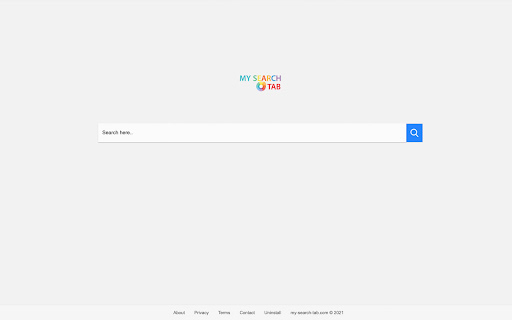
My Search Tab is a custom search engine with results powered by the most popular browser in the world This extension offers a great new web browsing experience with maximum functionality including address bar and new tab. In addition, along with the practical functionality and beautiful design, this extension will display your bookmark URLs in the new tab. Features include: - 100% free Chrome extension -Very easy to use with a clean set of results - Built specifically for search By clicking "Add to Chrome", I accept and agree to installing the My Search Tab Chrome extension and setting Chrome™ New Tab, Homepage takeover and Default Search to that provided by the service with results by Google, and the Terms of Use and Privacy Policy. Terms of Use: https://my-search-tab.com/terms.php Privacy Policy: https://my-search-tab.com/privacy.php

Read Later Tab
Read Later Tab helps to make progress with your read later bookmarks Do you have a habit of saving bookmarks for later reading but never get around to them? Do you wish you could organize your bookmarks better and access them faster? If so, Read Later Tab is the perfect extension for you. Read Later Tab is a new tab extension that helps you take control of your bookmarks. It automatically displays your “read later” folder on every new tab, so you can easily see what you have saved and open them with one click. You can also quickly delete your bookmarks from the same page. With Read Later Tab, you will never lose track of your bookmarks again. You will be able to read more articles, learn new things, and enjoy your online browsing experience. Try it today and see the difference! Features: - Select a bookmark folder to show quick access links like email, community sites etc. - Select a bookmark folder where you keep the "Read Later" links and get reminded about it every time you open a new tab - Randomly open "Read Later" website if you don't know where to start

Khan Academy Notifications
Improve your Khan Academy workflow with various UI/UX improvements. Key Features: - Checks for new notifications every minute - Automatically saves new programs for offline use - Lets you customize the code editor - Allows setting a default comment sorting option - Adds a one-click "mark all as read" button for notifications - Enables replying to notifications from the extension popup - Loads 100 comment replies at once for easier reading

Select and Search
Search for selected text on any search engine. You can add or remove search engines to context menu. You can also search for images, videos, dictionaries and shopping or use translations and more. 《 URL format for search settings in the option page 》 Your selected text will be replaced from %s in URL for search or that is placed at the end of the URL. https://www.google.com/search?q=%s or https://www.google.com/search?q= * If you need a separator, set TITLE and URL to "-"(minus sign). * Search engine URL examples available, please see my web page (Firefox version).

Hello NewTab
This extension allows you to quickly access your bookmarks on the new tab. This extension allows you to quickly access your bookmarks on the new tab. For all those who are in search for a cool way to access your bookmarks, this sleek-looking extension is what you've been looking for. ▼Advantages - List of bookmarks by folder - Bookmark search - Customizable (Themes, AccentColors, Styles)
