
gfmeadbjkfhkeklgaomifcaihbhpeido

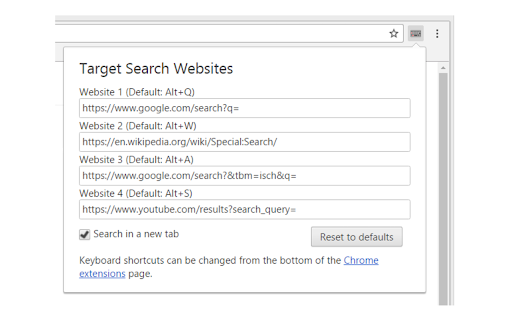
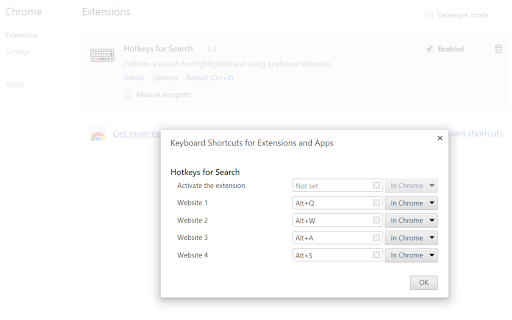
Perform a search for selected text using keyboard shortcuts. 1. Select text on a web page using the mouse. 2. Press a keyboard shortcut to search for the selected text on your desired website. Options: - Change the target search websites - Change the keyboard shortcut keys - Open the search in the current tab, a new tab or a background tab - Choose the position of the new tab (left or right of the current tab) Source code: https://github.com/Juuso-h/hotkeys-for-search

Selection Search - Quick Search
Easily search 🔎 for selected text in different search engines. 1. Install and add the extension to Chrome. 2. Select a text, left-click on the selected text to get a popup where you can choose a search engine to search with. 🔎 3. Customize the look of the buttons that activates the menu, which search engines to show, and many other things. 1. Copy option to copy the selection to the clipboard. 📋 2. Option to open searches in a small popup window. 🪟 3. Option to turn in-site popup blacklist into a whitelist. 4. Toolbar 🛠 popup support. With this extension, you can easily search 🔎for text you have selected in search engines.

Tab Content Search
Search for keywords across all open tabs with advanced features. 1. Can replace Shift+F to perform web page content search / 可以替代shif+F实现网页内容搜索 /Shift+Fの代わりにウェブページの内容検索が可能です 2. Enables content search across all tabs / 可实现所有Tab内容搜索 / すべてのタブの内容を検索できます 3. Runs entirely locally: secure and private / 纯本地运行:安全,隐私 / 完全ローカル実行:安全でプライバシーを保護します

Selection Highlighter
Highlight occurrences of selected text, with or without a keypress. For code inspection and document analysis: search for and find keywords. - No need to press CMD+F - Maintains current selection - Open source and configurable options (JavaScript) - Ensure a "gate" key is pressed - Match whole word and/or case-insensitive - Blacklist bad hosts and ancestor HTML nodes

Google search results shortcuts
Keyboard shortcuts for google search results J/K(Down/Up): Navigate links H/L(Left/Right): Navigate page /: Focus input field G + [A/I/V/M/N]: [All/Image/Videos/Maps/News] G + shift-V: verbatim search
