
gfigbnegonaobkaeogipogddnegakipa

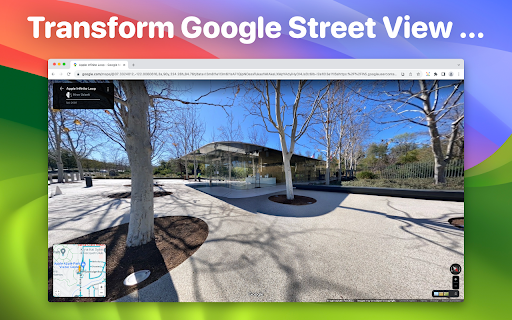
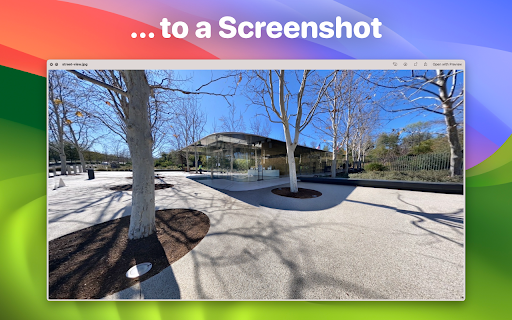
Screenshot for Street View lets you save high-quality snapshots of any location in Street View - without menus, buttons, or on-screen clutter. Simply position the view exactly how you want it, click once, and download a beautiful, distraction-free image ready to share, print, or archive. Why you’ll love it - One-click capture: No editing or cropping required - No interface elements: Clean screenshots without the Street View UI - Works completely offline: All processing happens on your device - 100% private: No uploads, no cloud servers, no data collection Whether you’re reliving a favourite trip, gathering references for creative work, or scouting destinations for your next adventure, you can preserve the world’s most stunning streetscapes directly from your browser. You can even verify the privacy promise yourself — run the extension while offline and see that it works without an internet connection. Note: Some elements (such as embedded street names or map artefacts) are part of the original Street View imagery and cannot be removed. Google and Street View are registered trademarks of Google LLC.

Clear Street View
Switch the graphical user interface elements on or off in street view for a clean screen grab or to enjoy an uncluttered experience. I struggled to find a suitable extension to clear my street view for taking screenshots or simply enjoying the view. As a result, I created Clear Street View. Unlike similar extensions, Clear Street View allows you to re-enable the street view user interface for moving locations or using other webpage aspects. Additionally, other extensions fail to remove all elements on the page, whereas Clear Street View successfully clears everything except for street names embedded in the road. This limitation is due to the public web version of street view; however, it can be addressed using different means through the API version.

FullScreen for GoogleMaps
Ability to full screen map (hide header and left panel and nav). To take a screenshot.

Bookmark Preview - Productivity and Extension
Preview all the Bookmarked websites... To preview all the Bookmarked websites. 🔖👁️ “Folder view” (📁) is a type of file organization method that displays the contents of a directory in a hierarchical tree structure, where each folder is represented by a folder icon. This allows users to easily navigate through the bookmark system and find the bookmark they are looking for. “List view” (📄) is a type of bookmark organization method that displays the contents of a directory in a list format. "Searching for bookmarks" is allows users to quickly and easily find a specific webpage that they have previously saved as a bookmark. This can be a useful feature for users who have a large number of bookmarks saved in their browser, as it allows them to find the bookmark they are looking for without having to manually scroll through a long list of bookmarks. The "Prev" and "Next" buttons can be used to navigate through the bookmarks in the order they were saved, which can be helpful when you have a lot of bookmarks and you want to go back and forth between them. The "Edit" option allows users to make changes to the properties of a bookmark, such as the name of the bookmark, the URL it points to, and the folder it is saved in. This can be useful when a bookmark's URL changes, or when you want to change the name of a bookmark to better reflect the content of the webpage it points to. The "Delete" option allows users to remove a bookmark from their browser. This can be useful when a bookmark is no longer needed, or when a user wants to clean up their list of bookmarks. Adding a "new folder" and a "new bookmark" in a web browser is a simple process that can help users organize their bookmarks and easily find the web pages they are looking for. "Opening a new tab of a saved bookmark" in your browser is a quick and easy way to access a webpage that has been previously saved as a bookmark.

Google Search Ads Highlighter
Highlight ads in Google Search results to avoid accidentally clicking on ads and focus on organic search results.
