
gfdmoegfeakacaplngdcmlhinffnmbdn
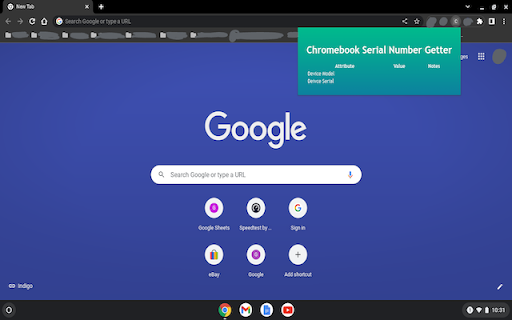
Users who need a quick way to see their serial number for a multitude of devices need look no further! This extension will simply show you the serial number and model number for your Chromebook!

Celiveo Secure Documents Pull-Print
With Celiveo.me, pull-print documents from Chrome OS Enterprise with Zero Trust Access security With the Celiveo.me printer provider installed on your Chromebooks and the Celiveo.me SaaS option activated in Celiveo 8, users can send documents from Chromebook Enterprise laptops for pull printing on the company network printers, with full Zero Trust Access security and data encryption. • Users just print documents using the “Celiveo Secure Documents” printer provider, those are processed, encrypted when leaving the Chromebook and are stored on the company premise until they are released or deleted • Celiveo is easy to use and the most secure: there is no login/password to enter/define on the Chromebook, users identity is determined from the Zero Trust Access session validation. • Users reach any network printer in the company equipped with Celiveo, authenticate using their card or PIN code to list their documents, ready to be printed the way they are authorized to, such as duplex, monochrome or in multiple copies. • Print jobs are tracked with full granularity and the related cost can be linked to the users OU or group for bill-back purposes. *Dynamic encryption and Zero Trust Access for a true security* Documents leaving Chromebooks are fully encrypted using TLS 1.2 or 1.3. The Celiveo Print Provider for Chrome Enterprise leverages from the Google Zero Trust Access to identify users and forward print jobs. Upon validation in the Cloud, documents are encrypted with a dynamic and random AES128-GCM key tied to the user who prints. No print job or user information related to printing is kept in the Cloud by Celiveo. This Chrome Enterprise printer provider requires a Celiveo 365 SaaS subscription, or Celiveo 8 on-premise with the Celiveo.me option.

WebSecurity for ChromeBook
This extension is installed via the Administrator of the computer so that web browsing follows the policies in place for the ATI. WebSecurity for ChromeBook is a Google Chrome extension that works in conjunction with Awareness Technologies user productivity monitoring software package to monitor and block access to web content in the Chrome browser. This extension is installed via the Administrator of the computer so that web browsing follows the policies in place for the Awareness Technologies software.

Barracuda Chromebook Security For BCS
Barracuda Chromebook Security For BCS Extension is designed to protect you from malicious and inappropriate web content The Barracuda Chromebook Security Extension enables you to protect your Chromebook users from malicious and inappropriate content by enforcing the policies you configure on your Barracuda Content Shield (BCS) Portal. The Barracuda Chromebook Security Extension leverages the cloud-based Web Categorization Service to filter content from over 80 million URLs, while also dynamically scanning websites not yet in the database. This allows administrators to provide safe Internet access to your Chromebook users, whether they’re on or off of your network. - Single sign-on, user-based access. - Policies are cached on the Chromebook, ensuring that if it loses contact with the Barracuda Content Shield, last-known policies are still enforced. No need for the extension to fail open or closed. - The extension works on or off network. - Policies configured on the Barracuda Content Shield Portal are synchronized to the Chromebook periodically. - All Chromebook user access to websites is logged and the logs are available on the Barracuda Content Shield Portal. - Create customizable block page through the Barracuda Content Shield Portal. - The administrator can use the Barracuda Content Shield Portal report generation feature to generate reports on Chromebook user web access. - The Barracuda Chromebook Security Extension comes with the Barracuda Content Shield subscription at no additional cost!

Hardware Info & Monitor Utility for ChromeOS
Simple & Powerful Hardware Information Utility for ChromeOS. crOS HI&MU allows you to monitor your hardware's current usage statistics & list your hardware's exact information without requiring you to leave your browser. You can support this project by buying a coffee: buymeacoffee.com/gokacinlar -v1.0.6: -Fix: Options page not working on some devices -Add: Better top header UI -v1.0.5: -New: Options page for better user control over the extension: Users can now select whether app should display hardware monitoring or information or both. -Fix: Some broken UI elements. -Add: Some UI enhancements (icons, font weight & size and background changes) v1.0.4: -New: Extension now supports displaying Network Information v1.0.3: - New: Extension now supports displaying GPU Information - New: Added tabs to switch between hardware monitoring & information for UI clarity. v1.0.2: - New: Extension now supports displaying Monitor (Display) Information - Fix: Various fixes
