
gfbomcnpfolanchaenjmpghbckfljjma
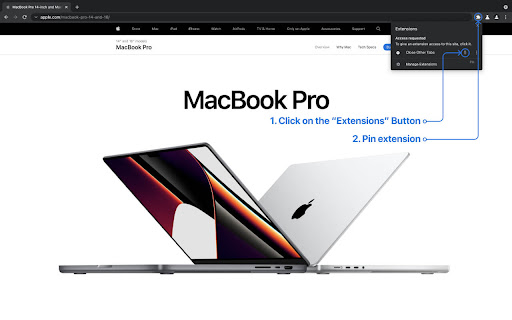

Close other tabs except the current one Close other tabs except the current one with a single click. Just press the "Refresh Session" toolbar button and see the magic! Now you can even change the extension icon color! Just right-click on the extension, pick an "Options," and choose your preferred color theme.

Close All Tabs
Close all open tabs. Optionally close pinned tabs and incognito mode tabs. Use the toolbar button, keyboard command (alt + w) or the context menu options to quickly close open tabs. Several other options available. Change the default setting for the toolbar button, and open a particular URL after closing all the tabs. Optionally close pinned tabs and incognito mode tabs. Visit our homepage for detailed user guide: https://browsernative.com/close-all-tabs-extension/

Recent Tabs with your browsing history
Undo closed tabs with your browsing history Extension to restore recently closed tabs. The mechanism is similar to Chrome's built-in functions "Recent Tabs" (Ctrl-Shift-T). In the restored tab kept the entire history of browsing, ie, The buttons Back and Forward. ver 1.2 + Added navigation through the list of tabs using the keyboard ver 0.9 + Added support for OS dark theme ver 0.8 + Added permission request for finding closed tabs in History ver 0.7 + Search for closed tabs and History + Hot keys settings + The counter of the closed tabs is removed + Font size settings ver 0.6 + Also available Chrome tabs open on your other devices

Close Tabs to the Left
Adds a button to close all tabs to the left of the current tab. Most browsers have the ability to right-click a tab and "Close tabs to the right", but not "Close tabs to the left"! This extension adds a button to the right of the address bar that all closes all tabs to the left of the current active tab. Unlike most other extensions, it doesn't closed tabs you've pinned!

Zoom Per Tab
Zoom one tab without affecting other tabs of the same domain! Chrome doesn't let you adjust the zooming of different tabs under the same domain independently? Well you found the cure! I know there are a couple of similar extensions out there. At first, I wanted to just download one and save myself some time. I soon realized that existing extensions out there for this purpose are so bulky and complicated. Some of them even ask you to install a daemon process that's available on Windows only - this is real bad, and dangerous, but also real bad. This extension simply makes page zoom settings independent across tabs, regardless of whether they have the same origin. It's ultra-lightweight. It uses a built-in Chrome API, just a few lines of code, no configuration needed at all! You can unpack the extension to verify that it's not doing anything malicious. In fact I encourage everyone to read it because it's so simple. You could've written it yourself! A copy of the source code is at https://github.com/xinan/zoom-per-tab.
