
gemmfnoajaghnaddkccmekbchdgckdab
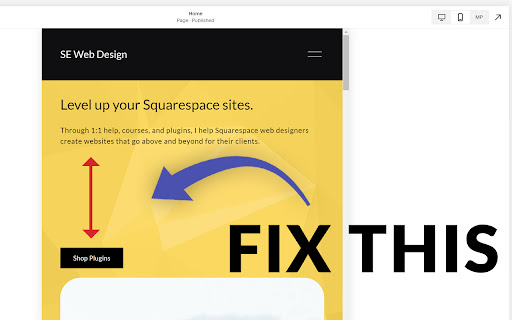
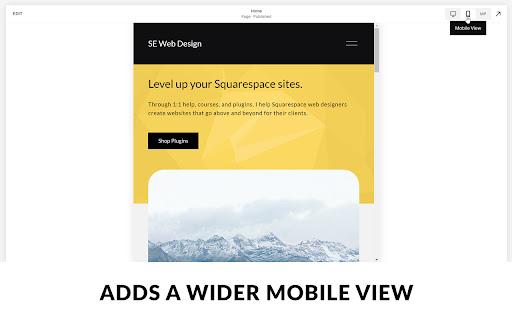
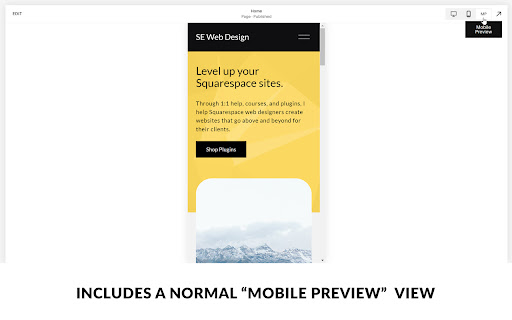
Makes Squarespace's mobile breakpoint larger so that you can fix Fluid Engine spacing issues on screen sizes between mobile & tablet If you are using Squarespace 7.1's new Fluid Engine editor, you might have noticed that your text blocks get TONS of space between them on screen sizes between 600px and 767px (between mobile and tablet) with no way to remove it. This is because of the way Fluid Engine maps blocks to the grid. The remedy is to map blocks to the grid on a screen size of 767px. When mapping them at this width, the spacing issues are resolved. This extension automatically makes your 7.1 site's mobile view 767px wide, so you don't have to resize the window yourself. It also provides a "mobile preview" mode, that shows the original mobile view in additional to the 767px editing view, so you can see what your site looks like across more screen sizes. This will provide a much needed fix until (hopefully) Squarespace gives us an editable tablet view in the future. Then at that time you can uninstall this extension.

Squarespace ID Finder
Find the ids of collections, sections, and blocks on your Squarespace page. Works with both 7.0 and 7.1. Don't waste time searching through the code with dev tools looking for an id. Click on the icon to see every id from collections, index pages, sections, and blocks on your Squarespace page. Then, you can simply click on the id to copy it and use it in your own code.

Toolkit by Will Myers
Pro Tools for Squarespace Designers & Developers Build custom Squarespace websites faster with the toolkit extension. *For members of the Code Curious membership from Will-Myers.com* ➤ Robo-Will A new AI assistant designed specifically for Squarespace developers and designers. Get production-ready CSS, troubleshoot issues, and build faster — without ever leaving Squarespace. ➤ Access the W-M Code Library Get access to all of the customizations in the Will-Myers code library, directly in the extension. Easily search through and find any custom code snippet you need from my library. ➤ Build your own Code Library Build out your own code library by saving your favorite customizations from around the web. Easily manage, filter and sort through them to find exactly what you need. ➤ Access Your Site Colors Open up the colors & fonts panel to get quick access to copy any of your site colors, in whatever format you'd like. You can also access all of the site color variables. ➤ Plugins Access all of the plugins that you've purchased from will-myers.com.

Savvy by Squarestylist
AI-powered CSS and JavaScript help for Squarespace designers Savvy is an AI-powered coding assistant that helps Squarespace designers write custom CSS and JavaScript code. HOW IT WORKS 1. Open the Savvy side panel on any Squarespace page 2. Click the pointer tool and select an element 3. Describe your desired customization and attach images for reference 4. Copy the generated code to Squarespace 5. Ask Savvy to refine when needed FEATURES • Visual Element Selection: Click any element on your Squarespace page to select it • AI-Powered Code Generation: Describe your design goals and get production-ready code • Works with Custom Domains: Use Savvy on the default Squarespace domain or any connected custom domain • Fully Scoped Code: Every code suggestion is scoped to your selected element's section or block to avoid unintentional site-wide style changes • Smart Code Suggestions: Savvy uses Squarespace's native style variables, so your custom code adapts automatically when you change colors, fonts, or site styles • Save Snippets: Store your favorite code snippets for reuse across projects • Chat History: Keep track of all your conversations and solutions SQUARESPACE-SMART • Recognizes Squarespace block types • Understands Squarespace's unique CSS structure and code patterns • Uses native style variable so code adapts to theme changes • Suggests reusable code that works across sections PERFECT FOR • Squarespace designers who want to customize beyond the built-in options • Web developers looking to speed up their Squarespace workflow • DIY website owners who need help with custom styling REQUIREMENTS • A Squarespace website (works with both 7.0 and 7.1) • A Savvy account (free tier available)

Resurface
Replace editable page fields with a pop-out Monaco (VS Code) editor Upgraded code editor for Squarespace, Shopify, Showit, Wix + more! Resurface provides a slick code editing experience powered by the same engine inside Microsoft's Visual Studio Code, the most popular code editor trusted by developers everywhere
