
gdepkkciedfadghaigjanfkcdedenpbh
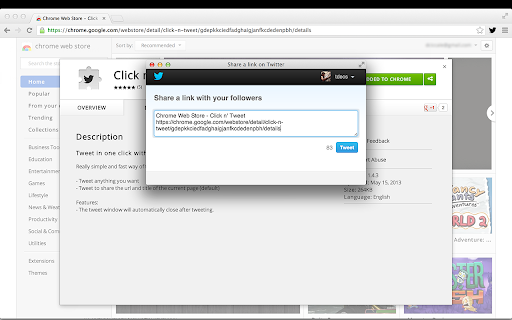
Really simple and fast way of sharing the current website you are looking at on twitter - Click the extension icon and automatically tweet the current website link - Share a blog post, a tweet, or any website you are viewing - The website is automatically included in your tweet, modify the tweet with any message you want before tweeting - The tweet window will automatically close after tweeting - No need to add permissions to twitter, just login to twitter and tweet

Share on Facebook™
Easily share web pages and links on Facebook. Unofficial Extension. Use extension's toolbar button or the keyboard shortcut Alt + S to quickly share the current web page on Facebook. After successful completion, the sharing popup window closes automatically. Moreover, You can right click on any link or image, and select the "Share on Facebook" option to easily share that on Facebook. By default it opens in a popup window but, you can set it to open in a new tab. Not affiliated with or created by Facebook. Extension by BrowserNative.

KuroTwi
This is an application that allows you to freely place Twitter timelines, RSS feeds, etc. KuroTwi is a Twitter client for Google Chrome Extensions. The feature of this client is that you can freely arrange multiple timelines on the screen.

Subscribe RSS Feeds in Feedly
Subscribe RSS and Atom Feeds in Feedly. Automatically finds feeds on the pages to let you subscribe them in Feedly. Click its toolbar button, which takes you to the Feedly.com with the option to subscribe that feed. Works only on the pages offering RSS or Atom feeds. Created by BrowserNative, Not created by or affiliated with Feedly. (Note: After installing the extension, reload your tabs before testing)

SocialPilot
Expand the reach of quality content—whether your own or from others—by sharing it on social media in just a few clicks! With SocialPilot’s browser extension, you can share any content from a webpage, including blogs, product listings, videos, and more, across multiple social media platforms effortlessly. You can create custom posts, use Craft with AI to generate publish-ready content, or share an image post in one click. Save posts, publish instantly, or schedule them for the best engagement. All you need is a SocialPilot account to use the browser extension seamlessly! 2) Craft with AI: Get ready-made posts with captions and visuals perfectly aligned with the content in one click. 3) Generate AI-powered captions: Manually add captions to your posts or let SocialPilot’s AI do the work. 4) Customize posts for maximum impact: Add hashtags, mentions, geotags, emojis, and image tags to get maximum reach on your posts. 5) Upload, edit, and perfect your visuals: Upload images or videos from your own repository or use media fetched along with the content, editing as you go. 6) Keep all brands organized in one place: Schedule or share the post to all the accounts under one group or belonging to a client. 7) Reshare with automation: For evergreen content, set up schedules for it to be repeatedly posted, drawing eyes and engagement to your profile. 8) Stay consistent with scheduling: Simply select the best date and time for maximum engagement while scheduling. Your content will be published automatically—no extra steps required.
