
gbkeegbaiigmenfmjfclcdgdpimamgkj

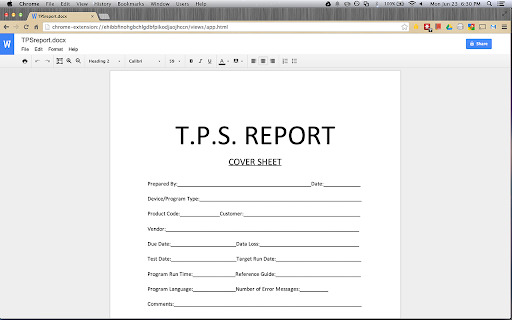
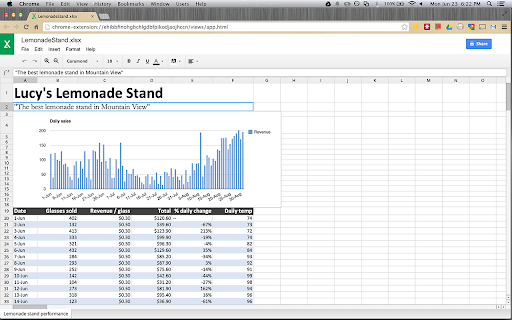
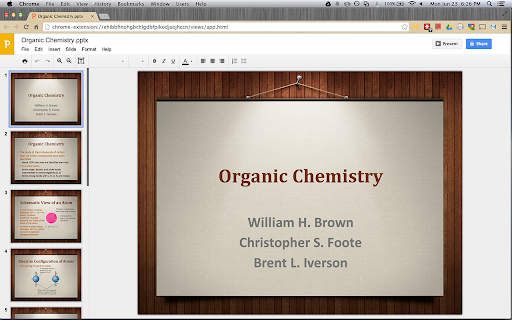
View and edit Microsoft Word, Excel, and PowerPoint files with Google Docs, Sheets, and Slides View and edit Microsoft Word, Excel, and PowerPoint files -- without needing Office installed on your computer. Once the extension is installed, Office files that you drag into Chrome, open in Gmail, Google Drive, and more, will be opened in Docs, Sheets, and Slides for viewing and editing. You can save each file back to its original Office format, or convert it to Docs, Sheets, or Slides to unlock more features, like inviting others to edit with you, commenting, chat, and more. Please note that Office files cannot be edited in the classic version of Drive. The new Google Drive is gradually rolling out to all users via the Settings menu. If you don't see the option to try the new look, check back again shortly. Learn more here: https://support.google.com/drive/?p=new_drive. Please note: This extension is already installed on Chrome OS by default. By installing this item, you agree to the Google Terms of Service and Privacy Policy at https://www.google.com/intl/en/policies/.

Send from Gmail (by Google)
Makes Gmail your default email application and provides a button to compose a Gmail message to quickly share a link via email This extension will open a Compose window in Gmail when you click any email address on a webpage. It also provides a button that will create a Gmail message when clicked, using the page title as the subject and selected page text and link address as the message. For setting the domain name of your "Google Apps for your domain" account, click Options. By installing this extension, you agree to the Terms of Service at https://chrome.google.com/extensions/intl/en/gallery_tos.html

Backup and Sync Google Drive to other clouds
Export Google Docs and Sheets to other clouds with one click With this browser extension you can save your Google Docs or Google Sheets directly to other cloud account. Just click on on "Save to" button in upper right corner of your Google Docs or Google Spreadsheet documents and you will promoted to select destination cloud service. And after save, you can setup you can setup real-time sync, backup or migration of your Google Drive™ folder with some other cloud services: with no complicated downloads. You can also synchronize any folder in your Google Drive with other cloud storage solutions such as Amazon S3, Dropbox, Egnyte, SharePoint, etc. To do this, open the folder in your Google Drive and click on "Sync this folder" to initiate the synchronization wizard. You can learn more about cloudHQ solutions here: cloudHQ website: https://www.cloudhq.net/ Pricing: https://www.cloudhq.net/pricing Support page: https://support.cloudhq.net/ Blog: https://blog.cloudhq.net Gmail, Google Shared Drive, Google Drive, and Google Workspace are trademarks of Google LLC. Use of these trademarks is subject to Google Permissions.

Save to Google Drive
Save web content or screen capture directly to Google Drive. The Save to Google Drive Chrome extension helps you save web content or browser screenshots to your Google Drive. * Adds a browser action to save the current page. * Adds a right-click context menu to save hyperlinks and media. * Configurable through an options page. * Save a PDF of the current page via the Chrome Print menu This extension allows you to save web content directly to Google Drive through a browser action or context menu. You can save documents, images, and HTML5 audio and video all by right clicking and selecting 'Save to Google Drive'. You can save the currently viewed page using the 'Save to Google Drive' browser action or as a PDF from the Chrome Print menu.. The directory location and format of saved HTML pages can be controlled with the extension's options page (Choice of Entire image (default), Visible image, Raw HTML, MHTML, or Google Doc). You can automatically convert Microsoft Office files or comma separated files to Google Docs format. After your content is saved, the progress dialog allows you to open the file, rename, or view the file in the Google Drive document list. From the document list, you can organize and share your new document. To save a file:// URLs, or to enable in incognito mode, go to chrome://extensions/ and enable the associated checkbox. Due to security restrictions, this extension cannot capture chrome:// pages or Chrome Web Store pages. New in Version 2.3.2: * Fixes a bug where certain PDF files would save without an extension name. New in Version 2.3.1: * Bug fixes. * Allows for the printing of the current page from Google Chrome to Google Drive, as a PDF. Note: Currently Google Chrome provides this feature natively, but this native feature will soon be replaced fully by this Chrome Extension's similar feature. New in Version 2.1: Authorization now requires you to be signed into Chrome. In order to save to a different Google Drive account, you must change Chrome profiles. New in Version 2.0.1: Bug fix for Authentication page redirecting to about:blank after clicking Accept. New in Version 2: * Uses OAuth2 authentication flow, so you will need to re-authenticate on first use * Ability to choose destination folder (configured in Options page) * Support for high devicePixelRatio (Chrome Pixel & Retina displays) * Clicking saved folder name displays the newly uploaded file in the destination directory * Options are stored in shared storage, so are synchronized across browsers if Chrome Sync is enabled. By installing this item, you agree to the Google Terms of Service and Privacy Policy at https://www.google.com/intl/en/policies/.

Certificate Enrollment for ChromeOS
Request a certificate for your device. Easily request a certificate for your managed Chromebook to access resources in a PKI environment. This extension provides an out-of-the-box certificate enrollment experience for Chromebooks in enterprises with a deployment of Microsoft Public Key Infrastructure based off of Active Directory Certificate Services (ADCS). Once installed on managed devices, this extension will allow users to generate hardware-backed keys and use them to request certificates from ADCS. You can find the deployment and usage manuals under our support pages. By installing this item, you agree to the Google Terms of Service and Privacy Policy at https://www.google.com/intl/en/policies/. Additionally, this extension utilizes open source libraries from third parties that come with their own licenses. Please see below for each library and associated license: Redistribution and use in source and binary forms, with or without modification, are permitted provided that the following conditions are met: * Redistributions of source code must retain the above copyright notice, this list of conditions and the following disclaimer. * Redistributions in binary form must reproduce the above copyright notice, this list of conditions and the following disclaimer in the documentation and/or other materials provided with the distribution. * Neither the name of the {organization} nor the names of its contributors may be used to endorse or promote products derived from this software without specific prior written permission. THIS SOFTWARE IS PROVIDED BY THE COPYRIGHT HOLDERS AND CONTRIBUTORS "AS IS" AND ANY EXPRESS OR IMPLIED WARRANTIES, INCLUDING, BUT NOT LIMITED TO, THE IMPLIED WARRANTIES OF MERCHANTABILITY AND FITNESS FOR A PARTICULAR PURPOSE ARE DISCLAIMED. IN NO EVENT SHALL THE COPYRIGHT HOLDER OR CONTRIBUTORS BE LIABLE FOR ANY DIRECT, INDIRECT, INCIDENTAL, SPECIAL, EXEMPLARY, OR CONSEQUENTIAL DAMAGES (INCLUDING, BUT NOT LIMITED TO, PROCUREMENT OF SUBSTITUTE GOODS OR SERVICES; LOSS OF USE, DATA, OR PROFITS; OR BUSINESS INTERRUPTION) HOWEVER CAUSED AND ON ANY THEORY OF LIABILITY, WHETHER IN CONTRACT, STRICT LIABILITY, OR TORT (INCLUDING NEGLIGENCE OR OTHERWISE) ARISING IN ANY WAY OUT OF THE USE OF THIS SOFTWARE, EVEN IF ADVISED OF THE POSSIBILITY OF SUCH DAMAGE. Redistribution and use in source and binary forms, with or without modification, are permitted provided that the following conditions are met: * Redistributions of source code must retain the above copyright notice, this list of conditions and the following disclaimer. * Redistributions in binary form must reproduce the above copyright notice, this list of conditions and the following disclaimer in the documentation and/or other materials provided with the distribution. * Neither the name of the copyright holder nor the names of its contributors may be used to endorse or promote products derived from this software without specific prior written permission. THIS SOFTWARE IS PROVIDED BY THE COPYRIGHT HOLDERS AND CONTRIBUTORS "AS IS" AND ANY EXPRESS OR IMPLIED WARRANTIES, INCLUDING, BUT NOT LIMITED TO, THE IMPLIED WARRANTIES OF MERCHANTABILITY AND FITNESS FOR A PARTICULAR PURPOSE ARE DISCLAIMED. IN NO EVENT SHALL THE COPYRIGHT HOLDER OR CONTRIBUTORS BE LIABLE FOR ANY DIRECT, INDIRECT, INCIDENTAL, SPECIAL, EXEMPLARY, OR CONSEQUENTIAL DAMAGES (INCLUDING, BUT NOT LIMITED TO, PROCUREMENT OF SUBSTITUTE GOODS OR SERVICES; LOSS OF USE, DATA, OR PROFITS; OR BUSINESS INTERRUPTION) HOWEVER CAUSED AND ON ANY THEORY OF LIABILITY, WHETHER IN CONTRACT, STRICT LIABILITY, OR TORT (INCLUDING NEGLIGENCE OR OTHERWISE) ARISING IN ANY WAY OUT OF THE USE OF THIS SOFTWARE, EVEN IF ADVISED OF THE POSSIBILITY OF SUCH DAMAGE.
