
gaohfhcgopflcfimblmjknocmedimepk

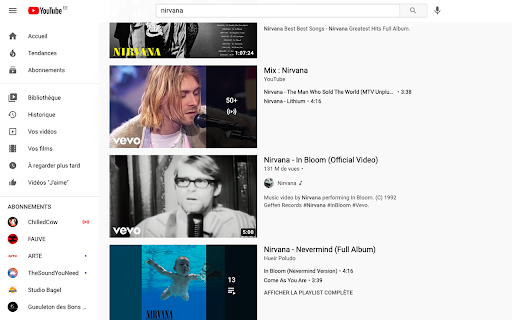
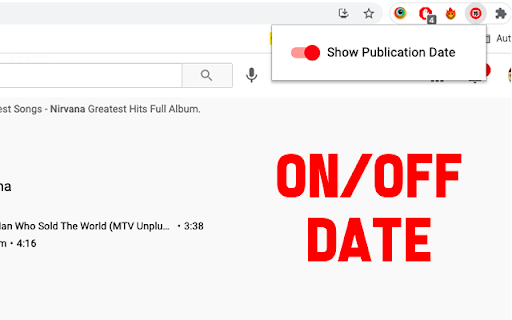
This extension hide 'Youtube' video publish date This extension allows you to hide the publication date of videos, anywhere on Youtube. • If you are tired of seeing the date • If it makes you feel old • If you want to play the game "What year is this video from". • If you want to make a joke to your friends Then this extension is made for you ;-) This extension allows you to hide the date on : • The home page • Under the video itself • In the search pages • On the channel pages

Search Youtube Comments and Channels
A simple extension to search through YouTube comments and channels Features ---------------------- 1. Instantly search through a Youtube video's comments. 2. Find a Youtube channel's most popular videos from the past month, year, or any date range. 3. Adds more date filters to Youtube's video search. Usage ---------------------- The user must supply their own Youtube API key. Very simple to get, a Youtube walkthrough linked below.

YouTube Refined: Improve's YouTube UI
Updates the Desktop YouTube UI to have rounded corners and further enhancements and tweaks. Refine and enhance the desktop experience of YouTube with more consistent UI, rounded corners and general tweaks. This extension does not change any functionality of YouTube, this is simply an UI polish and enhancement. The UI tweaks will work in both light and dark mode and will adapt accordingly. Below is a list of the UI tweaks that have been currently made: SUBSCRIPTIONS: - Increased spacing between each video - Added a hover animation to each video, making it clear which video you are clicking and to add some flare. - Video thumbnails now use rounded corners VIDEO PLAYER: - Adds rounded corners to video player - Increased the roundness of corners on action buttons - Adds rounded corners to the individual flyout cards - Adds a hover animation to the individual flyout cards - Fixes the flyout menu appearing below end slate elements - Adds a background colour to the Share, Download, Clip and Save buttons to make them more consistent with other action buttons - Increased the spacing of elements within the channel strip and top comment strip - Adds rounded corners to the channel strip and top comment sections - Adds rounded corners to the hover boxes of end slate items and video thumbnails COMMENTS - Adds clear separation of each comment by adding a faint border and increased padding - Increases the spacing between comments and the "See more replies" button. - Adds clear separation to each comment within the reply chain including a faint border RELATED VIDEOS - Adds a hover animation to each video (slight slide out) - All thumbnails have rounded corners - Made the progress indicator bar of unfinished videos slightly transparent - Adds a background colour and CONTINUE WATHCING label to videos that have been previously watched but not yet finished. This makes it super clear what is a new recommendation and what is a previously watched item. VIDEOS (Displayed anywhere) - Added a red background colour to the Live and Premiere indicators with white text. Also increased the rounded corners and padding. - Increased the roundness of corners of video length indicator - Slightly increased the padding of video length indicator SEARCH BAR - Adds rounded corners to the top search bar - Reduced the width of the search button v1.0.1 - Updated the extension to support the latest version of YouTube's UI

YouTube Full Title For Videos
This extension shows the headlines of the video entirely without hiding them partially, as by default. This extension shows the headlines of the video entirely without hiding them partially, as by default. It add a CSS that change height of title, so it is easier to use YouTube.com, because you can see all title and don't need to hover on a title to see it all. The plugin doesn't have any JS, just simple CSS.

YouTube Timestamps
The extension shows timestamps that YouTube users leave in comments. It shows timestamps from the top 100 comments. If YouTube video doesn't have comments with timestamps or the timestamps are not in the top 100 comments the extension doesn't show anything. Timestamps are placed right on YouTube's video timeline. Hover a timestamp on the timeline to preview the corresponding comment. Key features: - Shows timestamps from YouTube comments on timeline. - Works in Fullscreen and Theater modes. - Works for embedded videos. - Dark theme support. - Open Source https://github.com/ris58h/youtube-timestamps NOTE: To scroll a long comment preview scroll on the timestamp you are hovering over. LIMITATIONS: Only timestamps from the first 100 comments are shown.
