
fpmhkekmpanoohijpfcfladmekkoalpa
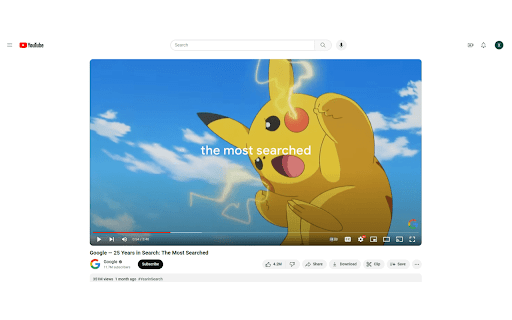
Watch what you want to watch with no distractions. A Focus mode for Youtube that hides unwanted videos and distracting content. Focus on watching what you want to watch on Youtube and not get distracted from the tempting recommended videos/content.

Tab Sound Manager
Toggle mute/unmute for the current tab by clicking the extension icon. Tab Sound Manager is a Chrome extension designed to help you manage the sound of tabs in your browser quickly and easily. This extension allows you to mute or unmute tabs with a single click on the browser toolbar icon. It also supports automatic settings for muting new tabs and other user-defined preferences.

Youtube Study Mode
No distractions on Youtube when studying. Click the icon of the extension to enter or exit study mode. What’s New (v3.1.3): Amazon affiliate tag feature added to support sustainability nonprofits. You may need to re-enable the extension due to new required permissions — this is normal. Finish your work faster by being less distracted on Youtube. Instead of the Youtube home page being filled with distracting videos, it's only a search bar. When watching a video the recommendations are also hidden. This way you won't accidentally get distracted and spend hours watching videos. Instead, this will help you quickly finish work so you can enjoy free time.

YT Focus - Learning Made Easy
YouTube Without The Distractions | Focus Homepage, Hide Shorts/Comments/Recommendations and more... It's always hard to learn in the same place you relax. YouTube Focus fixes that problem: - Hide homepage recommendations - Blur or Hide Recommendations - Video Brightness - Video Blue Light Filter (Sepia) - Hide Comments - Hide Shorts - Shorts Timer - lowercase titles combat (CLICK BAIT) - Power Button to toggle on & off YT Focus About: YouTube Focus improves productivity by combatting distractions on YouTube. This means getting rid of flashy click-bait thumbnails, and titles THAT LOOK LIKE THIS, hiding shorts, and so much more. YouTube Focus, well, wants you to focus! With this app, you can laser focus on whatever you need to do, stopping impulsive clicks or searches. Then when you're done, toggle it off, kick-back and relax. Open Source (Learn How to Make a Chrome Extension): YouTube Focus is open source, meaning that all the code for this extension is visible on our github page! If you've been looking to contribute or want to learn how to make your own chrome extension like this, it's all available on our repository! We have both our chrome extension and website code public, so there's a lot to learn or add to. Open for Feedback: YouTube Focus is committed to providing a distraction free learning experience on YouTube. If you find any bugs or have a feature suggestion, let us know on GitHub! Report Bugs: If you encounter any bugs while using YouTube Focus, please leave an issue on our GitHub page. Additionally, most bugs are fixed by refreshing the page. Personal Data: YouTube Focus respects the privacy of its users and is committed to protecting their personal information. We do not collect or retain any personal data, browsing history or other identifying information. Third Party Services: YouTube Focus uses Chrome (Chromium) or WebExtensions Storage Sync API to store user settings, and browser's Web Storage API (localStorage) to store Developer Tools fixes. Donations to YouTube Focus are processed by Open Collective and their chosen payment processors, Stripe and PayPal. Do yourself a favor and get focused!

YouTube Focus Mode
Hide YouTube's suggested videos for better focus Undistracted - Enhance Your YouTube Experience with Focus Mode Undistracted is a Chrome extension designed to help you stay focused and productive while using YouTube. It minimizes distractions by hiding suggested videos and thumbnails, allowing you to concentrate on the content that matters most to you. 🎯 Focus Mode Hide Suggested Videos: Removes the related videos section on the watch page. Clean Home Page: Hides video thumbnails on the YouTube home page for a distraction-free experience. Persistent Settings: Focus mode remains active as you navigate between videos and pages. Seamless Integration: Works silently in the background without disrupting your viewing experience. ☕ Support the Developer Buy Me a Coffee: A small button allows you to support ongoing development. Discreet Presence. Reduce Distractions: Eliminate the temptation of clicking on unrelated content. Boost Productivity: Stay focused on educational or work-related videos without clutter. Improve Concentration: Create a minimalist environment to help you absorb content better. Install Undistracted from the Chrome Web Store. Toggle Focus Mode: Click on the Undistracted icon to enable or disable focus mode. Start Watching: Enjoy a cleaner, distraction-free YouTube experience.
