
fphgelppbbjmnocailcfinonalgnkokb
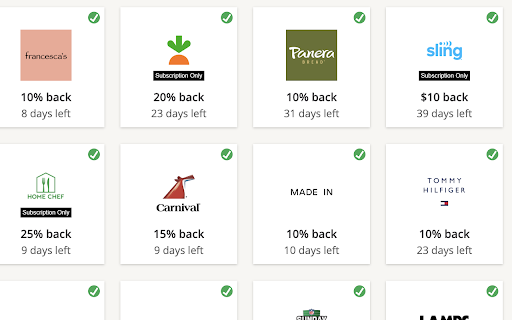
Automatically accepts promotional offers from Chase and American Express automatically. Some credit card companies offer promotions that can be tedious to claim manually. This extension automates the process whenever you check your credit card's available offers. This extension currently supports: - Chase (https://secure08ea.chase.com/web/auth/dashboard/) - American Express (https://global.americanexpress.com/offers/eligible) - More soon?

Credit Card Validator
Introducing Credit Card Validator, a Chrome extension for secure and efficient credit card number verification. Our Credit Card Validator let's you take your payment system testing and free trial activations to the next level. Created to ensure 100% valid credit card numbers, this powerful tool is your one-stop solution for efficient testing and validation processes. Accurate Card Validation: Validate card numbers with precision and confidence, ensuring their correctness and authenticity. Efficient Testing: Streamline your testing processes by quickly verifying card details, including CVV, expiry date, and cardholder name. Secure and Reliable: Rest assured that your payment system is robust and error-free with thorough credit card validation. Simplified Free Trial Activations: Easily activate free trials using validated card numbers, eliminating the need for real payment information. Experience the ease and confidence of credit card validation with our Credit Card Validator. Upgrade your payment systems today. Visit our website at https://creditcardvalidator.app for more information and to get started.

Mollie Payment Tools
This convenient extension revolutionizes the way you access Mollie test cards for your development and testing needs. No more wasting time searching the web or navigating through different websites. With this extension, you can effortlessly copy the Mollie test cards to your clipboard with just a few clicks. The extension integrates seamlessly into your Chrome browser, providing quick and easy access to a comprehensive list of Mollie test cards. Simply right-click on any webpage, select the Mollie test cards option from the context menu, and instantly access all the available test cards. Gone are the days of manual typing or searching for test card details. This extension eliminates the hassle by providing a streamlined solution. Once you've selected a test card, it's instantly copied to your clipboard, ready to be pasted wherever you need it. Whether you're integrating Mollie payment functionality into your website or working on a development project, this extension ensures efficiency and saves you valuable time. Experience the convenience and speed of this extension. Simplify your workflow, enhance your productivity, and say goodbye to unnecessary searching. Install the extension today and enjoy seamless access to Mollie test cards at your fingertips. * This extension is not officially done by Mollie, and it has not been made in cooperation with Mollie.

Bank credentials
Saves default logins and fills in fields on ebank page. Initially I created it for my personal needs, and later on decided to extend it as a proof of concept for more like portfolio reasons. However it works just fine. This extension simply saves bank login credential together with other Chrome settings. Credentials are saved ONLY in your browser, they are not send anywhere else. Before using extension, please evaluate potential risks. No more repetitive manual data entering. Saved credentials can be automatically filled in after bank page loads. Or it can be selected which credentials needs be filled in from extension window if there are multiple single bank logins. Currently this extension works with SEB bank, Swedbank and Luminor in Lithuania, Latvia, Estonia.

Zilmoney - Payroll by Credit Card
A tool to get your payroll details instantly to your Zil Money account and fund your payroll account with credit card. Use the extension from your payroll details page in your payroll application and click on take screenshot to get the data into Zil Money.
