
fopgjcmiakgcbopjoddcnkmpbpohjjbo

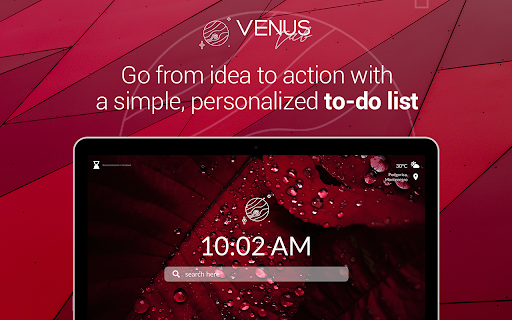
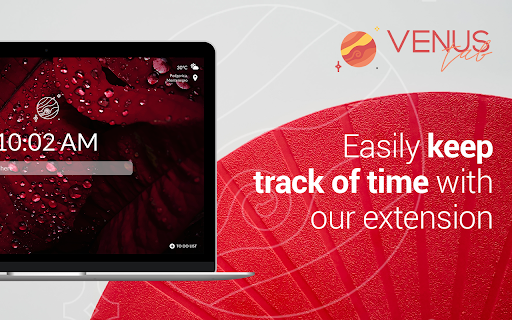
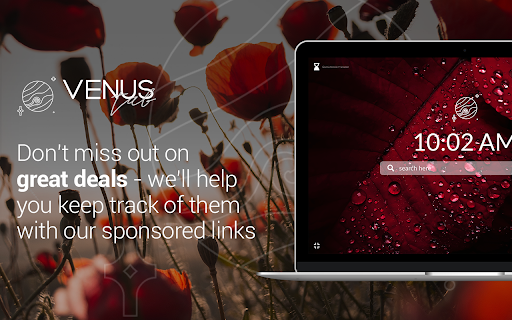
Modify new tab page in a way that suits you best to boost your motivation and productivness. We all need some bright colors to lighten our days, therefore we created an extension that displays amazing images in each new Tab. Venus's beauty will wow you! By clicking “Add to Chrome” I accept and agree to install Venus Tab Chrome Extensions and set chrome new tab to that provided by the service and terms of use and Privacy policy. The extension will update your search settings and will change your new tab search service provided by Bing. If you are a true fan, there is an option in the top left corner that allows you to change it whenever you want and simply enjoy these wonderful colour. Beautiful design is not the only thing that is pretty great about Venus Tab. You can use interesting widgets and make your days more productive than ever. We incorporated a clock function to ensure that you are always aware of the time. It's vital not to lose track of time, especially if you're swamped with important activities. Another basic but crucial feature is the weather function. If you have it in your tab, you may check the weather for the precise area and arrange your duties and leisure time accordingly. The Search Bar is the one we enjoy most. It just urges you to seek fascinating thoughts by blending in with the stunning backgrounds. Motivation is something that drives us through some tough days and everybody needs a couple of strong sentences to gain motivation. There is a reminder in the bottom right corner which you can use to set how often you want to see these pop-ups. Please feel free to browse our website for additional information: Website: https://venustab.com/ You can easily uninstall it if you are no longer interested. Follow these steps for removal: 1) Menu tab 2) Extensions 3) Click on the extension 4) Remove from Chrome

Calm Waves
Customize your new tab page with this beautliful design. By clicking "Add to Chrome", You accept and agree to installing the Calm Waves Chrome Extension and setting Chrome New Tab to that provided by the service and the Terms of Use and Privacy Policy. New Tab Search will be powered by Microsoft Bing. Calm waves is designed specially to provide comfort and a calming environment while you work. The background default consists of two pale, pastel, and relaxing colors that stimulate a small dose of dopamine and serotonin - which reduce stress and anxiety. But, of course, yozu can change those colors, adjust them according to what you like. You can customize both - background color and waves color. Let's not forget to mention that the waves are in slight motion that animate your new background. We also added your bookmarks under the search bar and completed the whole look of your new tab with discrete details that get along so that your customized browser looks perfect. P.S. It's important to state that when you install Calm Waves, you accept and agree to install this extension and set Chrome New Tab to the service’s default, as well as the Terms of Service and Privacy Policy. Visit our website if you need more information on Calm waves and our work: ♒︎ https://calmwaves.net/index.html ♒︎ PP: https://calmwaves.net/privacy-policy.html ♒︎ EULA: https://calmwaves.net/EULA.html ♒︎ Contact us: https://calmwaves.net/contact.html

Elevate Tab
Elevate your mood with this amazing New Tab extension. By clicking "Add to Chrome", I accept and agree to installing the Elevate Tab Extension and setting Chrome New Tab Search provider to Microsoft Bing as described by the service in EULA (https://elevatetab.com/eula.html) and Privacy Policy (https://elevatetab.com/privacy-policy.html). Have trouble concentrating? This add-on is intended for everyone who wants to gain laser focus. You won't believe how you used to function with a Chrome default new tab after downloading Elevate Tab. This custom tool will significantly increase your productivity, and your new tab page will be enhanced with numerous useful features. The collection of beautiful wallpapers is the first thing that catches your eye. You get to witness the most incredible landscapes and other works of art on each tab that is opened. The catch is, that you do not have to open a new tab every time. To see these awesome photos just click on the small logo in the top left corner and enjoy. Do not let rain surprise you and ruin your plans! This feature allows you to stay updated on the weather forecast. The temperature for the particular place may be found in the right upper corner. By using Elevate Tab it will come naturally to you to use our search feature which perfectly fits with beautiful wallpapers. We created a new feature for all hard workers out there. You can find it in the left bottom corner and by pressing the chair image you can set reminders. What is the purpose of reminders? Gentle reminders will remind you to take care of your posture because sitting for long periods of time can be harmful to your health. Keep track of time with the clock feature. If somehow you do not like one of these options, you can simply choose to see the ones you like! Just click the Settings and pick your favorites! Feel free to contact us anytime: - By submitting a form on the page: https://elevatetab.com/#contact - By sending mail to the owner's address: Bulevar Šarla de Gola 2, Podgorica, Crna Gora - By sending an e-mail to info@datadesign.me

Dancing Tubes
Dancing Tubes extension will help you keep track of the time while enjoying a soothing new tab design. By clicking "Add to Chrome", I accept and agree to installing the Dancing Tubes Chrome extension and setting Chrome New Tab search to that provided by the service and the Terms of Use and Privacy Policy. Search will be provided by Microsoft Bing. Dancing tubes is your new favorite chrome extension - a combination of colorful tubes dancing around your desktop is your new wallpaper, and a discreet search bar and bookmarks are your new search tools. You can even customize the extension a little bit - change the color of your background to any color you would like with the color slider. Dancing tubes isn't just a playful tool to decorate your new tab page, it's also a focus booster for visual learners. This extension pattern is proven to help visual learners by relaxing specific parts of their brain devoted to visual reading and collecting information. Check out our work on your website: https://dancingtubes.net/ You can also get more information here: https://dancingtubes.net/about.html https://dancingtubes.net/privacy-policy.html https://dancingtubes.net/EULA.html Feel free to contact us by visiting this page: https://dancingtubes.net/contact.html Or by letter using the following address: Volcera LTD 61 St, Martins Lane, Covent Garden, London

Space Spiders
Space Spiders extension will help you keep track of the time while enjoying a soothing new tab design. Space Spiders will provide a whole new level of excitement to your freshly opened tab. By clicking “Add to Chrome” I accept and agree to installing Chrome Extension Space Spiders and setting New tab and Search to Bing that provided by the service, Terms of Use and Privacy Policy. This plugin has been thoughtfully developed to make users' time spent on the web more productive. Space Spiders will serve you well regardless of whether you are in the mood to work or simply have some fun. Especially for those who are fascinated by space! The animation is undoubtedly the standout feature of this plugin. In addition to having an incredible background, you will also have the opportunity to interact with a couple of spiders. Have fun moving them about with the mouse in different directions. The bookmark function is also a useful tool. This will make it so that you can easily go to the websites that you want to visit most. After you have visited a certain page a certain number of times, we will make a tiny icon for it on your new tab so that you may access it whenever you like. Make your online browsing quick and simple with the help of the Search Box as you take in the stunning animation. Please do not hesitate to contact us for more information: Contact page: https://spacespiders.net/contact.html Learn more about us and our products: https://spacespiders.net/index.html https://spacespiders.net/about.html It is easy to uninstall the extension by following these steps: 1. Find the extension in the toolbar 2. Click on the three dots on the right. 3. Click the option “Remove from Chrome”
