
idbcchbfeodhjjoahikfbmgoghlmiebm
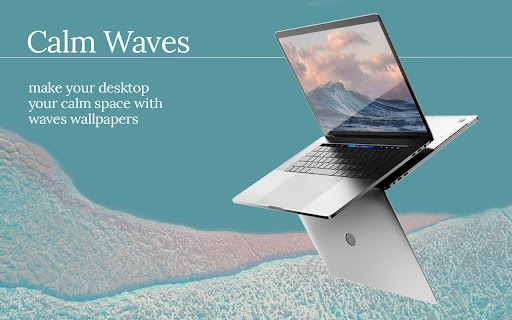


Customize your new tab page with this beautliful design. By clicking "Add to Chrome", You accept and agree to installing the Calm Waves Chrome Extension and setting Chrome New Tab to that provided by the service and the Terms of Use and Privacy Policy. New Tab Search will be powered by Microsoft Bing. Calm waves is designed specially to provide comfort and a calming environment while you work. The background default consists of two pale, pastel, and relaxing colors that stimulate a small dose of dopamine and serotonin - which reduce stress and anxiety. But, of course, yozu can change those colors, adjust them according to what you like. You can customize both - background color and waves color. Let's not forget to mention that the waves are in slight motion that animate your new background. We also added your bookmarks under the search bar and completed the whole look of your new tab with discrete details that get along so that your customized browser looks perfect. P.S. It's important to state that when you install Calm Waves, you accept and agree to install this extension and set Chrome New Tab to the service’s default, as well as the Terms of Service and Privacy Policy. Visit our website if you need more information on Calm waves and our work: ♒︎ https://calmwaves.net/index.html ♒︎ PP: https://calmwaves.net/privacy-policy.html ♒︎ EULA: https://calmwaves.net/EULA.html ♒︎ Contact us: https://calmwaves.net/contact.html

Renewed Tab
A customisable New Tab page, with widgets and beautiful backgrounds - Powerful Widgets System: you can add, move, resize, and configure widgets on a grid using intuitive controls. - Beautiful Backgrounds: see a random curated background every 15 minutes. You can also choose a solid color, an Unsplash collection, an RSS/Atom feed, or a custom background image. - Customisable: change the background, the theme, and configure each widget independently. - Multi-lingual. Translations are community-maintained, allowing users to contribute support for their language. https://renewedtab.com/translations/ - RSS and Atom feeds: can be used to see the news or follow a website. - Weather - To do: track things you need to do. - Quick Links: show links, with optional icons and subheadings. - Top Sites: shows your most frequent websites. - Daily Goals: enter a daily goal. - Bookmarks: shows your bookmarks toolbar. - Greeting: be greeted based on the time of day. - Quotes: shows a random quote, with categories. - Clock: show the current time, choose between 12 and 24 hours. - Notes: jot down notes in a freeform text area. - Age: shows your current age with way too much precision. - Search: a search bar with support for most search engines. - Currencies: shows exchange rates, supporting forex currencies and crypto. - Web Comics: show the most recent panel from a web comic. - Year Progress: shows the progress through the year as a progress bar. - Upcoming Space Flights - and more: buttons, images, HTML, and IFrames. We design with privacy in mind! We require only minimal permissions: to store data on your computer, and see the default search engine. Other permissions are optional and are requested at runtime, when needed. All your data is stored in your browser, not on our servers. For more information, see the Privacy Policy.

Bee Hive
Customize your new tab page with this beautliful design. By clicking "Add to Chrome", I accept and agree to installing the Bee Hive extension and setting Chrome New Tab Search provider to Yahoo as described by the service in EULA https://beehivetab.com/eula.html and Privacy Policy https://beehivetab.com/privacy-policy.html Your new tab extension will look like nothing you have seen so far - it's coming to life.. This is your new tab - reimagined. Every time you open a new tab in your browser, it will come to life in front of your eyes and shape out into something new, dynamic, and authentic. Bee Hive is designed to take your browsing experience to a whole new level. Try it now, you won't regret it 🐝. Download this extension and watch a network of light formed into shapes of hundreds of honeycombs grow from all the corners of your black wallpaper. It's simple and classy but yet not boring and a little bit kinetic. 🎇 You are in control - You can customize the pattern by clicking anywhere on the new tab. Make your own look and enjoy the sparkles forming honeycomb in million colors the way you chose it. In addition, you can pick time after which will the pattern change and create a new dynamic look on your desktop.⚡ Control your bookmarks too. With the newest version, there is a slider for bookmarks so they don't take up much space and your new tab will look unburdened and neat. ✨ This extension uses an enhanced search box that will take you to a new page with results best matching your search parameters. With Beehive, every new tab you open will be dynamic and ever-changing, letting you both focus on your work and sprinkle everyday tasks with a little bit of fun. Customize it how you want and you will become obsessed. 😊 You can visit our site and check out our work. There you will find more about Bee Hive and generally more about us. Here are the links: 💻 beehivetab.com 📩 beehivetab.com/#contact 📃 beehivetab.com/privacy-policy.html 📃 beehivetab.com/eula.html You can also feel free to contact us anytime, we'd be glad to hear from you. Girema Holdings Limited Karaiskaki 13, Limassol 3032, Cyprus info@giremaholdings.com Enjoy browsing with Bee Hive!

Elevate Tab
Elevate your mood with this amazing New Tab extension. By clicking "Add to Chrome", I accept and agree to installing the Elevate Tab Extension and setting Chrome New Tab Search provider to Microsoft Bing as described by the service in EULA (https://elevatetab.com/eula.html) and Privacy Policy (https://elevatetab.com/privacy-policy.html). Have trouble concentrating? This add-on is intended for everyone who wants to gain laser focus. You won't believe how you used to function with a Chrome default new tab after downloading Elevate Tab. This custom tool will significantly increase your productivity, and your new tab page will be enhanced with numerous useful features. The collection of beautiful wallpapers is the first thing that catches your eye. You get to witness the most incredible landscapes and other works of art on each tab that is opened. The catch is, that you do not have to open a new tab every time. To see these awesome photos just click on the small logo in the top left corner and enjoy. Do not let rain surprise you and ruin your plans! This feature allows you to stay updated on the weather forecast. The temperature for the particular place may be found in the right upper corner. By using Elevate Tab it will come naturally to you to use our search feature which perfectly fits with beautiful wallpapers. We created a new feature for all hard workers out there. You can find it in the left bottom corner and by pressing the chair image you can set reminders. What is the purpose of reminders? Gentle reminders will remind you to take care of your posture because sitting for long periods of time can be harmful to your health. Keep track of time with the clock feature. If somehow you do not like one of these options, you can simply choose to see the ones you like! Just click the Settings and pick your favorites! Feel free to contact us anytime: - By submitting a form on the page: https://elevatetab.com/#contact - By sending mail to the owner's address: Bulevar Šarla de Gola 2, Podgorica, Crna Gora - By sending an e-mail to info@datadesign.me

New Tab from Webdoka
Customize your new tab with visual bookmarks. Webdoka New Tab transforms a blank Chrome New Tab shortcut into a useful start page with visual bookmarks and saved page fragments. Instead of a static Google new tab page, you get a clean dashboard with clips, links and snapshots that you collect while browsing. Use the web page clipper built into the extension whenever you find something worth saving. Select an area, save a visual bookmark and return to this exact place later in one click. The clip keeps a preview and a direct link, so your chrome web clipper becomes a fast way to remember ideas, articles and tools. ✨ What you can do with this extension 1️⃣ Turn the standard Chrome New Tab page into a personal start screen with visual bookmarks 2️⃣ Pin your clips with the extension and open them like bookmarks with a single click 3️⃣ Organize saved content from different websites in one Chrome New Tab page 4️⃣ Create your own Chrome new tab default page without heavy widgets or news feeds ➤ Key features of the web clipper • Capture page fragments instead of full screenshots • Save previews with page title, link, date and clipped area • Use web clipper on any site • Find clips quickly from the Chrome New Tab page • Keep all data locally on your device 🧭 Why use a custom new tab extension Many users keep dozens of open tabs because they are afraid to lose information. Webdoka: New Tab helps turn this chaos into a structured new tab page. This approach works better than long bookmark folders. You see a visual grid, not a list of titles that are hard to decode months later. Each visual bookmark works as a reminder of what you wanted to read, compare or buy later • chrome new tab shortcut opens a board with all important clips • web clipper extension helps you save the right part of the page, not the whole site • start page serves as an index of all visual bookmarks 1. Save parts of long articles and research reports 2. Clip sections of product pages to compare prices or specs 3. Capture fragments of design, interface or layout for inspiration 4. Highlight webpage areas with key numbers or diagrams and save them as cards 5. Store ideas for future tasks, purchases and projects on the custom new tab Each clip behaves like a compact document. You open a start page, glance at the grid, and instantly remember why this page was important. 🛠 How the chrome extension web clipper works • After installing the extension, set it as your default new tab page to make it work automatically • You can capture a page fragment in three ways: open the extension popup and choose “Clip area”, click the floating “W” button on the right side of the page, or simply press Alt + S • Select the area you want to capture, and the clip will be saved automatically • Click any card to open the original content in a separate tab You no longer need separate tools for screen capture or saving bookmarks — the extension combines both in one clean workflow. The web clipper part of the extension is built for speed, while the custom new tab page focuses on clarity. Together they create a lightweight way to organize scattered information without relying on heavy productivity tools. The extension keeps the interface minimal. No complex widgets, news, weather or distracting elements. Only: • a clean new tab page chrome layout with your clips • simple controls to open, delete or reorder cards Install the extension, open a new tab and try clipping a few important fragments from your favorite sites. In a couple of days the Chrome New Tab page will turn into a living board of ideas, tasks, research and plans. You will spend less time searching through history and more time using the information you already saved. Made with love ❤️
