
focnhhdlmpjoakjjalodoinkdonaknbf
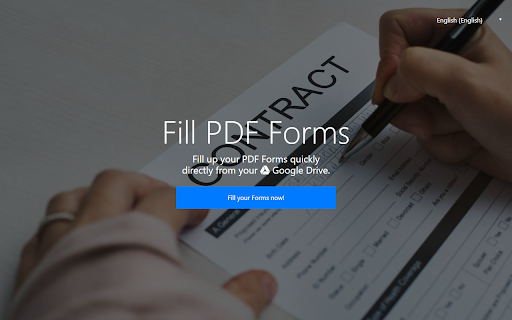


Fill up your PDF Forms quickly online for free. You can select files from your PC or Google Drive. This service is absolutely free of charge. Files of up to 100 Mb are supported , it is a full version and there are no upgrades/demo versions. We hope you enjoy using our online PDF Editor tool. Fill up your PDF Forms quickly online for free. With our website, you can begin to edit your PDF files for free. Our PDF Form Filler allows you to do the following functions. - Add text to PDF files - Fill out PDF forms - Bold/Italicize/Underline text in your PDF files - Highlight Terms in your PDF file - Password Protect PDF Files - Create PDF Forms - Print your PDF files out once you finish filling them in It is possible to load online PDF files directly in your browser, without having to save them onto your PC first. You can begin using our features by either uploading a PDF file from your computer, or creating a new PDF from scratch. All your PDF files are deleted from our servers within 1 hour and none of your personal data is stored. We take privacy concerns seriously and ensure this PDF experience works for our users.

Save image as PDF
Save image as PDF using the context menu on the image for download photo. An easy way to save picture as PDF, JPG, PNG, or WebP. 💯 Save Image as PDF is a chrome extension that lets you save any picture on the web page in the format you want: PDF, JPG, PNG or WebP. Image converter is fast, simple, and convenient. You don’t need to use any external tools or websites to convert images. You can save image as PDF and other formats with just a few clicks. 1️⃣ Installation: click on "Add to Chrome" and follow the on-screen instructions for installation. 2️⃣ Activation: navigate to any web page containing images. 3️⃣ Right-click on the picture you wish to save. 4️⃣ A new option will now be part of your context menu. 5️⃣ Hover option "Save image as..." will reveal the following sub-options: - Save as PDF - convert your image to PDF and initiate the download process. - Save as PNG - if required, the image will be converted to PNG format before being uploaded. - Save as JPG - if required, convert to JPG format before being uploaded. - Save as WebP - if necessary, the image will be converted to WebP format before being uploaded. 6️⃣ To convert and save the image in a specific format, simply click on the corresponding sub-option. Your picture will be downloaded. 💾Effortlessly streamline your image-saving routine with these intuitive steps. Elevate your browsing experience and enjoy the flexibility of converting images in your preferred formats! Save Image as PDF also has some useful settings that you can customize according to your preferences. You can access the settings page by clicking on the extension icon in the toolbar. There are two settings available: ➤ Ask where to save image before downloading: if you enable this option, you will be prompted to choose the location and name of the image before downloading. This way, you can organize your images better and avoid overwriting existing files. ➤ Enable a floating element on every page: if you enable this option, you will see a small icon in the center of the right edge of every web page: - clicking on this icon will highlight all the images on the page, providing a visual indication, - second click on the icon removes the highlighting effect from the images, - hovering over the "x" (cross) icon to the right of the main icon will disable the floating element on all pages. 📍 Our tool harnesses the power of the latest Manifest V3 integration, ensuring optimal performance in every operation. 📍 Extension provides a clean and streamlined experience, free from unnecessary third-party scripts that could weigh you down. 📍 Tool comes with automatic updates, guaranteeing you a consistently reliable experience with the latest enhancements. 📍 Swift and responsive image downloading is our priority. 👥 This extension will be useful for: 1. Ideal for professionals in the SEO field, this extension streamlines the process of saving and analyzing images, contributing to a more efficient workflow. 2. Graphic designers and other creators can benefit from the extension's ability to quickly save and download images in various formats. 3. Individuals conducting online research can use the extension to organize and save images for reference or analysis. 4. For those who frequently convert images to PDF for document management, this extension provides a quick and easy solution. 5. Web developers can use the extension to streamline the process of saving and managing images during the development phase. 6. Anyone who frequently downloads pictures from the web can enhance their browsing experience with the extension's user-friendly features. Save picture as extension is designed to cater to a broad audience, offering a range of features that can benefit professionals and casual users alike. 🛠️ Seamless integration with chrome: Save image as PDF effortlessly integrates into your Chrome browser, becoming a valuable addition to your extension toolkit. With just a click, this extension discreetly enhances your browser's capabilities, striking a perfect balance between functionality and simplicity. 🔐 No login or registration: No need to create accounts or go through registration hassles. Save time and skip the login process – our extension is ready to serve you without any extra steps. 🌐 Multiple languages supported: We believe in inclusivity. That's why Save image as PDF supports multiple languages, ensuring users from around the world can seamlessly utilize our tool in their preferred language. Accessibility is key!

Online Notepad
Edit your text file quickly from Google Drive or local computer. This is a simple and effective way to write down your notes. Online Notepad is a great place to save your notes. Get started on your to-do lists or brainstorm a new business idea straight from your Chrome browser to the Notepad. Notes taken are saved to the local hard disk, so you can take your notes safely! This notepad is a great way to help keep notes on your computer whenever you have an idea. Features: - Easy to use and simple notepad design. - Easily accessible from the Chrome Browser - Works in Windows 10 Disclaimer: Please note this extension is NOT made by Google and is made by an independent development team. All copyrights belong to their respective owners. Google doesn’t endorse or sponsor this Chrome extension. Online Notepad is not owned by, is not licensed by and is not a subsidiary of Google Inc.

Create Google Doc
Easily create Google Doc from your browser bar. Paste without formatting into new Google Docs with just one click! 🚀 Get quick access to your digital workspace with create google doc extension developed by Milext studio. With just one click, users can easily open a new google doc for word processing, Sheet for spreadsheets, Slides for presentations, Forms for surveys, or Drive file manager. This handy tool saves you time by removing the need to manually navigate across web apps when starting new projects or documents. 🤔 How to create a google doc? 1️⃣ Visit Chrome Web Store to install create google doc extension; 2️⃣ Open the drop-down menu and choose “New document”; 3️⃣ This will automatically open new document for you to start typing into. 💡 Why to choose create google doc over other tools and extensions? 🌐 Accessibility ➤ By integrating directly with Drive, users can access their documents from any device or browser signed into their Google account. This makes document creation and collaboration more convenient compared to platform-locked apps. ⏭️ Seamless Workflow ➤ The extension allows smooth transitions between the main document editors. Users can easily open spreadsheets, presentations, and forms related to their documents without disrupting their workflow. 🛠️ Powerful Features ➤ Document editor come packed with powerful formatting, editing, sharing, and collaboration features perfect for any project, personal or professional. The extension provides quick access to these advanced features. ☁️ Storage & Backup ➤ New docs are safely stored and backed up to Drive automatically. No need to worry about losing valuable documents due to app crashes or hardware failures. 👓 Familiar Interface ➤ For those already accustomed to using G Suite products, it feels like a natural addition to enhance productivity with minimal learning curve. 🎯 Here are some practical examples of how create google doc can enhance productivity and streamline workflow: 🤝 Working on Group Projects ➤ When you're working with a team on a digital project, create google doc allows everyone to create and share resources quickly, enhancing collaboration and ensuring everyone has access to the latest versions of documents, presentations, or spreadsheets. 🎓 Academic Research ➤ If you're doing research for a school paper, you can promptly create new doc for jotting down notes and save it immediately to Drive, ensuring no loss of valuable information. 📊 Work Presentations ➤ If you need to prepare a work presentation at short notice, create google doc allows you to start a presentation quickly without having to go through multiple screens or apps. 🎉 Event Planning ➤ Organizing an event can be simplified by using the extension to instantly create forms for RSVPs or questionnaires. 💼 Business Meetings ➤ In business meetings, you can quickly open a new doc or Spreadsheet to note down meeting minutes or list action items, ensuring everything discussed is tracked and easily retrievable. 🛠️ Freelance Work ➤ If you're a freelancer managing multiple clients, the extension allows you to speedily create and categorize different Drive folders for each client, aiding in better organization. 📌 Frequently Asked Questions ❓ What services does the extension provide access to? 💡 It provides quick access to new Google Docs, Sheets, Slides, Forms and Drive. ❓ Can I use the extension on other browsers like Firefox or Safari? 💡 Yes, it's is available for other browsers, including Firefox and Safari. ❓ Is there a limit to the number of documents I can create using google doc? 💡 No, there's no limit to the number of documents as long as you have sufficient storage in your Drive. ❓ Can I access the documents across all my devices? 💡 Yes, as long as you're signed into your Google account, you can access the documents you created across all devices. ❓ Is create google doc safe? How is my data protected? 💡 The extension is safe and all data is handled according to Google's robust security protocols. ❓ Do the new docs get stored in my Drive account automatically? 💡 Yes, all new documents are automatically stored in your account. ❓ Does using new docs allow others to access my Drive? 💡 No, create google doc itself doesn't allow others to access your Drive. Shared access to your drive or any documents within it can only be set manually by you. ❓ Do I need to have a paid Workspace subscription to use the features? 💡 No, you don't need to have a paid Workspace subscription to use the features. It's usable with any standard, free account. ❓ Can I set document permissions and sharing settings on new docs I create? 💡 The extension doesn't directly allow you to set document permissions and sharing settings. However, you can quickly do so by navigating to the document in your Drive. ❓ Does create google doc have any ads or pop-ups that would disrupt my workflow? 💡 No, it is designed to be seamless and user-friendly. It doesn't feature any intrusive ads or pop-ups that may disrupt your workflow. ❓ How much system memory and computing resources does the extension use? 💡 Create google doc is lightweight and won't significantly impact system resources or memory. ❓ Will there be any conflicts if I have other Chrome extensions installed? 💡 No, create google doc is designed to work independently and should not conflict with other Chrome extensions. However, if you experience issues, please feel free to contact us directly via email or leave a ticket in the Chrome Web Store. 🔥 Ready to enhance your productivity and streamline your workflow? Install create google doc today and unlock instant access to creating and managing your Documents, Spreadsheets, Slides, and Forms directly from your Chrome browser

JPG to PDF Converter
JPG to PDF Converter — format JPG to PDF instantly on any webpage. Simple, fast convert JPG to PDF without leaving your tab. JPG to PDF Converter – Fast, Secure, and Effortless Image to PDF Tool 📸 Turn any image into a beautiful, print-ready PDF right inside your browser. The JPG to PDF Converter makes it easy to convert jpg to pdf, convert png to pdf, or even combine jpg to pdf in seconds. You don’t have to switch tabs, visit another site, or upload files anywhere. Everything happens instantly, locally, and securely. ⚡ 💡 A Smarter Way to Work Whether you’re a student organizing notes, a designer sharing layouts, or a business professional preparing reports — this jpg to pdf converter is built to make your work smoother. You can convert jpg format to pdf or convert png to pdf without sacrificing image quality. With just one click, any picture becomes a clean, professional-looking document. 🌟 ⚙️ Main Features 1️⃣ Instant conversion from JPG, JPEG, or PNG to PDF. 2️⃣ Choose between portrait or landscape orientation. 3️⃣ Smart fitting options: Contain, Cover, or Fill. 4️⃣ Rename your files before saving. 5️⃣ 100% privacy — everything runs offline. This jpg to pdf converter free extension delivers both speed and control. It’s more than just an online jpg to pdf converter — it’s a tool designed to fit right into your everyday workflow. 🔧 🖼️ High-Quality Results Every Time When you convert jpg to pdf free or convert png to pdf, your file keeps every detail of the original. The jpg to pdf convert engine ensures crisp text and vivid colors while adjusting orientation automatically. You can format jpg to pdf perfectly, ready for printing, sharing, or archiving. 💎 💻 Simple Workflow 1️⃣ Click the extension icon on your Chrome toolbar. 2️⃣ Choose an image or right-click one from any website. 3️⃣ Select the layout and fit mode. 4️⃣ Save your new document instantly. That’s how easy it is to convert from jpg to pdf, convert .jpg to .pdf, or even convert png to pdf directly from your browser tab. 🚀 🌍 Convert Directly from Any Website You don’t need to download or upload anything. Just right-click any picture you see online and select “Save as PDF.” The converter jpg to pdf instantly turns it into a professional document. It’s the fastest way to convert jpg in to pdf or convert a jpg to pdf without extra steps. 🌐 🧠 Full Control Over Each Conversion The jpg format to pdf converter gives you total freedom: • Choose between portrait or landscape. • Adjust fit mode (Contain, Cover, or Fill). • Combine several images into one file. • Rename before saving. • Work fully offline. Whether you need to convert in jpg to pdf or convert png to pdf, the extension adapts to your preferences automatically. 🧩 💼 Built for Everyone Professionals, students, and creatives all rely on this jpg to pdf converter online. Use it for invoices, homework, marketing visuals, or product images. You can easily change jpg to pdf, convert png to pdf, or convert jpg format to pdf for any purpose — personal or professional. 💼 🔐 100% Private and Secure Every converting jpg to pdf action happens locally. No servers, no uploads, no risks. Your files never leave your computer. This free jpg to pdf converter keeps your data completely private, whether you convert png to pdf or convert jpg to pdf online. 🛡️ 🧾 Create Perfect PDFs Anywhere You can use the .jpg to pdf converter anytime, even without internet. It’s ideal for travelers, students, or anyone working in low-connectivity areas. With one click, you convert jpg format to pdf, convert png to pdf, or convert from jpg to pdf instantly. ✈️ 🕒 Save Time, Every Time No ads, no waiting, no limits. The jpg to pdf converter free extension delivers results in seconds. Whether you’re trying to convert jpg to pdf online or convert .jpg to .pdf for printing, this extension handles it all quickly and accurately. ⏱️ 🪄 Why Users Love It ➤ Simple one-click conversion ➤ Works offline, completely private ➤ No ads or watermarks ➤ Clean, user-friendly design ➤ Free and unlimited to use The converter jpg to pdf provides professional-quality output every time you convert jpg to pdf or convert png to pdf. 🌈 🖌️ Perfect for Projects and Presentations Need to create a visual report, send artwork, or share scanned materials? The jpg to pdf a converter turns your images into organized PDF files that are easy to print or email. You can even combine jpg to pdf to keep related images together. It’s a complete tool for professionals and casual users alike. 🎨 🧰 Everything You Need in One Place Use the jpg to pdf convert tool for: 1️⃣ Converting single images or multiple pictures. 2️⃣ Adjusting fit and orientation for precise layout. 3️⃣ Saving any image from the web as a polished PDF. 4️⃣ Keeping all conversions offline and secure. 5️⃣ Enjoying the easiest free convert jpg to pdf solution available. No matter what your goal is — to convert jpg format to pdf, convert png to pdf, or convert .jpg to .pdf — this extension is built for speed and simplicity. 🧭 ✅ In Summary JPG to PDF Converter is the ultimate online jpg to pdf converter for Chrome users who want speed, privacy, and professional results. Use it to convert jpg to pdf, convert png to pdf, or convert jpg format to pdf instantly. You can convert from jpg to pdf, convert a jpg to pdf, or even combine jpg to pdf into one clean document — all with one click. No registration, no limits, no uploads. Just a fast, private, and reliable .jpg to pdf converter that works exactly how you need it to. Try it today and see how easy it is to convert jpg to pdf free, convert png to pdf, and format jpg to pdf anytime, anywhere. ⚡
