
fngiapkoclemjhlpgpkaokbmjcgihcof
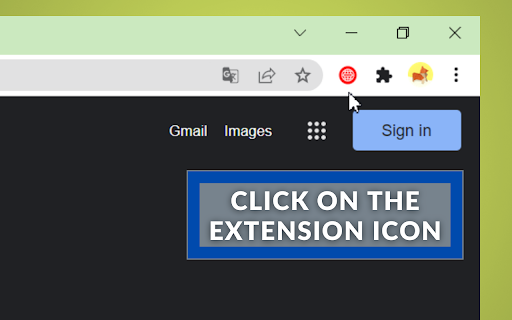


Distracted while working? Block any site to continue working on your core tasks After installing the site blocker extension you`ll notice a remarkable productivity improvement. It pretty useful if you want to protect your children or just if you want to shield yourself from inappropriate content. To start working with the site blocker application you need to click on extension icon in right upper corner of chrome browser (toolbar) and block website. Easy to install, easy to use and absolutely free extension specially for you! Don`t hesitate, install and feel the improvement. It`s simple as that. No ads and no hidden scripts to mess with your device or data. Click on the extension icon in the right upper corner of the chrome and open the app. Just paste URL and block website. This extension is going to help you increasing your productivity at workplace. Our extension will also protect your children from unpleasant and nasty content online. Block site you want just in a few clicks. In that case you just block site and forget about it. Surf the internet safely! Extension simply does what it`s designed to do. Our app will simplify your life where it is possible and will protect you where it is really necessary! Download our new awesome site blocker extension and enjoy safe internet browsing.

Popup Blocker (strict)
It is common for streaming, shopping, and WordPress sites to open unwanted pop-ups or redirect users to ad pages. This free, open-source Chrome extension blocks all types of popups and popunders before they are issued. It pauses window opening requests for user attention. Unlike other popup and ad blocker extensions, this one blocks requests on the original page rather than closing the target pages. You will get badge count and optional page notification when a popup is blocked. A badge counter over the notification increments if more than one identical request is issued. For previously visited sites, the extension automatically allows or denies requests. It identifies the action based on your previous decision. What does happen if I have this extension and a website tries to open a popup? The extension blocks this request and displays a notification on the top right side of the page. Enjoy the browse distraction-free browsing. You can: 1. Deny the request 2. Allow the request 3. Open the request in a background tab 4. Redirect the current page to the requested source Do I still need an AdBlock extension? This extension does not block any network request or ads like adblock extensions. It is a single-purpose extension to protect you against popups and popunders. For a better browsing experience, use this extension along with uBlock Origin. Consider it as a complementary extension to reduce distractions and disturbances. Does this extension support keyword shortcuts? Yes, visit "chrome://extensions/shortcuts" to configure your custom shortcuts for opening the UI or denying the last action. Can I ask the extension not to show page notifications when a popup is blocked? You can open the toolbar interface and mute all notifications or notifications for a single page. Useful Links: 1. FAQs page: https://webextension.org/listing/popup-blocker.html 2. Bug Reports: https://github.com/schomery/popup-blocker/issues 3. Test your blocker's efficiency: https://webbrowsertools.com/popup-blocker/ 4. Privacy Policy: https://add0n.com/policies/yokris.dev.txt Notes: 1. This extension used to be called "Popup Blocker (ultimate)". 2. By placing your mouse over a notification, the counter stops counting so that the user can review the popup request. 3. By placing your mouse over a notification, you can get the full URL in the tooltip (when the full URL is not visible). 4. You can ignore page notifications for a site by adding the hostname to the whitelist (renamed to exception list). 5. This extension does not block overlay pop-ups like cookie messages. 6. It works offline. There are no server-side activities whatsoever

Web Site blocker
Easy way to block distracting websites to prevent access while you work The Web Site Blocker Chrome extension empowers users to permanently deny access to websites or implement scheduled restrictions. Safeguard yourself from distracting or harmful content or shield your children from inappropriate material. - URL Blocking: Block distracting and harmful websites, including subdomains. - White List: Activate this option to block all websites except those included in the whitelist. - Password Protection: Secure the options page with a password to prevent easy removal of blocked sites. - Custom Rules Keyword based control. Allow or block access to a specific site only if the URL contains specific keyword - White & Black Time Configuration: Customize your daily schedule with the Scheduling feature, allowing you to set specific days and times for accessing certain sites. Stay focused and maintain daily routines effortlessly.

SiteBlock
Stay focused and eliminate distractions with this simple site blocker extension! Easily block any website by adding keywords like “social media” or “news” — the extension will automatically block matching sites when you try to visit them. Enjoy unlimited site blocking, a convenient right-click menu option, and effortless control over your browsing habits. Take back your time and boost your productivity — install the extension today!

Blokit: Block Websites & Keep Focused
Keep focused on what's important by blocking distracting websites while still allowing the features you need. The #1 free website blocker. Custom blocklists with advanced allowlisting to help you stay focused on what matters! Need a solution to limit distractions without cutting off entire websites? Don't sweat it—whether it's work must-haves or staying in touch with pals, we've got you covered! With Blokit, you can finally block out the noise while holding onto those essential site features you can't live without. Blokit empowers you to regain control over your digital life by allowing you to selectively block websites that often steal your time and attention. But here's the game-changer: Unlike conventional blockers that impose an all-or-nothing approach, Blokit lets you customize your blocking strategy to suit your unique needs. Want to limit access to Instagram but still keep an eye on your DMs? With Blokit, consider it done! 🌟 Selective Blocking: Choose which websites you want to block, and maintain access to specific features within those sites that matter most to you. Whether it's your important messages on social media or research materials on a distracting site, you're in control. Suggested uses: 📷 Block “instagram.com”, and keep access to DMs by allowing “instagram.com/direct” 🎵 Block “youtube.com”, and keep access to Youtube Music by allowing “music.youtube.com” 💬 Block “facebook.com”, and keep access to messages by allowing “facebook.com/messages” 🌟 Customized Block page: Customize the Block page with funny or motivating quotes. Choose between a friendly visit from our mascot Simon, or opt for a serene blank page. Whether you're aiming to perform better at work, study more effectively, or simply curate a healthier online experience, Blokit adapts to your needs and helps you take charge. Note: Blokit respects your privacy and does not collect any personal information.
