
fmifopjhkndcffjjdglomeipmgdkoaeo
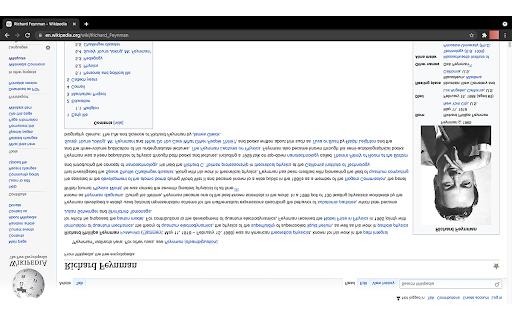
Mirrors the page when you click the icon Simple app for using Chrome with your teleprompter. Vertically flips (mirrors) the contents of the page. (Does not support all websites (for example YouTube) and does not support scrolling).

VideoMirror
Video mirror (left-to-right) on any page (including Zoom, YouTube, Vimeo, Twitch, Google Meet, etc.) *NEW* Looking to mirror your webcam instead? Try CamFlip: https://chrome.google.com/webstore/detail/camflip/jgnejnfdbomaelibbccppknilnnhklnk - Supports Zoom for Web - Supports YouTube - Supports Google Meet - Supports livestreams (Twitch.tv) - Supports fullscreen mode on most sites Usage: on a page with video, click the VideoMirror icon. All videos on the page should mirror. Click again to undo. If you would like to support my work in maintaining VideoMirror and keeping it ad-free, donations are accepted at https://ko-fi.com/skemp. Thank you so much for helping out! Recent updates: - v3.0.2: Fixes for analytics - v3.0.1: Updates to analytics - v3.0.0: Upgrade to Manifest v3, make flipping more consistent and clearer - v2.2.0: Fix fullscreen issues - v2.1.0: Actually fixed Google Meet issue - v2.0.1: Fixed Google Meet issue - v2.0.0: Made icon more clear when it is enabled/disabled and fixed 🤞 Zoom for web - v1.3.1: Add partial support for embedded vimeo players - v1.3.0: Add support for Zoom - v1.2.1: Remove uninstallation survey - v1.2.0: Flipping is more consistent during page changes (e.g. when entering/exiting full screen) - v1.1.0: Animation appears when mirroring videos

Page Filter Effects
Fun filter effect for webpage. Fun effects for same old sites. You can make any site Blur, Greyscale, Sepia, Bright, Invert using this tool. If you want it as normal choose "Reset" If you have heard about UFO on Google map http://bit.ly/UFOinGMAP , you can see that UFO in high contrast image live on Google Map. I have not update it since long, I am planning to update it soon. So if you are using it and want to report bug or want any feature please mail me at tusharvaghela@gmail.com

MirrorPlay : Youtube Mirror
An Extension to laterally invert youtube videos MirrorPlay: Transform YouTube Videos with Ease MirrorPlay is a powerful Chrome extension that allows you to effortlessly invert and mirror YouTube videos with just a simple click. Whether you're practicing your dance moves or exploring artistic concepts, MirrorPlay provides a unique and convenient way to enhance your viewing experience. With MirrorPlay, you can easily flip the orientation of YouTube videos, creating a lateral inversion that gives you a fresh perspective. This feature is especially useful for dancers who want to learn choreography by watching mirrored videos. By seamlessly reversing the video playback, MirrorPlay enables you to follow along and mimic the movements effortlessly. Instantly invert and mirror YouTube videos with a single click. Perfect for dancers and performers who rely on mirrored videos for practice. Intuitive and user-friendly interface for seamless integration with YouTube. Enhance your creative process by exploring videos from a different viewpoint. Save time and effort by eliminating the need for manual video editing tools. Take your dancing practice to the next level with MirrorPlay. Install the extension today and experience the convenience and flexibility of laterally inverted YouTube videos like never before.

MirrorTube
Provides useful features for dancers Mirror YouTube videos, control playback speed, and set up repeating timestamps for looping videos. Perfect for learning dances from un-mirrored videos! Now with added ability to manually add timestamps for better control!
