
fkmalbfpcbjoplobjkfggafdkehffdff

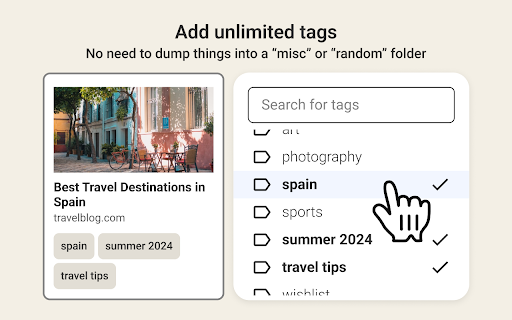
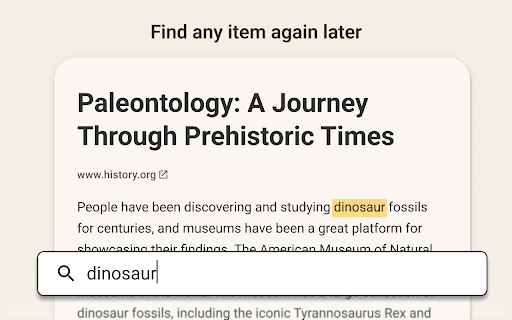
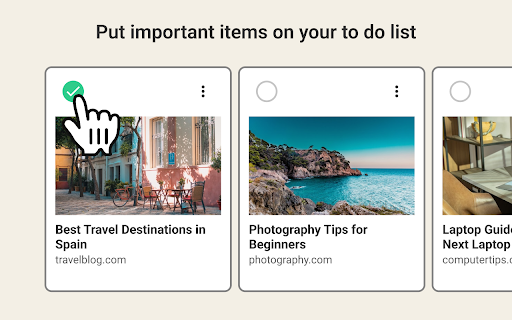

Your personal library, searchable and organized. Do you hoard hundreds of bookmarks only to lose them, forget that you have them, or never find them again? Niphtio is the easiest way to save, find, and read what matters to you. This browser extension works together with our web app, Niphtio. Learn more at https://www.nipht.io 📚Build your personal library Save articles, videos, recipes, or any other web page to Niphtio so you never lose it. Access Niphtio from any web browser on your computer, tablet, or phone. 📚Bulk multi-tab saver Have lots of tabs open? Save them all at once and organize them in bulk. 📚Find anything again later Search for anything you’ve saved. Our powerful search looks for keywords inside the content of your items, not just their titles. This means you can always find items again, even if you can’t remember their titles. 📚Flexible and robust tagging Do you dump all your bookmarks into a “random” folder? We get it—some items simply don’t fit into one specific category. That’s why Niphtio lets you add multiple tags to any item. 📚A to do list for readings Add important reads to your to do list so you remember to read them. Check them off once you’re done and feel accomplished. 📚Built with privacy in mind Enjoy peace of mind with our commitment to privacy. We don't use tracking cookies, sell any of your personal information, or share it with anyone else.

Stash
A tiny browser extension that saves and syncs your favorite links across all your browsers. Never lose a link again. Stash is your witty, no-nonsense assistant for bookmarks—syncing your favorite websites across Chrome, Edge, Arc, Dia and all your Chromium-based browsers. Effortlessly save, organize, and access your links, no matter where you are or what account you’re using. Ever emailed yourself a link and felt like a caveman? Us too. That’s why we built Stash—a tiny (but mighty) browser extension that remembers your favorite websites, syncs them across all your browsers and devices, and keeps them safer than your Halloween candy stash. - Save links in a flash (shortcut: Shift + Alt + S) - Works with multiple browsers and accounts—no more “Where did I save that?” - No folders, no fuss—just stash and go - Your data, your rules—encrypted and private, powered by Github - 100% free, forever—no hidden fees, no premium tears Stop being a digital squirrel. Start stashing like a boss. - 🚀 One-click save: Add links instantly from any page - 🔄 Cross-browser sync: Chrome, Edge, Arc, Vivaldi, Brave, and more - 🦾 Github-powered: Your data, your control - 🔒 End-to-end encryption: Only you can see your stash - 🆓 No signup required: Just connect your Github - 🌴 Completely free forever - Works everywhere you browse - No vendor lock-in—your data lives in your Github - Designed for privacy and speed - No learning curve, just stash and go - Built by someone who’s been burned by lost links (that’s me) - A Github account (to keep your stash safe and synced) - Any Chromium-based browser (Chrome, Edge, Arc, Vivaldi, Brave, etc.) Ready to stop losing links? Add Stash to Chrome and start syncing your bookmarks like a tech-savvy wizard. Support Questions? Feedback? Just want to chat about your favorite bookmarks? Email me at hello@rafaelgandi.com or visit https://rafaelgandi.com/contact. Made with 🤙 by Rafael G.

Lindle: Save, Manage Web Links
Say goodbye to scattered links and hello to streamlined productivity. All-in-one web link saver and bookmark manager Lindle is your ultimate solution for managing and organizing your web links with ease. This versatile Chrome extension empowers you to save, categorize, and access your online resources like never before. Say goodbye to the chaos of scattered bookmarks and hello to streamlined productivity. 1. Effortless Link Saving: Save links from the web with a single click, and watch as they're neatly organized in one central hub. 2. Intelligent Auto-Sorting: automatically categorizes your saved links based on their source, whether it's from social media platforms like Facebook, Instagram, LinkedIn, or other websites. 3. Seamless Integration with URL Shorteners: Enjoy the convenience of integrated Bitly and other popular URL shorteners to keep your links clean and concise. 4. Intuitive Search Functionality: Easily find any link you've saved by using our powerful search feature. No more endless scrolling or digging through folders. 5. Folder Organization: Create custom folders to sort and manage your links. Keep everything neatly tucked away for quick access. 6. Access from Messenger Platforms: Our extension embeds directly into Facebook Messenger, Instagram, and LinkedIn. You can access your saved links right from these platforms whenever you need them. 7. Share with Ease: Share links with colleagues, friends, and family without leaving your preferred messenger platform. 8. Cross-Device Sync: Enjoy a seamless experience across multiple devices. Your links are always within reach, whether you're on your desktop or mobile. 9. Clean, User-Friendly Interface: The extension is designed for simplicity and ease of use, making link management a breeze.

Linker - Save. Group. Share.
All-in-one Bookmark and Snippets Manager Linker has been upgraded to give you the power to organize your bookmarks into Workspaces, allowing you to keep your personal and work environments separate. You can further organize your bookmarks by creating folders and sub-folders. Moreover, you can now tag your bookmarks for easy searching and grouping.

Bookmark, AI Tagging, Cache & Screenshot | PageOrg
Organize, ai tagging bookmarks. Cache page offline. Take, edit screenshots. Team collaboration. 1. Bookmark Management: Import bookmarks and search by text, tags, domain, or URL. 2. Browsing History Search: Import browsing history and search by text, date range, domain, or URL. 3. Easy Bookmark Organization: Edit titles inline, bulk-apply and drag & drop tags, and leverage AI-driven auto-tagging for efficient organization. 4. Offline Page Caching: Cache pages locally for offline access with an option to auto-cache bookmarked pages. All data is stored locally to ensure privacy. 5. Screenshot Capture & Editing: Capture, annotate, and download screenshots easily, or upload to share via a unique link. 6. Cross-Device Sync & Collaboration: Sync data across devices and collaborate on bookmarks with friends and colleagues for seamless teamwork. Introduction: Page Org – the ultimate Chrome extension for seamlessly managing bookmarks, browsing history, and more across devices, with powerful collaboration tools for teams. Cache pages for offline access, capture and annotate screenshots. Organize, search, cache and share content—all with productivity-focused features designed to streamline your workflow. With Page Org, elevate your browsing experience through tools that let you: ✔️ Efficiently Manage Bookmarks & Browsing History : Import bookmarks and history, then find what you need quickly by searching through keywords, tags, domains, URLs, or date ranges. Advanced Tagging & Editing: Edit titles inline, bulk-apply and drag & drop tags, and let AI-powered auto-tagging organize your collection faster than ever. ✔️ Offline Page Caching: Cache any page for offline access, with options to auto-cache bookmarked pages—all stored locally for your privacy. ✔️ Enhanced Screenshot Capture & Editing: Capture, annotate, and edit screenshots on any page. Save locally or upload to share through a unique link. ✔️ Cross-Device Sync & Collaboration: Download our app for mobile, sync data across devices, and create channels to collaboratively manage bookmarks and tags with friends or colleagues for efficient teamwork. Our Help Center offers step-by-step guidance and tips for maximizing productivity. Say goodbye to cluttered bookmarks and disorganized browsing history. Experience streamlined browsing with Page Org, your partner in efficient online organization.
