
fkhfakakdbjcdipdgnbfngaljiecclaf
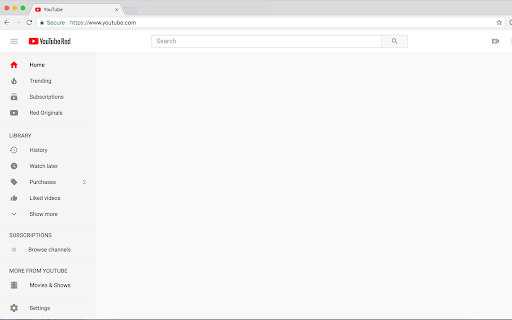
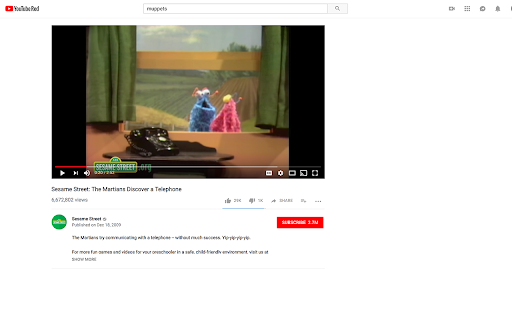
Do you find yourself getting hooked by Youtube's recommended and related videos, but you don't want to deprive yourself completely of Youtube? This extension still lets you search and play videos, but hides the parts of Youtube that are unneeded and addictive: the front page recommendation feed, the related videos in the sidebar and end screen, and the comments. (Note: if you only want a subset of those things hidden, try HabitLab by Stanford)

Clean YouTube: Block Shorts, Hide Comments & Feeds
YouTube Distraction-free. Remove Shorts, Recommended Videos, Thumbnails, Comments and other Distractions. Clean YouTube is a browser extension that removes distractions from YouTube, including recommended videos, shorts, video suggestions at the end, comments, the homepage, the popular tab, disabling autoplay or annotations, and much more. Toggle settings via a pop-up window to personalize YouTube! Focus on the YouTube content you love without distractions! Make your YouTube clean and minimalistic. Clean YouTube — the ultimate YouTube Enhancer for focus and productivity. With Clean YouTube, you can: 💪 Remove Distractions: Hide shorts, comments, and recommended videos that take away from your viewing pleasure. 🧩 Customize Your View: Use only one video player without any distracting elements on the page. Try a Clean Mode in which there is only a video player on the page. Remove YouTube distractions and customize the user interface with options. Features: ✅Clean Mode - Show only Video Player on Page ✅Black and White Mode ✅Hide Home Feed ✅Hide or Blur Thumbnails ✅Hide Related (Recommended) Videos ✅Hide Explore, Trending ✅Hide Shorts ✅Hide Comments ✅Hide Subscribe Button ✅Hide Likes ✅Hide Views ✅Hide Playables ✅Hide Live Chat ✅Hide Top Header Bar ✅Hide the Top Bar including Search Box ✅Hide Subscriptions ✅Disable Autoplay ✅Disable End Screen Cards Streamline your YouTube experience with Clean YouTube – the essential extension for a cleaner, more enjoyable video watching experience. Feel free to contact me if you want to see any features in the next releases. Extension doesn't track any information about you and does not send data anywhere.

Hide YouTube Thumbnails
Hide YouTube Thumbnails for less clickbaity browsing Simply hides thumbnails on YouTube to have a more peaceful and less distracting browsing experience. Also useful for avoiding spoilers or inappropriate imagery. This extsion could also be descibed as blocking YouTube thumbnails on videos, disabling YouTube thumbnails on videos, blurring YouTube thumbnails on videos. People have found it useful for: - Hiding distracting or inappropriate YouTube thumbnails in class when teaching students - Hiding YouTube thumbnails to reduce distraction and procrastination when studying or working - Hiding YouTube thumbnails to avoid spoilers in the video

YouTube Focus Mode
Chrome Extension that allows you to focus by blocking YouTube videos from 'distractive' categories. This chrome extension allows you to select the type of videos that you want to see in your YouTube feed and blocks/hides all other videos that do not belong to the selected categories. Most of the extensions block the entire feed and hide all recommendations which might not be what you want while studying or focusing on learning a topic. By selectively blocking the distracting videos only, this extension allows you to focus on what's important and prevents you from getting distracted into the YouTube rabbithole. The extension currently works in 3 scenarios within YouTube: - Home Feed - Search Results - Video player and its accompanying recommendation column

UnHook YouTube
Use UnHook YouTube tool to hide shorts, comments, remove recommendations, related videos. Get distraction free and focusing youtube. Introducing UnHook YouTube – Your Gateway to Distraction Free Viewing! 🚀 Did you know that recommendations are responsible for over 70% of time spent on the platform? Take back your time and install Unhook Youtube. This tool is fully customizable! Just tap on it in the toolbar and choose the options you want to remove. 🧑💻 How to Make the Most of It: 1. Install extension by pressing the button Add to Chrome. 3. Click on the UnHook YouTube icon in the toolbar. 4. Choose which distractions to remove from these options: hide homepage recommendations, hide explore, hide subscriptions, hide shorts, hide related videos on the video page, hide comments, hide video endscreen, hide thumbnails. Are you tired of feeling like you're in a never-ending loop, constantly bombarded with shorts, trending videos, and endless distractions? It's time to take back control of your online experience with unhooked YouTube – the ultimate Chrome tool designed to help you focus on what truly matters. With UnHook YouTube, you can customize your environment to suit your needs, enabling you to get distractions free youtube and create a space where you can concentrate on the content that aligns with your goals and interests. Let's dive into the features that make unhooked Youtube the must-have tool for anyone seeking a more focused browsing experience: 1️⃣ Disable YouTube Shorts: Say goodbye to those addictive short videos that keep pulling you away from your tasks. With unhooked youtube, you can easily disable shorts and regain control of your viewing habits. 2️⃣ Hide youtube comments: Say farewell to the endless scroll of comments that can distract you from the video content. unhook youtube lets you disable comments, giving you a cleaner and more streamlined viewing experience. 3️⃣Hide youtube Explore: Keep your homepage clutter-free by hiding the explore tab. Say goodbye to irrelevant recommendations and hello to a personalized feed that caters to your interests. 4️⃣ Hide YouTube Related Videos: Put an end to the cycle of clicking from one video to the next. With UnHook YouTube, you can hide related videos on the video page, allowing you to focus on the content at hand without getting sidetracked. 5️⃣ Hide youtube Subscriptions: Keep your subscription feed clean and clutter-free by hiding subscriptions. UnHook YouTube ensures that you only see the channels and content you truly care about. 6️⃣ Hide Youtube Homepage Recommendations: Take control of your homepage by hiding recommendations that don't align with your interests. UnHook YouTube lets you customize your feed, ensuring that you only see content that matters to you. 7️⃣ Hide Youtube Thumbnails: Say goodbye to distracting thumbnails that lure you into clicking on videos you don't need to watch. unhook youtube allows you to hide thumbnails, so you can focus solely on the titles and descriptions of videos. 8️⃣ YotTube Unhooked: Take control of your watching experience in a whole new way with unhook YouTube. Say goodbye to distractions and hello to a focused browsing experience that allows you to make the most of your online time. Stay tuned for future updates, where we plan to introduce enhanced hiding options and new features for staying focused. 💡 Unhook youtube is a chrome extension that allows you to remove distractions: youtube comments, youtube explore, youtube related, block youtube shorts, subscriptions, video endscreen, thumbnails. 📌 Can I use it for free? 💡 To install unhook youtube, press the button "Add to Chrome". 📌 Can extension hide anything on the platform? 💡It can remove most of the distractions available there. Soon we'll add more options. 📌 Is it safe for my privacy to use this extension? 💡 Yes, this tool operates locally within your browser, ensuring the privacy and security of your personal information. It does not collect or store any user data. 📌 Is it available on iOS, Android, Windows, and Mac? 💡Development for these platforms is in progress, and soon you'll be able to enjoy our tool on multiple platforms. UnHook YouTube fast isn't just a tool – it's a game-changer for anyone who wants to make the most of their time online. Whether you're a student trying to study, a professional trying to work, or just someone who wants to enjoy distraction free youtube, Unhook youtube is the solution you've been searching for. So why wait? Install unhook youtube today and experience the freedom of distraction free Youtube. Take control of your online experience and unlock a world of productivity with our focus youtube tool! 🌟
