
fkemeeodmcbkppgcnpcmoihepcgdenmi

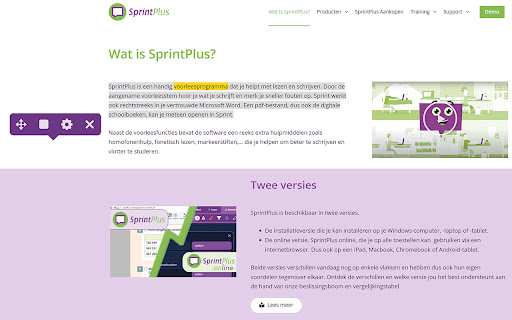
It helps to improve reading comprehension. As it speaks, it highlights the word that is pronounced. This helps to visualise the reading flow. You can change the reading speed, the highlight color or switch off highlighting. WebSprinter supports different languages. It’s a great tool when learning a foreign language. WebSprinter helps children, young people and adults with dyslexia and learning difficulties. WebSprinter is part of the SprintPlus webapp. Use the same account as the SprintPlus webapp to log in to WebSprinter.

ReadSpeaker® TextAid for Chrome
ReadSpeaker TextAid Browser Extension The TextAid Browser Extension requires a subscription. Go to http://textaid.readspeaker.com/ and sign up for a free trial. Listening to the web is easy! Use text-to-speech for reading, writing and studying. Whether for school, work, or home, having text read out loud in a natural sounding voice while following along with highlighted text improves comprehension and allows you to consume content as you prefer. Just select, click and listen and ReadSpeaker TextAid for Chrome™ allows you to listen to web pages, Google Docs and Microsoft Word Online pages. Even listen as you write. ReadSpeaker TextAid for Chrome enables a toolbox* giving you text-to-speech capabilities such as: - Listening to web pages, Google Docs and Microsoft Word Online pages. - Listening as you follow along with the highlighted text - Reading selected sections or entire pages - Writing assistance tools - Personalized settings for highlighting, reading speed, color combinations - User friendly interface - Available in American, British and Australian English, Latvian, Dutch, Belgian Dutch, Finnish, French, German, Italian, Spanish and Swedish. * Please make sure that you are logged into your ReadSpeaker TextAid account.

Smartschool Plus
Not compatible with the newer Smartschool Foto's module. - Adds a "Download original" button under the main photo when viewing a photo gallery. Use this button to download the main photo in its original quality. - Adds a "Make album zip" button under every photo album, allowing you to download an entire album as a zip file. All photo's in this zip will be original quality.

Web2Speech
Have web pages, Gmail and Google Docs read to you with learning and study opportunities. Ideal for people with reading difficulties such as dyslexia or foreign speakers. Log in with your Alinea or Kurzweil 3000 license. This extension reads your web pages aloud in 10 different languages (NL, FR, EN, DE, AR, ES, IT, PL, PT, TR) and applies a double marking to the texts. This way, the reader can easily follow the text and read more comprehensively. You can personalize the settings to your preference: large or small toolbar, contrasts, reading speeds, colors of the markings, languages and voices. You can have text translated, look something up in (image) dictionaries, check conjugations or homophones, create audio files and mark and summarize. The study tools marking and summarizing are really useful and they work across different websites. You can always have the summary read to you. New additional features: With the screenshot reader you can have text in a self-drawn frame easily recognized and read aloud (e.g. text in an image). In addition, you can now dictate text in search fields and forms instead of typing. And three reading modes have been added: Read selection, Read text in rectangle, Click to read.

[NEW] Smartschool Grid - Percentages (Smarter Smartschool alternatief)
Automatische percentages in je Smartschool puntenlijst. De veilige en open-source vervanger voor Smarter Smartschool. Smarter Smartschool is verwijderd uit de browser stores. Smartschool Grid is de moderne, veilige en open-source vervanger. Smartschool Grid voegt automatisch percentages toe aan je Smartschool puntenlijst, zodat je meteen ziet waar je staat zonder rekenen of instellingen. Wat doet deze extensie? Smartschool Grid berekent automatisch je behaalde percentages per vak en toont deze direct naast elk vak in je Smartschool puntenlijst. Geen rekenmachine meer nodig om te weten hoe je ervoor staat. Hoe werkt het? 1. Installeer de extensie 2. Ga naar Smartschool -> Resultaten -> Tabel 3. Percentages verschijnen automatisch Geen instellingen nodig. Privacy en veiligheid: - Werkt alleen op Smartschool-pagina's - Geen dataverzameling - Geen externe servers - Open source: https://github.com/Alm0stEthical/smartschool-grid - Minimale permissies Perfect voor studenten die: - Snel willen zien hoe ze ervoor staan - Hun voortgang per vak willen volgen - Niet handmatig percentages willen uitrekenen - Een betrouwbaar alternatief voor Smarter Smartschool zoeken
