
fkekkoekkbdfhkifdadejlofdilbcdel

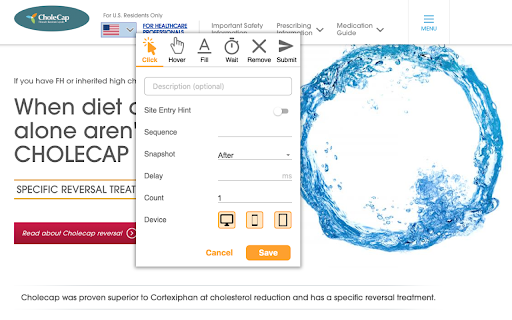
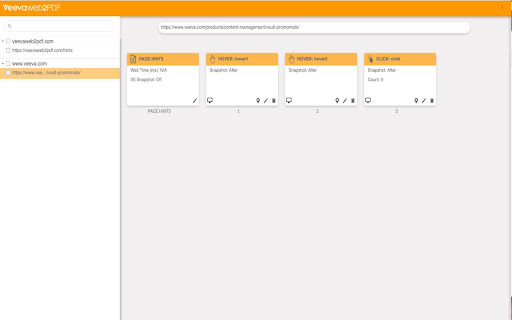
Create a PDF of your website that captures user interactions and links. We understand that dynamic and interactive elements can make up a large portion of your website. Dynamic elements are any aspects of a webpage that may not be displayed immediately as the page loads, such as an image slider, dropdown menu, or questionnaire. These elements are usually JavaScript-based and may require some user interaction. You can browse your site and drop hints along the way with Hintify mode. Right click on anything you want to add a hint to and the Veeva Web2PDF Chrome extension automatically translates your clicks into hint actions that you can easily preview by generating a PDF directly from the Chrome extension. These hints are saved locally to your computer and you can share them with others by downloading a .json file from the Hint Tab. You can also download your hints as a .js file to make them permanent on your website via touchless hints. To learn more, please visit https://www.veevaweb2pdf.com.

Web2PDF - HTML to PDF Converter
Download web pages as PDF, DOC or TXT. Maintains layout, images and links. Free web content converter for Chrome. Transform any webpage into multiple formats instantly! Our powerful Chrome extension lets you save web content exactly as you need it. Key Features Multiple Export Formats PDF: Save webpages with perfect layout preservation Word (DOC/DOCX): Convert pages to editable documents Text (TXT): Extract clean, formatted text content Images (PNG/JPEG): Capture full webpage screenshots Convert between DOC and TXT formats Save documents in multiple image formats Maintain original webpage formatting and structure Preserve images, tables, and text layout Save online articles for offline reading Convert web content to editable documents Archive important webpages Create backups of online information Share web content in preferred formats Extract text from webpages Capture full webpage screenshots Works with all websites Preserves original formatting Maintains image quality Keeps hyperlinks active in PDFs Supports batch processing Local file processing for privacy Perfect For Don't let important web content disappear - save it in your preferred format with Web2PDF! Our extension handles all your webpage conversion needs with just a few clicks. Try it now and join thousands of users who trust Web2PDF for their web content conversion needs! 🎯 Conclusion Web2PDF - HTML to PDF Converter is your complete solution for saving web content in various formats. With its powerful features, user-friendly interface, and commitment to privacy, it's the perfect tool for anyone needing to save and access web content offline. Download now and join thousands of satisfied users who trust Web2PDF for their web content conversion needs!

Print Selection to PDF
Select a text and print it to PDF via mouse right-click. Print Selection to PDF is an extension that helps you print a selection of words or sentences to a PDF document. To work with this addon, simply select a word or sentence with your mouse, right-click on the selection, and then click on - Print Selection to PDF item. The selection (only the text content) will be downloaded as a PDF document to your machine in the default download folder. If you want to change the download folder, please head to the settings page in your browser and change the download folder from there. There are also several settings to adjust for this addon which you can find on the options page. For example, you can adjust the page layout, unit, type, font family, size style, etc. Note: This add-on uses the jsPDF library to print a document to PDF. jsPDF is a free and open-source client-side JavaScript PDF library; to get more information about this library please visit this (https://github.com/parallax/jsPDF) GitHub page. To report bugs, please fill out the bug report form on the addon's homepage (https://mybrowseraddon.com/print-selection-to-pdf.html).

Vault Toolbox
Vault Toolbox is designed to make the everyday life of Veeva Vault Admins and Developers easier. It has a built-in set of "Tools" that allow Vault Developers to leverage the power of the Vault API through a clean and responsive User Interface. Vault Toolbox is an open-source project. Refer to the official repository for additional details: https://github.com/veeva/Vault-Toolbox

Just One File
Save current visible elements in an html file. What you see is what you save. Save the current visible elements to an Html file. The plugi removes the script and other useless elements, as much as possible to preserve the contents of the current page display.
