
fimcmbmpfebnoadcgdoejficcljbilbj
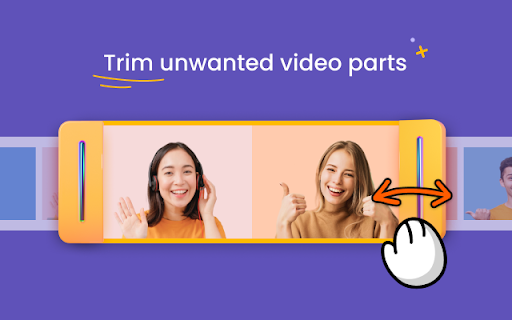
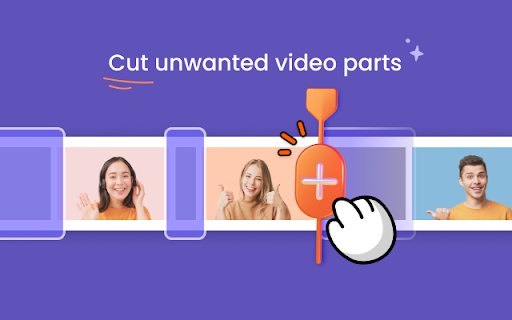
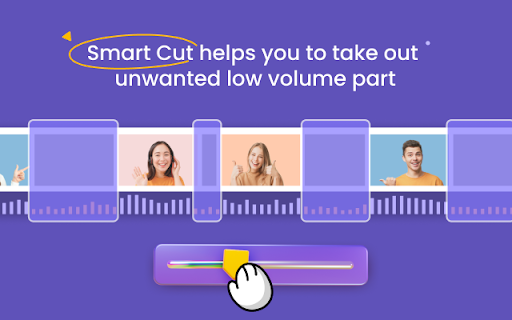

Cut and Trim video online without downloading software on your computer Cut Video Online is a web app which helps you to effortlessly cut and trim your video files online, in order, for example to take out the pause and shutters from your video . With this simple online tool you can cut, trim your video files without downloading complex software on your computer. Cut Video Online is easy to use and works perfectly on your Windows and Mac. - Smart Cut helps you to take out unwanted low volume part

Cut Video
Cut Video - Trim MP4 MKV Trim video files (MKV, MP4). Features: 1. Real-time preview. 2. Accurately trim MKV MP4 files. 3. Powered by web technologies.

Jumpcut
Navigate YouTube videos through description timestamps and comment chapters. Make YouTube more fun and productive! • New! Navigate YouTube Creator Timestamps by using the Jumpcut Next (shorcut: 'x') and Back (shortcut: 'z') buttons • Jumpcut loads author and comment timestamps to easily navigate the video • Watch only the parts people are talking about in the comments section! • An easy to use "Table of Contents" to quickly see if the video interests you • Play shorter Jumpcuts of videos that skip over the boring parts • Easily navigate by pressing 'x' to jump to the next clip and 'z' to jump back • Skip annoying sponsor segments and introductions • Skip non-music parts in music videos So why are you wasting time? Skip the boring parts, make time for more content! Edit: This will likely be the last release of Jumpcut. Jumpcut will only use local data to show the cuts, either Channel description cut, or comments. It was fun while it lasted, I hope you enjoyed it too!

video-clipper
Enhance Your YouTube Experience with Video Clipper Video Clipper is a Chrome extension that allows you to seamlessly create, organize, and play clips from your favourite YouTube videos. Whether you're a dancer, musician, student, or just want to save memorable moments, Video Looper makes it easy to extract and curate the content you love directly within YouTube. Support for more platforms is coming soon! - Simple Clip Creation: Select and save specific video segments with just a few clicks or shortcuts. - Full-Screen Playback: Enjoy your clips in full-screen mode while retaining the original video's context. - Search Capability: List all your clips and search through them easily in a dedicated UI. - Organized Library: Sort your clips into folders and playlists for easy access. - Customizable Settings: Modify playback speed, loop settings, and more to match your preferences. Ideal for - Dancers: Practice and perfect your moves with customized clips. - Musicians: Extract and loop specific song sections for practice or performance. - Students: Save key segments of lectures or tutorials for easy review. - Anyone: Create and share your own clips for personal use or to share with friends. Download Video Clipper today and maximize your YouTube experience!

Video Editor by DriveEditor.com
Edit your videos with Google Drive video editor. Adjust brightness, crop, trim, mirror, rotate, remove metadata and save your edits. Drive Video Editor lets you edit videos directly on your Google Drive.🎥✨ Our Google Drive video editor makes it super easy to edit short form videos on your Drive. No watermarks! Whether you're editing Instagram Reels, TikTok videos, or YouTube Shorts, our online video editor has got you covered. Due to video codec limitations of Google Drive, the Drive Video Editor extension will not always be able to process .MOV files stored on your Google Drive. For optimal performance, we recommend using videos under 50MB and shorter than 5 minutes. Need help? Found a bug? Have an idea for improvements? Let us know here: https://driveeditor.com/#contact If you're a social media reposter, a freelance video editor, or a marketer, this tool helps you edit video clips in seconds. If you want to apply the same edits to multiple videos just copy and paste editing presets for faster edits. Perfect for repurposing and reusing content and avoiding shadow bans and 0 view "jail"! 📲 What are the editing features? How to use? 1️⃣ Click the "Add to Chrome" button and pin it to your toolbar. 2️⃣ Click on the extension icon and Log in to your Gmail account 3️⃣ Open your Google Drive and refresh it. 4️⃣ Select the video you want to edit. 5️⃣ Click on the "Edit video" button under the video preview to open the editor. Who is it for? ❓Can I copy and paste my edits? - Yes! Use it if you need to apply the same editing preset on multiple videos. ❓Can I remove video metadata? - Yes! Click on the Remove button to clear video metadata for better privacy. ❓What video formats are supported by the extension? - The extension supports popular video formats such as MP4, MOV, AVI, MKV and WEBM. If you encounter any issues with a specific format, please refer to the support for more details. ❓Is there a limit to the size or length of the videos I can edit? - The extension is designed to handle most standard video files. However, performance may vary based on the size and length of the video, as well as your device’s capabilities. For optimal performance, we recommend using videos under 50MB and shorter than 5 minutes. Try our video cutter and video trimmer today to edit, save and share awesome short form video content right in your Drive!
