
fijnkmobnoehglcljbadhmfccnpaocbi
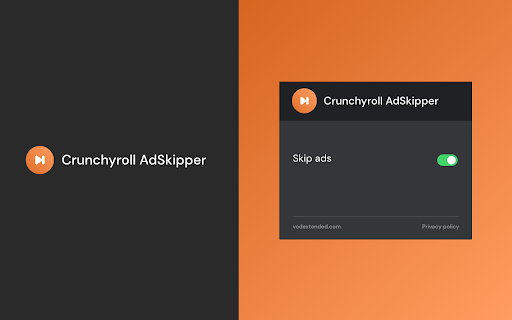
Add Ad Skipper for Crunchyroll to your browser to automatically: 🌐 Skip ads displayed before and during episodes without paid subscription. ⏭️ One extension for smooth viewing of all episodes of your favorite anime series on Crunchyroll. 🎬 All you have to do is add the extension to your browser and log into your Crunchyroll account. It's so easy you can do it between two episodes! 😁 How does it work? 🤔 Ad Skipper automatically detects and skips ads that appear while watching. ⚠️ ❗**Disclaimer: All product and company names are trademarks or registered trademarks of their respective holders. This extension holds no association or affiliation with them or any third-party companies.**❗ This extension is part of the Quality Viewership Initiative, a collaborative effort to enhance the understanding of audience engagement. It collects anonymous, aggregated viewing insights to support creators and studios in improving the quality of their content. You can stop sharing your information at any time by switching the toggle on the options page.

Crunchyroll Speeder: adjust playback speed [QVI]
Extension allows to adjust the playback speed on Crunchyroll according to preference Enhance your viewing experience with custom playback speeds on Crunchyroll. This extension enables you to speed up or slow down shows, allowing you to watch your favorite content at a pace that suits you best. 🎬 Struggling to follow rapid-fire dialogue? Want to savor your favorite scenes in slow motion? Or perhaps you'd prefer to skip past the less captivating parts to get to the climactic finale? Look no further! Here's your solution for adjusting video playback speeds. 😁 You can also use it to speed up ads! ⏭️ Simply add the extension to your browser and access the control panel, which lets you select from a range of speed options, from 0.25x to 16x. Additionally, you can use keyboard hotkeys for even greater control. It's that easy! How to find Speeder's control panel: 🤔 1. After installation, click the small puzzle piece icon next to your Chrome profile avatar (top right corner of the browser window) 2. You'll see all your installed and enabled extensions. 3. You can pin Speeder to have it always on top in your browser. 4. Click the Speeder icon and try different speed settings. ❗**Disclaimer: All product and company names are trademarks or registered trademarks of their respective holders. This extension holds no association or affiliation with them or any third-party companies.**❗ This extension is part of the Quality Viewership Initiative, a collaborative effort to enhance the understanding of audience engagement. It collects anonymous, aggregated viewing insights to support creators and studios in improving the quality of their content. You can stop sharing your information at any time by switching the toggle on the options page.

Crunchyroll With Better Seasons
Instead of having multiple seasons as DUBS, change audio language directly from the episode. Crunchyroll With Better Seasons is a cross-platform browser extension that changes the way seasons are displayed on Crunchyroll and adds the subtitles to the dub episodes. On the serie page, it groups all audio languages into a single seasons and reorder the seasons with a better numerotation. On the episode page, it adds a setting to change the audio language.

Improve Crunchyroll
Improve Crunchyroll can: - Make the video player bigger (2 mods) - Take all window in fullscreen - Skipping's buttons/shortcut for intros, recaps, outros... (buttons with time in it come from this extension and are subtitles based, won't be flawless, the others are native) - Add integration options with MyAnimeList and AniList - Add the broadcast date of the next episode - Control video playback speed in the existing player settings - Mark episode/entire series as watched/not watched - Blur or hide runner thumbnail - Hide scrollbar for a better immersion - Hide player dim screen - Hide subtitles - Hide play pause button - Hide player UI options & shortcuts - Hide banner after last episode - Disable NumPad - Add fast backward/forward buttons - Add fast backward/forward shortcuts - Add video playback speed shortcuts - Open header menu on hover option - Add Picture-in-Picture button (no subtitles) - Maximize on double-click option - Each features can be turn on/off - Backup/reset settings Support new version of Crunchyroll. Feedbacks are welcomed! Translation are made with google translate, it may contains errors. Extension name and popup inspired by Improve YouTube extension!

Audio Booster for Crunchyroll
Struggling with quiet streaming audio? 🚀 Try Audio Booster for Chrome and amplify your experience! 🎧 Works on Crunchyroll 🎬 Have you ever watched an anime on Crunchyroll and felt the sound was too quiet? 😕 Did you have to turn up the volume to the max and still weren't satisfied? 📉 Enter Audio Booster for Crunchyroll - your solution to the problem of a quiet audio track in online media! 🚀 What is Audio Booster for Crunchyroll? Audio Booster for Crunchyroll is an innovative extension for the Chrome browser 🌐, allowing you to increase the maximum volume of audio played on Crunchyroll. Easily adjust the volume using a slider 🎚️ or predefined buttons in the extension's pop-up menu to achieve the optimal sound level. 🔊 Features 🔹 Volume Increase: Set the volume according to your needs. 🔹 Predefined levels: Choose from ready-made volume settings for quick adjustment. 🔹 Compatibility: Designed specifically for use with Crunchyroll. Install the extension from the Chrome Web Store. Open an anime on Crunchyroll. 🎬 Click the extension icon in the browser bar. 🖱️ Use the slider or predefined buttons in the extension's pop-up menu to increase the volume. 🎧 ❗**Disclaimer: All product and company names are trademarks or registered trademarks of their respective holders. This extension holds no association or affiliation with them or any third-party companies.**❗
